Showing posts with label arts and humanities. Show all posts

Thursday, 12 April 2012

Marvel Comics and DC comics on your Smartphones


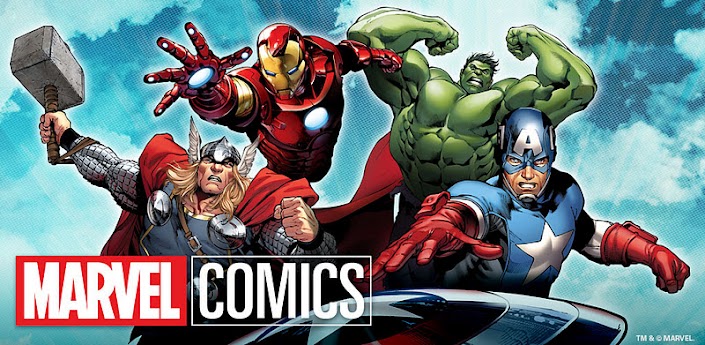
      Love your Android or iPhone? Love Superheroes? Well let's find out about reading Marvel and DC Comics on Android and iPhone! Do you have a favorite superhero or more? Chances are one of them is from Marvel Comics or DC Comics. DC characters from the Justice League include Superman, Batman, and the Green Lantern. From Marvel you have the Avengers like Iron Man, Thor, Hulk, and Captain America. Good news, Marvel and DC comics have applications that are available on your Android(most likely for iphones too). I was never a comic reader, but I did love the animation adaptations of X-Men:The Animated Series and Spider-Man from Fox Kids in the 90‘s. Post 2000 shows would include the Justice League and the Teen Titans.
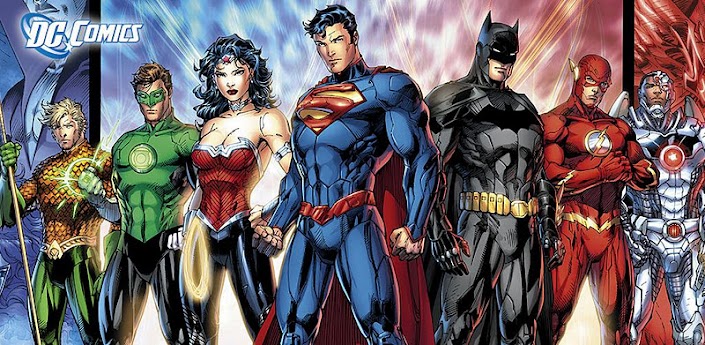
I'll Let the pictures do some speaking
Pictures taken from Google Play
     Free Comics on your Android phone
 There aren’t many free comics to download and read on your Android phone, but just enough to get a taste. My favorite FREE READ was “Avengers vs. X-Men”. Oh man, the nostalgia I got from reading that one. Wolverine is awesome. There is a Blacklist, which contains lists on each character that are important comic issues/prints that really go over or tells you the story for the character. Many of the comics may be downloaded for $0.99 or $1.99.

     How to use Comic/ Graphic Novel Readers on your Android/iPhone
 Reading comics from these comic apps on your Android (iPhone?) are easy and similar to each other. The apps do a great job of moving you from bubble to bubble while concentrating the screen on what you’re suppose to notice. In a way, this is sometimes better than reading the comics because it shows you where you are suppose to focus on. IT IS ALMOST LIKE WATCHING SCENES  OF THE ANIMATED HEROES on your phone! Your screen acts like it’s divided into three vertical buttons. Touch the left section of the screen to go back a page or scene, and touch the right to go forward to the next page or scene. Touch the middle section and the settings pop up. You may delete downloaded articles by going to “manage” and then HOLD onto that comic for 1 or 2 seconds.  To jump to a specific page, you can go to the menu and quickly scroll to the page you want.

      How to Troubleshoot Problems and Issues with Comic Readers on Android
Once in a while the app goes loco and treats the whole screen like the settings button. When this happens you may just exit the app and come back. This should take you back to the page that you were just on, so no biggie. I found myself wanting a bigger screen (than 4 inches) sometimes. And most free comics were very short. For example they ended before even getting interesting. But those were free and included quite a few introductions to the DC superheroes. Another minor issue I had while using the “Search" function on the app with my phone. After pressing the enter button during a search, it sometimes looks like nothing happened. Indeed the search was done, but you needed to Return back, or close the keyboard to see the part of the screen that shows the results. I haven’t tested that apps on other phones so these may just be native glitches for the Sony Xperia Play.

      How big are file downloads for Graphic Novels on Smartphones?
Most comic downloads ranged from 10MB to 25MB of required memory space.

Have your say in the comments: Who is the best Superheroe to read on your Android Phone?
 For those of you who may like Hellboy from Dark Horse, fear not for they also have an app.  There are plenty more of comics available on those apps. I only named the big shots. I'm not going to debate who's the best superhero or who can beat who. For you diehard comic readers, I’m sure you’ll want to check these apps out if you haven’t already.


Gametrender

Tuesday, 10 April 2012

Customised Animated Messages for your iPhone

Doink Express, picture creator for iPhone
Easy and intuitive picture creation
on iPhone with Doink Express App
DOINK. If you know anything about animation or picture creation that should be a name familiar to you. If you don't know Doink then after you read this article you'll know why you should have this picture creation tool for your iPhone.


The internet site behind Doink Express is a large and renowned artistic community using the power of the various Doink Apps to create some serious art. So with that in mind you know that when you download Doink Express you're becoming part of a community of fantastic creative individuals, and more to the point all the fantastic art; images; backgrounds and animations that have been created and shared are yours to download and use for free in making some fine iPhone art.


So what is the app actually all about. It's not simply an iPhone Drawing app, nor a way to improve your online drawings and cheat on Draw Something! No what it does is allow you to use photos on your iPhone to create customised,beautiful and elegant messages. From the basics of simply writing a quick message on a photo to a loved one, to creating a full animation using that photo and including sound! Doink Express really seeks to bring forth the iPhone artist in you.
App allows you to use vast library
of Doink shared creations.


And of course if you're at creative rock bottom , remember that you have full access to all the brilliant animations and drawing and other props of the Doink community to get you started.


It's very easy to create a small drawing and customise photos on your iPhone, the little dabbling I've done in creating full animations also seems very easy, with a basic timeline meeting all the animation requirements.


So quite simply if you're looking for a top picture creation and publishing tool, backed up by a fantastically creative community and including a top , easy to use, animation tool then DOINK EXPRESS is a must have for your iPhone.

Monday, 9 April 2012

Making a life with iPhone Apps

app to combat depression, new book about apps
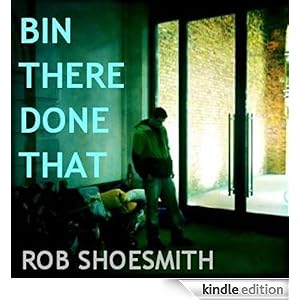
Bin there Done That. Apps for a successful life.
We live in testing times in which technology has in many ways taken us away from our spiritual and earthy roots. We eat processed food, live in houses that cut us off from the cycles and rhythms of nature and work in jobs that seldom see any real satisfaction or meaning. We're desensitised to violence and our evenings are filled with watching repetitive; demeaning entertainment that lacks moral or spiritual focus and contributes nothing to our well being. However look hard enough under this very bitter facade of modern society and you can find not only meaning, but joy and purpose too.


Can iPhone apps break this monotonous cycle of the modern alienated person? Well a new book about apps and the app industry sets out to answer this question. More importantly this book is not written by some Ivory Towered Professor who makes a living from studying apps and depression. No this book is written by a man who is swiftly becoming a legend in the app industry, Rob Shoesmith reveals in his new book: Bin there Done That how iPhone apps have played an instrumental part in his life, dragging him from depression and despair into the exciting and wonder filled world of iPhone apps.
 Read it love it and realise that despite all the doom and gloom of this article's opening paragraph just how damned lucky we are to live in these technologically advanced times.
From all of us who are  part of this exciting world of Apps : Thankyou Rob.
Download: BIN THERE DONE THAT  on your Kindle today. It will be released onto the Appstore soon too. 

Thursday, 5 April 2012

Best Apps for Students

The school year is winding down, but that doesn’t mean it’s time to put away your books. Exams, papers and projects are the buzz words as April slowly gives way to May and students start drinking coffee and staying up far too late in preparation for finals. If you’re feeling a little stressed, sit back and relax. There are five amazing apps you can download to help ease the burden. Mobile application development has come a long way since IBM Simon, the first smartphone, was released in 1992 and there are tons of apps to get you through the final stretch.

  • Blackboard Mobile Learn is an offshoot of the popular Blackboard software used in high schools and colleges around the nation. It’s available for iOS and Android. Use it to complete any Blackboard assignments, watch videos, read syllabi and interact with your class on the go. You must have a Blackboard account through your college to use BlackBoard Mobile Learn, so check whether you’re eligible before you download.
  • gFlash+ is an app that lets you make flashcards and use them right on your phone. Forget about needing a partner or dealing with the papercuts that come from quickly rifling through a stack of index cards. Just add information to your phone and start flashing knowledge into your head. You can get it for iOS or Android.
  • No notebook? No problem. Install Evernote so you always have the ability to take notes in the palm of your hand. Most people don’t forget their phone when they leave the house, but how many times have you had to borrow a pen? Evernote is available on iOS and Android, but it can also work on your computer at home.
  • If you don’t feel like taking notes, try Share Your Board. The app takes a photo of a whiteboard in your classroom and changes it into a PDF file. Once you have it, you can send it to friends or use it for your own studies. The app is available for Android users.
  • There’s no reason to get a backache from lugging heavy books around when you have the Dictionary.com app. Combine it with an already-installed reader and you have a mobile library capable of delivering up facts at the click of a button or swipe of a touchscreen. The Dictionary.com app can save you from misspellings and misunderstandings in any classroom. It’s available on iOS, Android and BlackBerry.

As a bonus, download Angry Birds. It isn’t the most popular app in the world for no reason. Use it to take a break between classes or on the bus. There’s no harm in having a little fun; if anything, it’ll make you happier and more productive. You can get Angry Birds on any platform—even the new iPad with Retina display.

So don’t let your phone or tablet be a drain on your time or grades. Instead, use it to enhance your education. By downloading apps that make you more productive, you’ll get your work done sooner and be out with friends before you know it. Isn’t that better than sitting at your desk, flipping through a notebook and trying desperately to remember where you left the notes from math last week?

Laur Niko has a Master of Science in English from a liberal arts university in Virginia. She’s been a freelance writer for three years and specializes in mobile applications, 3D gaming, education and finance.

Monday, 21 November 2011

The literary Inheritance of Twilight

Following on from recent postings about this seasons best selling and rival devices the Amazon Fire and Barne's and Noble Nook Color I thought I'd follow up with an intelligent posting about our literary inheritance. Not wishing to go too high brow I' m going to discuss Twilight and how it can be seen as part of this literary inheritance.

The Twilight movie has been the talking point for many a teenager over the last few years with the movie Breaking Dawn taking over 283 million dolllars in its opening weekend. Never mind literary inheritance, when the children of these modern day phenomenon actors,Kristen Stewart and Robert Pattinson et al, open their book of inheritance they'll be in for a pleasant multimillion dollar surprise!

So to get highbrow now, what is the main inheritance book for this movie and indeed for the original book? I went searching for the thoughts of the Twilight Movie (book) creator Stephenie Meyer and her thoughts on this : Inspired by a dream Stephenies's story soon started to unfold her dream inspiring her to take up her writer's pen that had lain dormant for so long, at best she'd only ver completed a chapter here or there of stories that never went anywhere. As for this dream in Stephenie Meyer's own words:
"I woke up (on that June 2nd) from a very vivid dream. In my dream, two people were having an intense conversation in a meadow in the woods. One of these people was just your average girl. The other person was fantastically beautiful, sparkly, and a vampire. They were discussing the difficulties inherent in the facts that A) they were falling in love with each other while B) the vampire was particularly attracted to the scent of her blood, and was having a difficult time restraining himself from killing her immediately. For what is essentially a transcript of my dream, please see Chapter 13 ("Confessions") of the book." So this dream was the start of the book that would eventually become the Twilight Movie, the Breaking Dawn movie and all in between.

As a literati one of the things that stands out in this dream transcript is that the character was a vampire. Culturally us Westerners have been weaned on Vampire stories, this inheritance dating all the way back to the early 19 th century when the physician of Lord Byron: John Polidori penned the first English Vampire story entitled "The Vampyre" in 1819. Of course the vampire was not his creation as many tales of so called seductive blood drinkers had been circulating for many tears and tales might even be traced as far back as Pre-Historic times. However it is Dr. Polidori's story that first romanticises the Vampire and establishes them as charismatic and sophisticated. Something of course which is carried on in the Twilight Movies as it is doubtful whether the Edward Cullen character as played by Robert Pattinson would have been quite so universally adored if he attained to one of nineteenth century Europes images of a Vampyre as a 'bloated , rotting corpse' !

Reading further on into Meyer's literary book of inheritance we find that even the names have some sort of classical influence : " Charlotte Bronte's Mr. Rochester and Jane Austen's Mr. Ferrars were the characters that led me to the name Edward....For the rest of the characters, I did a lot of searching in old census records, looking for popular names in the times that they'd been born"

Hopefully with these new insights into the literary inheritance of the Twilight movies you can in good conscience enjoy both the story and the movie Twilight on either your new Amazon Fire or your Nook Color.


Looking for more books in a similar vein for your Amazon Fire?  Christopher Palioni released his third Inheritance Saga this September.  This series, which Palioni began when he was a mere fifteen years old, tells the story of a young farm boy who finds a dragon egg and the dangerous fateful adventures that subsequently ensue.

Reading Grimm on the Amazon Fire


So the Amazon Fire is finally out, do you want to be reading the old Grimm tales on it or something more modern and snappy? Or should you just give up the reading lark altogether and immerse yourself in a world of apps and Android powered fun?

Aah you ask but why have I specifically mentioned Grimm in conjunction with Amazon? Well since the series Grimm has started being aired by NBC it has prompted a huge upsurge of interest in the original Grimm Brothers fairy tales and downloads of the sometimes free literary classics as an Amazon Kindle book have been fairly flying off the virtual library shelves.

Kindle fire1
Amazon Fire: Cheap Multimedia for all
Amazon of course have been just like the characters from Grimm tales themselves, I liken them to Hansel and Gretel following breadcrumbs home; except the breadcrumbs in this case are the alternating cash cows of the original Amazon Kindle and now the Amazon Fire. And with all the profit that Amazon books and all the other lucrative branches Amazon has, I'm sure the modest Gingerbread house as envisaged by the Grimm brothers is now a multi billion dollar palace with only the finest French boulangerrie crafted Gingerbread in sight.

Which nicely leads us on to another form of Gingerbread, that powering the Amazon Fire:
With Android 2.3 (Honeycomb;ice-cream sandwich where are you?) on board, it's  the first Amazon device to run anything other than the non-native software.

Shop Amazon's Gift Cards - Perfect Anytime

Lush color book covers as they're meant to be on Amazon Fire

What I and many other happy Kindle owners have wanted for a while is a colour screen especially to read magazines and look at our book covers(take for example the lush covers of Terry Pratchett's books-they just wouldn't be the same in black and white) .The Amazon Fire has a 7-inch, 1024x600 color display which makes it a comfortable size for reading but large enough to enjoy other tablet features.


Offering a 1GHz dual-core Texas Instruments OMAP processor the Kindle has plenty of power for its size, but one wonders if the 512mb of ram or the 8gb of internal storage with no sd card expansion is enough. Ergonomically the Amazon Fire is just fine as it feels comfortable to hold compared to the larger tablets out there and has being described as having a similar user weight to comfort ratio of the Kindle.

Amazon Fire: Modern ways to Enjoy old classics?
It's apparent that this device is aimed at media consumption as it lacks both microphones and camera-decisons to omit these I'm sure drove the costs down, crucial as the very low sub 200 hundred dollar price point alongside Amazon's awesome reputation is what is going to sell these tablets.

With a gorilla glass screen and a rubberised back the Amazon Fire is plenty tough and the Kindle skinned Ui quite intuitive having a homescreen as a library the device just wants you to consume media in all forms. Consume... not a good word when it comes to the Amazon Fire as it is the one area that it lets me down. I love the Kindle because I travel a lot and having a battery that lasts almost a month is superb with the Amazon Fire it's claimed that constant reading will give you 7.5 hours of Amazon Fire battery time. A big dissapointment.

So finally: Yes, Grimm Tales and millions of other books are available through the Amazon market for Kindle and the exciting fire. At such a low price you'd be silly to avoid the Amazon  Fire, especially as cross media projects like the aforementioned Grimm tales can be enjoyed as a book ; graphic novel ot even the Grimm TV series- something which the Kindle could not ever do . Now if only the battery lasted a month!


Reading Harry Potter on your Barnes and Noble Nook

Harry Potter brought to you by Barne's and Noble
I remember when Harry Potter first came across my radar , when Gametrender was just a gleam in everybody's eye, what started out as a question posed to an ex girlfriend: "What's so addictive about Harry Potter?" Was soon answered as I was dragged in to a world of Muggles and Magic just like the rest of the world who even now fling their cash at book sellers like Barnes and Noble 's  to get hold of Harry Potter ( if they're one of the two people in the world who haven't already!)

So how does this tie up with the smartphone trending blog that is Gametrender. Well it's always our job to keep you abreast of developments in the tech world and what with the release of the new Android powered Kindle Fire I thought we'd do a quick article about Kindle's long time rival the Barnes and Noble Nook. So read on to find out how the Nook can help you enter Harry Potter world...

NOOK Color
When one of the things that must be said about the Barne's and Noble Nook is that it is supported by a very strong parent company, the Borders Group , once one of the most renowned and affluent booksellers, now even redirect their website to the mighty Barnes and Noble . One could argue that it is the physical component of old school paper book sellers like Borders Books which have left them in the dust behind innovators like Barnes and Noble. Indeed at one stage Borders locations where all over the world and I believe that one of the primary reasons is that Barnes and Noble with their Nook have moved on with the times and others have not-quite like us adult readers of Harry Potter- still believing in a Harry Potter world of magic and gleaning amusement from Harry Potter's teenage angst, albeit an angst tinged by a hint of magic!


The Nook Color itself is relatively inexpensive retailing at just under 200 hundred dollars and at seven inches is not too much of a handful. The Nook itself runs a version of Android but surprisingly apps can only be downloaded from Barnes and Noble with Angry Birds itself coming in at about $2.99 which is fairly shocking as we all know it can be downloaded for free from the Android Market.

But as we know one of the world's biggest book sellers is not flogging us an appstore or even a mid-powered Android tablet, what they are giving us is access to a brilliant online collection of books, which of course includes the aforementioned Harry Potter.

The Nook also features a Read in Store capability that allows visitors to stream and read books for up to one hour while shopping in a Barnes & Noble Store, which gives a useful taste for the over 2.5 million ebooks;magazines and interactive kids books that a Nook Color owner will have access to.

It's not all sunshine though as not eveybody agress with B and N's foray into ebooks, in fact one of the companies billionaire investors Ron Burkle is concerned about falling profits and disagrees with Barnes & Noble's e-book strategy and is involved with ongoing litigation with present ceo's.

So to finally answer your question: Should the Nook Color be your key to a Harry Potter World of magic and muggles and indeed a million and one other non-fiction worlds. I would say a tentative yes if you are buying the Nook Color for its excellent library and the confidence that the product you own is backed by many real world bookstore locations. However if you are wanting an Android tablet for other factors like Android market capability or fast dual core processors for better gaming , then you would be better looking elsewhere.

Compare the Nook to the Amazon Fire