Showing posts with label android. Show all posts

Monday, 5 November 2012

How to program for Ouya

Ouya ODK
Developing for Ouya
Guide to programming for OUYA
In December the Ouya SDK ,known as the Ouya Development Kit or Ouya SDK will be released. We've gathered the latest facts, information and guidance that potential Ouya programmers will need to make their venture into the soon to be released Android powered console successful.

Overview of the Ouya capabilities
The console is based on Android Jellybean with the developer boards running JellyBean 4.1

Ouya Controller-what a developer needs to know
The controller will be similar to a generic gamepad with a standard number and configuration of action buttons, all games will need to use the controller buttons for  input. When the ODK documentation is released it will have the Ouya key mapping info.
The controller also uses a touchpad that has single touch support- no multi touch in this version.

Disregard using buttons such as menu or volume as they won't be present but there will be a system button that brings up the pause menu from where the game specific settings menu can be accessed.
For typing purposes a soft keyboard will be used.

Is the Ouya Display HD?
All screen resolutions and aspects are supported with full use of the screen geography

How to earn money as an Ouya Programmer?
The policy is that all games will be free to download on the console. This can take the form of a free demo or level and then monetisation of your Ouya game can happen with freemium models and in app purchases allowed

In-App Purchasing API. In-app purchases can either be “entitlements” that are purchased once (e.g., full game unlock or premium item purchase ) or “consumables” which can be purchased repeatedly (e.g., coins or tokens). The ODK will have payment APIs to sell in-app items.

Settings and Software:
Game settings. After a gamer presses the OUYA system button, the game will pause and bring up an OUYA-standard menu that gives a gamer an option to exit the game or enter game settings.
You, the developer, will have an API to insert your own custom game settings.
Permissions. General permissions that will apply to all apps instead of each app having to have its own permissions.
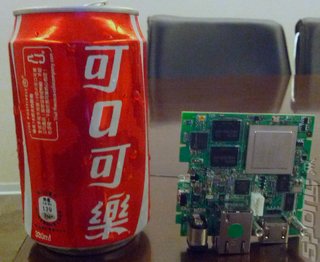
Ouya with Tegra T33
Ouya Dev Kits
System resources.
 OUYA is not a smartphone so is not designed for multitasking with more than one app running at the same time. Game developers can tune performance confident that full system resources, barring a few basic system services, will be available to them.
No notifications.
OUYA games will have no push notifications at this time this means that they  will not be developing or offering the services that are required to support push notifications for v1.

Store Listing, Metadata, Game Art:
When  the Alpha ODK to the OUYA developer portal is released  in December, specifics as to icon sizes, listing requirements and OUYA store policies will be published at this time. The interfaces have been  designed  with developers and  common assets in mind '

Ouya  hardware:
OUYA’s board is powered by an NVIDIA Tegra 3 processor.
Which Tegra 3 processor is used in Ouya? The Nvidia Tegra 3 processor the T33. That means that a developer can build and test on any Tegra 3 Android tablet. For now, OUYA will be using OpenGL ES2 like all other Tegra 3 devices.
ODK devkit controller
Ouya Keymapping

Specific Developer Questions
Will any Unity Store extensions to provide easy access to things like your IAP, any Lobby system and possibly controller be provided?

A Unity extension for OUYA is being worked on , this should be released soon after the ODK
Is multi-touch something that is being considered in the future? Also a game pad with an lcd display?

An official pack of high resolution button and controller images for use in development will eventually be provided.

Current Developments important to Game Studios

Dev kits will be shipped in December with the company now in advanced engineering testing

"Last week was a huge milestone for us we received our first development run of PCBs (Printed Circuit Boards) for the console," the company announced on its website.

"The first boards came to life without any hitches, and we're now fine tuning software and hardware performance for graphics, wireless, and user experience!"

Gaming Site reaches 500,000 HITS!

Dear Gametrender and it's Editor(s),

    I would like to say Congratulations to you and Gametrender for reaching HALF A MILLION VIEWS! All the hard work and dedication to testing and playing apps and sharing that experience and information is clearly getting noticed. Gametrender.net's growth has been amazing since the time I've joined.  I am honored to have been a part of this(no matter how small) bringing tips, hints, clues, and strategy guides to those who are also interested in what we are interested in. The experience has been enjoyable. Thank you for letting me put my game playing hobby to use. It's exciting to think about where the site will be in 5-10 years. And Thank You to the readers.


Can't wait to hit 1 Million Views! Gangnum Style.


Sunday, 4 November 2012

Using NFC enabled phones to the full

With many top mobile phones available with NFC capability, including top brands like Nokia, Samsung , LG, and many of the Xperia range of phones; we felt it was time to test out NFC using our review handset the Samsung Galaxy S3. 

Where to buy NFC Tags

Turning to London's Covent Garden based RapidNFC, who are quickly establishing themselves as Europe's largest supplier of NFC tags and products, we acquired some of the most popular NFC tags for personal use, to see the potential of NFC. 
 What is NFC? 
For those not really fully understanding what the Near Field Communications chip in their mobile device does we think we'd better give a quick Dummy's Guide to possibly the greatest mobile innovation since BlueTooth. That's not to say that this wireless standard is not quickly becoming the media's darling- during the latest London Olympics athletes were supplied with NFC capable Galaxy S3's to better enable micro purchases through collaborating retailers, like Pret a Manger, who had enabled cash points capable of taking preloaded payments for micro transactions for small values, like a lunchtime sandwich. 
 The new wireless standard allows two capable devices to pass information between themselves. The device can be a mobile handset, or even an encrypted object. This really makes a difference as even an innocuous object like a sticker can be encrypted with information that your mobile can read, and it doesn't require a power source.
 Marketing personnel would immediately see the potential in this for multiple uses like encrypting a personalised sticker to be attached and ready to be scanned in a public place which could provide great, inexpensive advertising. For example if the latest movie like Skyfall has prominent posters in accessible areas like a tube station, then those could be scanned by interested people and carry out all sorts of functions like taking people straight to the movie's website. 

 Uses of NFC 
Broadly it can be used for what we can loosely term personal use such as task launching and more commercial uses such as mobile payments, product identification and even security functions. Commercial uses are so wide ranging that they will need a full article by themselves to cover so with the useful products that we obtained from RapidNFC we're going to look in depth at some of the useful and time saving personal functions of NFC. 

 NFC to improve everyday mobile use.
where to get cheap nfc keychains
NFC Products from RapidNFC
 In possession of some of the more popular enabled products I set about making my home and office a NFC enabled zone. What's great about the mini nfc logo stickers and hang tags that I had is that use was only limited by my imagination. The Covent Garden NFC suppliers have the means to encode up to 200 thousand tags a day, but it is completely possible, and very simple, for a user to encode their own tags with any of a number of apps readily available, we'll be looking in to some of the easiest apps for an Android user to use to encode their own NFC tags in a later article. At the moment I've got a set up that works for me by having a small sticker on the bedside cabinet that when tapped sets the daily alarm on and the ringtone to silent. The NTAG203 with a scan strength of 7 even works through the mobiles hardback case. On my car keys I've used a hang tag that when touched puts the phone into Android Jellybean's useful driving mode( where incoming callers are verbally identified and text messages read out), turns off Wi-fi, turns on mobile data and activates Google Maps! Office NFC use sees another of the unobtrusive stickers on the desk activating Wi-Fi again, loading a popular news site and setting the phone to vibrate. The NFC enabled pen is yet to be programmed but certainly provides an office talking point when people enquire about it! 

 As a way to show off your phones capability NFC is definitely future technology today. But more than that it also allows some real time saving and avoids the stress of hunting through your devices to complete often rote tasks.
 Beyond the personal level there are a multitude of 'commercial' uses for NFC. If you're wanting to look into this for any of the above uses or even just for interests sake, the trial samples from RapidNFC proved reliable and functional and their wide range of products provide a great way for either business or personal users to explore modern mobile's immense NFC potential.

Friday, 26 October 2012

SmartGlass on Android and IPhone

Android release date for SmartGlass
Xbox SmartGlass is out for Microsoft's Surface tablet on October 26th, Windows Phone 8 devices will have SmartGlass on October 29th. iOS- and Android-powered devices have a long time to wait; until early 2013 to be precise.
SmartGlass is an app allowing  control of Xbox 360's content with a smartphone or tablet.
What can the Smartglass App control?
Movies and music will be controllable and your device will act as a second screen to view information on actors and artists.
As a second screen idea for the 360's internet browsing it's a good idea but more exciting for gamers is the second screen function which enables your Android/ios/Windows 8 device to display secondary information like inventory and maps. The catch is that some functions need An Xbox Live Gold subscription and of course the wait for non Windows 8 phones to get the app. We're hoping that the Cyanogen or Cydia folk can hack the app and bring a cracked version of SmartGlass to Android or Ios sooner than next year.

Wednesday, 24 October 2012

Maximising Google Now potential

British Sports on Google Now
Following on from our last article about Google Now basics we're coming back at you with more information about how to get the most out of the new Jellybean exclusive info system.
How to edit GoogleNow Sports Teams
When I saw I could get news about my favourite sports teams I was very excited. My excitement soon turned to confusion as going into the Google Now settings the 'edit teams' button was always grayed out. That is until I did a Google search for Manchester United. Now the card automatically popped up with my team-so just search and GoogleNow sporting teams cards should be yours to enjoy. And yes that even includes support for British Sports Teams on Google Now, so if you want to view an upcoming Liverpool or Aresnal or whatever match just do that search and soon you should start seeing those helpful cards appearing on your phone.
How does GoogleNow know where I live and Work?
Initially I thought that Google Now was clever enough to learn my daily commute. I think I gave it too much credit as it doesn't automatically give you  commute cards. To get googleNow popups for driving  it's necessary for you to check in your work and home locations in Google Maps. This way it'll be able to give you traffic warnings and theoretically even warn you when you need to leave early for work.
The more permission you give the more Now can help you. So enabling automatic check ins and internet searches will better enable Google Now to learn your interests and habits to give you better info cards on your Android phone.
What places will show up on a Now Card
Once you tick permissions for places nearby they should start to show up based on your location and privacy settings.
 
To really make the most out of Google Now you should allow notifications to pop up. This really makes it more of an automatic service.
Hopefully this clears up some confusion especially for Samsung Galaxy S3 UK owners needing to know how to use Google Now ( The UK S3 upgraded recently to Jellybean on Vodafone, O2 and Three-some users -myself included-didn't think that the Galaxy S3 used Google Now or Google Voice; hopefully this article will answers all those burning questions about Jellybean's most impressive feature.)

Tuesday, 23 October 2012

Using Google Now on your Mobile

Google Now on Uk Galaxy S3
If you've recently updated to Android Jellybean you're probably as excited as I was to try out Google Now on your Android device.
Initially I thought the location/info personalised Pa type app wasn't working untold I discovered that Google Now needs an internet connection.
After that initial scare the 'Advice cards' still didn't show up as permission needs to be given to the app before it will start showing up on your mobile.
A day into using Google Now on a Galaxy S3 (international 3G quad core version) and the excitement still remains for the apps potential and not for its performance. You see Google Now won't dramatically change your phone-yet. It l learns from your habits and gradually more and more Help Cards will be displayed.
Go into settings for Google Now and you can change it to display all sorts of info and the frequency of how often the cards display as well as timings. For example you could tell it that you commute to work by car and you want it to display heavy traffic before your evening commute.
Amongst other things sports cards, places cards and public transport are some of the options.

I turned on WiFi today at a work canteen and was very excited to find a card other than the Weather Card that had been displaying continually. It was a card for a nearby fancy bar/restaurant.  Had Google Now seen my phone in a cheap canteen and offered me a better place to eat?
The app is learning, but only slowly and as such using Google Now on an Android Phone is still excitement in potentia and not reality.

Wednesday, 17 October 2012

Mobile Casino Gaming Apps

Update: Mobile casino gaming apps
Is there a mobile casino app that is compatible with my mobile device? The answer to this is now probably, yes. The online casino industry revolutionised the way we play games on our mobile, but initially games were struggling with compatibility issues and rendering incorrectly on different devices. Online casinos have had a few tricks up their sleeves recently, and the latest releases and high profile games are now readily available and compatible with most brands and OS.


What are the different options for mobile games? Apps have replaced the traditional downloadable option in the mobile sphere and compatible apps for all devices are found across the web. Certain sites also offer browser based games that render correctly on mobile devices, but these are still limited and look to improve only over time. A site like JackpotCity Online Casino is an established and trusted brand and offers players a choice of apps that suit different devices and OS options. These options are becoming more popular with the bigger sites as developers are pushing out compatible versions of the best games to keep up with demand.


The most popular slots games like Tomb Raider and Thunderstruck have made the successful transition to being available as apps, as well as a host of additional slots, blackjack, roulette and other casino-style entertainment. Thanks to software developers like Microgaming who use the mobile Spin3 technology to power mobile games, you can enjoy user-friendly navigation and functionality on most mobile devices.


Are the games compatible with all mobile devices? The answer to this is yes, the improved technology and the switch by Apple to HTML 5 means that just about any mobile device is compatible with the games on offer. The casinos stipulate the different compatibility options and the user can then choose what their preferred device will be. Find apps compatible with Apple products such as the iPhone and iPad, most tablets include the Samsung Galaxy and smart phones that include Nokia and Blackberry. Operating systems posed the biggest challenge for developers, but games can now be easily found for both the Android and Apple OS.
The apps all work really well and come highly recommended; and with the huge demand for this type of gaming it can only grow and improve to a player’s advantage.

Monday, 15 October 2012

When is JellyBean coming to the UK Samsung Galaxy S3?

Touchwiz UX improvements in Android Jellybean
Android Jellybean on UK Galaxy S3's yet?
If you're like the average British Samsung Galaxy S3 power user your daily ritual consists of constantly checking to see if Android Jellybean has finally been ported to UK versions of the S3. Rumours are still being drip fed through the net with only two significant recent "newsworthy" items about the update. Android Jellybean is already on Galaxy S3 phone's in some European regions with the rollout starting in Poland roughly ten days ago. The Samsung Galaxy Note which has also been recently released is already using JB too!
A new Android 4.1.1 build I9300XXDLIH has just today been released in Sweden.
Why is Samsung taking so long to bring Jellybean to UK Handsets?
With the United Kingdom having so many mobile networks we can expect the update to take slightly longer. Samsung insists on thoroughly testing the software on all network infrastructures as it refuses to release an inferior product-especially with the Galaxy S3 being the South Korean mobile giants current flagship device. Of course Sammy also adds their own "skin" onto all versions of Android and the Touchwiz UX interface will also get an update with Jellybean, this update will include the ability to expand the floating video mode and a blocking mode for unwanted calls and messages.
Samsung has promised an October rollout for Jellybean and we're hoping that they stick to that for Great Britain!

Sunday, 14 October 2012

How do you use Google Voice Typing on the Samsung Galaxy S3?

Different keyboard inputs on samsung galaxy s3
Google Voice typing on the Samsung Galaxy S3
The Samsung Galaxy S3 has a multitude of features amongst them are many different types of input methods for the keyboard. Unfortunately the phone is not always intuitive to use so we've done a bit of research to help out with the common problem of how to use Google Voice typing and handwriting on the Samsung Galaxy S3
Activating Google Voice Typing on the Galaxy S3

From the phone's home page use the capacitative button to go to the phone's settings.
Now choose LANGUAGE AND INPUT
Check the  GOOGLE VOICE TYPING box
Click the "settings" icon, which is to the right of the SAMSUNG KEYBOARD Option
This will allow you to change the  SAMSUNG KEYBOARD SETTINGS.
Check the box to the right of VOICE INPUT ; the Show Voice Entry Button on Keyboard. 

Notice the Google Voice pop up above
the settings button?
If you still can't find voice input or handwriting to text!
For unknown reasons the above option doesn't always work so it might be necessary to use on of these extra steps:
If you pull the notification screen down and tap the Select Input Method (keyboard icon) you can then select Google Voice Typing which should launch voice input with a mic symbol and the word listening above it.
If the settings icon is still displayed on the keyboard (the button that looks like a cog); then 
hold down the  settings icon (for 2 seconds) and you will see a choice of 3 different Icons pop up. (these icons will enable normal keyboard input, handwriting to text and the elusive Google Voice to text option) . Now simply Drag your finger to the microphone and it will be there until you change the settings again.

Sunday, 7 October 2012

Connecting your Android to the TV

Connecting Galaxy S3 to TV
Phone to TV solutions
How to Connect an Android Phone to a TV?
Android phones with their traditionally larger screens are perfect for those wanting to view their photos, play their games and watch movies on the go. But let's face it, all of these activities are so much better on a big screen.
Naturally if you had access to a television you'd watch your movies on there in crisp HD rather than squinting at your ,albeit big-but not quite big enough, Galaxy S3. In fact moving beyond the realms of entertainment and considering your mobile device as the powerful business tool it is,if you're a power user chances are that many of your files, presentations and notes are stored somewhere on your Android or in the cloud. But again if you're going to share that content it's unlikely that your gaggle of Tokyo businessman is going to crowd around a phones screen!
There's a solution for your Android to TV (and other screens) that we've been lucky enough to try in recent weeks. MHL has a phone friendly solution that not only makes it very simple to connect your Android device to an HD enabled screen, but also enjoys massive support from many large manufacturers such as .
The MHL phone to TV link connection has sold millions of units already, and if their blurb is to be believed by the end of 2012 200 million MHL enabled products will have shipped, because of its ability to connect your phone to your TV. This is our experience of using the HD Link to connect our Samsung Galaxy S3 to an HD enabled television.
Android Game being played on a television
Firstly it must be noted that this is a wired solution, but the cables needed are quite long enough to pair your Android with a television and have room for mobility. We connected to a 1080i LG 42 inch television and a Beko 20 inch 720p TV and in both cases it was remarkably easy and any limitations on picture quality purely on the part of the TV. The package came with an adaptor to make the S3's slightly differently sized mini USB cable fit , but many generic devices with a mini USB connection won't need this extra adaptor, the Meetmhl website lists all the currently compatible devices. From the phone the USB cable runs straight to the television HDMI port. However the adaptor must still be connected via the enclosed power pack to an electric socket. The clear disadvantage of this is that it is yet another cable to use, but on the plus side your phone will be charging at the same time.
What can actually be viewed on the TV Screen?
The primary question a reader of Gametrender will be asking is "Can I play Android games on my TV?" The unmitigated answer is "Yes!" Naturally this was one of the first things we tried and we were vastly impressed by how Angry Birds Space looked on a 42 inch screen. Real Racing 2 was equally lush and one of the easier games to play because the tilt controls meant that there was no need to look where our fingers were fumbling on the S3. On the other hand even though Dead Trigger also looked amazing on a larger display the experience was slightly marred by the need to keep on looking at where the virtual controls where. With DHLink becoming very popular there should be a definite call by game studios to make virtual buttons easier to use when not looking at the actual mobile phones screen. The only game which disappointed was Waveblazer, being a less budgeted Android title the graphics weren't as polished as the others so they  showed up quite pixelated on the television. Of course this is an actual lack of quality on the part of the games graphics and not the hardware.
Of course it's not just games though as anything on your mobile screen and the sound is sent via HDMI to the television. YouTube videos played fantastically, the net was a joy to surf and my private photo and video gallery really came to life on a larger screen. Business applications like Slideshows and presentations would also work fantastically and really make Android devices using MHL enabled sharing a massive asset to the professional user on the move.
The gear itself is robust and well made and the experience really transcends the limits of a small screen. Plug and play is certainly the name of the game here with no intermediate software or setup . So in a nutshell any HD ready television or screen can be plugged into and used to view your Android phones display. A must for business and entertainment purposes when a small screen is simply not good enough.
Follow the link to the MHL site to find out where to purchase the easiest Phone/TV linking solution:
http://meetmhl.com/

Sunday, 16 September 2012

Tiny Bang Story: Android Hidden Object Game of Exquisite beauty

Tiny Bang Story now on Android
With a ponderous amount of Hidden Object Games on Android phones and most other mobile devices, some good,some bad but mostly rarely ugly, at your first glance of The Tiny Bang Story,you'd be forgiven for letting out a jaded adventure gamer's sigh. That feeling will last all of two minutes before a remarkably vivid and beautiful world mesmerises you.

And it's at that stage of the game that you realise that it's not just another Android HOG but something delightfully surreal and different. If you insisted on squeezing Tiny Bang into a genre then it could be best described as a Hidden Object/Puzzle genre. And it works really well , especially on the a larger screen phone like the Galaxy S3. If you're a Machinarium fan than have no doubts whatsoever, you are going to love this.

In a world shattered by an interstellar catastrophe you as the faceless protagonist are charged with resculpting the delightfully vivid , hand drawn world. I choose the word 'sculpting' very carefully as this world is truly a magnificent fragile work of art. A steampunk lite creation of quaint and whimsical objects await those lucky enough to venture into the realm
of the Tiny Bang Story.
Once in this world contextual puzzles and hidden objects lay littered about waiting for you to puzzle and seek out.
What is most remarkable about this app is how it is entirely dialogue free,simple diagrams and scene setting carry you forward with a rechargeable hint system to help you out.

As somebody who often gets frustrated with Android Hogs I was expecting similar before I began my review. I'd be remiss if I didn't say there was a little bit of frustration,but the compelling atmosphere of the beautiful world and ethereal music always seemed to buoy me along when stuck on the app( followed by one or two trips to Help Forums for this Hidden Object Game).

This app was reviewed via a Samsung Galaxy S3 and makes the most of a bright and colourful mobile screen. The Tiny Bang Story will mesmerise you.

Friday, 7 September 2012

The Tiny Bang Story now on Android

BigFish and Gamehouse games now on Android.
The Tiny Bang Story now on Android
Where the net leads mobile gaming is soon to follow. That's why such marvels as The Tiny Bang Story eventually migrate from their homes on sites such as BigFish and Gamehouse to the Android platform.
Herocraft is the forward thinking studio that is bringing The Tiny Bang Story to Android. If you haven't yet played this ingenious game then be prepared for a treat. Hidden Item games are always popular as are puzzle solving on Android mobiles. But combine the two and add some brilliant hand drawn graphics and you'll see why this BigFish Hit has now come to Android.

This is a unique steampunk world brought to life with a captivating soundtrack. Intuition and lateral thinking bring out the gaming puzzler in you as the bold move of having no in game text really makes the The Tiny Bang Story's gameplay something visceral; rather than rote learned.

Prepare for a full Gametrender review of this hit PC game come home to Android soon.

Monday, 3 September 2012

How to use Google Play Gift Cards

How to use Google Play Gift Cards
Apple has been very successful with their gift card schemes for iTunes and now Google Play has followed suit and has a gift card that can be used for all Android owners.
Who can use the Google Play Gift Card
Our research seems to show that the Android Gift Card is only available in the USA at the moment as the only retailers stocking this Android voucher are Radioshack, Target and Gameshack. They will also be available through Walmart .com later on

When will the Google Play Gift Card be available to the rest of the World?
As of yet there's no word on when they will be ready to roll out to the rest of the world-many of whom are still crying out to download music from Google Play 

 
Gift Cards are not available in your location.

Can you use Google Play Cards outside the USA? Mr. Android says "NO!"

What price are the Google Play Gift Cards?
At the moment the Android lovers pseudo credit card is being sold in $10, $25 and $50 card sizes. The larger sized vouchers could of course buy you a lot of apps and games-but will probably mainly be aimed at videophiles who love the fact that they can watch so many great (but kinda pricy) movies on their Android devices.

What can you buy with the Google Play Gift Card?
Songs, movies,Tv Shows , e-books and of course apps and games can be bought with the cards. At the moment the cards can not be used for app subscriptions, magazine subscriptions,hardware or accessories.
Is there a limit on your credit amount on Google Play
All research that we've done at the moment indicate that the most money that you can have available to you in Google credit is $2000, that's right only a 2000 dollar balance.
Are the Play Gift Cards easy to use?
Yes, simply so-just sign in to your Google Account to redeem your gift code ( and I'm sure it will be only a matter of time before the web is swamped with sites offering Free Google Play voucher codes and free Android credit redeems)

Sunday, 2 September 2012

How to find app sales on Google Play

How to find the cheapest Android apps on Google Play
Google Play is currently straining under all the downloads from its Labour Day app sales and end of Summer Android App Sales.
But how exactly do you find apps on sale on Google Play?

Well firstly research is key, now it could be intensive research that involves you knowing which sites to search and when to search, but is the effort involved for a discounted 99c app really worth it? 

To find last minute app sales, both obscure indie apps on sale and Blockbuster Android games on sale (and-gasp-for free) you could turn to established app and game websites like ourselves too. But us app journalists are only human too and can miss out on lots of cut price apps and games too.

You could even turn to comparison sites and apps( notice our widget-that could get you the cheap apps you want).


And finally one of the best ways we've found of getting the best app prices is by a timely Google Play search:
When is the best time to search Google Play for App Sales?
There are two time scales involved here, weekly and seasonal Google Play sales. Weekly sales are frequent and big companies like EA and Gameloft are infamous for having apps on sale almost every other weekend (this applies to both Android and iOS games). Remember that a lot of the bigger app studios operate out of the States so what is Midday Friday for you might only be 2 in the morning on a Friday in the USA- generally by 1800 PST most weekend app sales are announced.
Seasonal App Sales
Seasonal sales are a whole different kettle of fish though. These are holiday time specials on the Appstore that publishers magnanimously decide to heavily discount. So all the big festivals are in there: Halloween, Christmas etc. Perhaps the publishers have the idea that a holiday means more me time with your phone or tablet and act accordingly. Now again you've got to think interculturally about these things, and as it stands at the moment Google Play is very heavily Western orientated towards Western cultural phenomenons, so you might not necessarily find a Pesach sale going down, but Thanksgiving and others are certainly times to heat up your Android devices for some cut price apps and games. 
A case in point though is if you;re coming to the end of a season-Winter for example and you type in App Winter Sale-then remember your hemispheres Winter might be USA's summer-it's all about the big 'ol USA here I'm afraid.
How to search for Apps on sale on Google Play
Google Play:
Summer Sale
Great info Gametrender, thank you very much for telling us when an app might be on sale, but how do we find the darned things I hear you say? Very simple, app and game lovers, try a search like this: Just type "end of summer sale" into Google Play's search bar and up will come all those apps and games that are showing that seasonal love, so for example Summer 2012 Google Play Apps on Sale include:
Vignette, Modern Combat 3,Sonic CD,Virtua Tennis Challenge,NOVA 3,Star Armada, Dynamite Fishing Premium, Square Enix's Crystal Defenders and more.

So a great time for discounted apps and games, so stop reading about them and go off and search for the best Google Play has to offer.

Friday, 31 August 2012

Horn now available on Android

Best Android Graphics (but only for Tegra 3 Phones)
The graphically immense iPad hit Horn is now available on Google Play. Android users can now download the console graphic equalling game with one catch, at the moment Horn is only available for Tegra powered Android phones.
So if your Android has an Nvidia powered Tegra chip beneath the bonnet we seriously recommend getting Horn. And in another side note for Android fanboys wanting to prove Tegra's superiority over Apple products, including the IPad HD , the Android version has the best graphics out of all the platforms! We will update this post soon with pictures showing just how good Horn's Tegra graphics are in comparison to the iPads.
We've been doing some research into Horn again today (3/09) and are quite ashamed to see that Google Play only lists the game as having 50-100 downloads! As Horn is probably the closest Android users, or indeed any Smartphone users or Mobile gamers have to a near perfect console experience this is an absolute shame.
It's critically lauded by all the gaming press, has a full orchestral score, has next generation mobile graphics and bags of playability.
So Android Tegra 3 Phone owners get your act together-if you're a gamer you need to download Horn now!

Thursday, 30 August 2012

Is the Amazon Appstore Cheaper for UK buyers than GooglePlay?

Amazon Appstore UK price comparison with GooglePlay
The Amazon AppStore can now be used in the UK , but are prices for games better from Google Play or on the Amazon AppStore? We've just Qr coded the Amazon love on to a Samsung Galaxy S3 and the sign up process is simple. The Amazon AppStore just required our much used Amazon log in and already had some recommendations for us (bearing in mind this is the UK version of the Amazon AppStore,I'd imagine the European version differs slightly.
The Amazon Free App of the Day is something that us Europeans can be excited about, today's free European Amazon App is Angry Birds, the ad free version, nothing to get to excited about yet but we hope Amazon is just playing safe and Europe will see a lot more exciting apps in future.
But what about the whole alternate AppStore experience?
So far I prefer GooglePlay, Amazons Black and orange mobile template just doesn't look that appealing, also even on a Galaxy S3 the app seems quite laggy.

But does Amazon give UK users cheaper apps? That's definitely the priority question and these are some prices to compare: Plants vs Zombies: £2.37 on both the Amazon site and GooglePlay, Angry Birds Seasons- Free with Google ,but 0.63p with Amazon( ummm not looking good for the European Appstore so far!), Sinister Planet -0.95 pence to the Booksellers and £1.30  to the search Engine Giants-at last Amazon scores! Google undercuts Amazons app prices by a penny with their Cut The Rope download coming in at 0.62 pence. , no results from Amazon for the Asphalt games, a search for Where's My Water returns not the expected Disney game but Catfish Fry as a top result( coincidentally it costs 0.63 pence through both outlets).
No FIFA 12 could be found via the online Bookstore but you can have FIFA Stats for 0.63 pence on both old faithful and the new boy in the hood. Another old favourite Doodle Jump is cheaper on Google Play than on Amazons AppStore ( again by a penny,but hey add up all them penny's and you can get Minecraft for £ 4.99 on Google but alas not Amazon.
About the worst Amazon/Google App price comparison we saw was Amazon charging 1.49 pound for Flick Golf Extreme and Google only 0.69 pence!
So is it a good thing that the Amazon AppStore is now in Europe?
Undoubtedly with some good personal recommendations and reviews,one click app buying and a Free App a Day. But price and content wise it seems that generally Google Play is still the better source for apps and games.

Thursday, 23 August 2012

Minecraft Pocket Edition :Guide to Crafting, smelting and harvesting.

Our Minecraft Pocket Edition Guide continues to be popular and since the recent update that brought crafting, smelting and harvesting to Minecraft PE we've decided to do some research and bring you some more hints and tips about how to use the new smelting , crafting abilities and more.  The Guide to  Minecraft Advanced Touch Technology Interface System (MATTIS) crafting system. 

Minecraft Pocket Edition Updates you need to know about:

There are now furnaces-this guide will allow you to get to know how to use the Minecraft Furnaces better,
Also look out for
  • Trees now drop saplings.
  • You can now craft glass panes (or thin glass).
  • All resources can now be gathered(except redstone, try to mine redstone and it simply gets vapourised).
  • Full crafting of weapons and tools.
  • Look forward to crafting iron, gold ,lapis lazuli and diamond blocks.
  • You can place ores using the Creatives Menu
  • Also look out for Bows and drops from chickens, skeletons and spiders (feathers;arrows/bones and string respectively)
  • Now Bone meal can be crafted too (for use on Saplings in Mojangs Top Game)

What Can you craft in Minecraft PE?


Crafting - blocks

In the world of Minecraft, you can make most objects by crafting. Simply enter your inventory and then hit the 'craft' button in the top corner. If an object's name is written in white, it means you have the materials to make it.

Tap on the big ingredients list box on the right to craft the item, and instantly add it to your inventory.
Of course a crafting table is also necessary for some of the bigger and more elaborate objetcts. Some examples of forthcoming objects that Notch's game might reference but aren't available yet:cakes, mushroom stew, fish.

Minecraft pocket Edition Crafting Recipes

OutcomeDescriptionRecipe
minecraft-crafting-guideBrick Stairs - compact brick staircasesminecraft-crafting-guide (6)
minecraft-crafting-guideBricks - decorative building blockminecraft-crafting-guide (4)
minecraft-crafting-guideBricks Slab - used for making long staircasesminecraft-crafting-guide (3)
minecraft-crafting-guideClay - decorative building blockminecraft-crafting-guide (4)
minecraft-crafting-guideCobblestone Slab - used for making long staircasesminecraft-crafting-guide (3)
minecraft-crafting-guideCrafting Table - allows you to craft a more varied selection of itemsminecraft-crafting-guide (4)
minecraft-crafting-guideFence - a barrier that certain enemies can't jump overminecraft-crafting-guide (6)
minecraft-crafting-guideFence Gate - an openable gate for your fenceminecraft-crafting-guide (2) dd (4)
minecraft-crafting-guideFurnace - allows you to use the smelting menuminecraft-crafting-guide (8)
minecraft-crafting-guideGlass Pane - decorative window for your buildingsminecraft-crafting-guide (6)
minecraft-crafting-guideLadder - allows you to climb verticallyminecraft-crafting-guide (7)
minecraft-crafting-guideSandstone - decorative building blockminecraft-crafting-guide (4)
minecraft-crafting-guideSnow - a compact way to store snowballsminecraft-crafting-guide (4)
minecraft-crafting-guideStick - used to make tools, weapons, and other objectsminecraft-crafting-guide (2)
minecraft-crafting-guideStone Slab - used for making long staircasesminecraft-crafting-guide (3)
minecraft-crafting-guideStone Stairs - used for compact staircasesminecraft-crafting-guide (6)
minecraft-crafting-guideWooden Door - a door that opens and closes when hitminecraft-crafting-guide (6)
minecraft-crafting-guideWooden Planks - useful building material for weapons and toolsminecraft-crafting-guide (1)
minecraft-crafting-guideWooden Slab - used for making long staircasesminecraft-crafting-guide (3)
minecraft-crafting-guideWooden Stairs - used for compact staircasesminecraft-crafting-guide (6)
minecraft-crafting-guideBlue Wool - decorative building blockminecraft-crafting-guide (1) dd (1)
minecraft-crafting-guideYellow Wool - decorative building blockminecraft-crafting-guide (1) dd (1)

How to craft tools and weapons in Minecraft Pocket

OutcomeDescriptionRecipe
minecraft-crafting-guideArrow - ammunition for bowsminecraft-crafting-guide (1) dd (1)
minecraft-crafting-guide (1)
minecraft-crafting-guideBone Meal - fertiliser for crops, and used in dye recipesminecraft-crafting-guide (1)
minecraft-crafting-guideBow - used for long-ranged attacks when used with arrowsminecraft-crafting-guide (3) dd (3)
minecraft-crafting-guideDandelion Yellow - used as a dyeminecraft-crafting-guide (1)
minecraft-crafting-guideDiamond Axe - a fast way to chop wood-related blocksminecraft-crafting-guide (3) dd (2)
minecraft-crafting-guideDiamond Pickaxe - a fast way to mine stone, and required to mine certain types of oreminecraft-crafting-guide (3) dd (2)
minecraft-crafting-guideDiamond Shovel - a fast way to dig, and used to collect snowminecraft-crafting-guide (1) dd (2)
minecraft-crafting-guideDiamond Sword - an offensive weapon to deal with enemiesminecraft-crafting-guide (2) dd (1)
minecraft-crafting-guideGolden Axe - a fast way to chop wood-related blocksminecraft-crafting-guide (3) dd (2)
minecraft-crafting-guideGolden Pickaxe - a fast way to mine stone, and required to mine certain types of oreminecraft-crafting-guide (3) dd (2)
minecraft-crafting-guideGolden Shovel - a fast way to dig, and used to collect snowminecraft-crafting-guide (1) dd (2)
minecraft-crafting-guideGolden Sword - an offensive weapon to deal with enemiesminecraft-crafting-guide (2) dd (1)
minecraft-crafting-guideIron Axe - a fast way to chop wood-related blocksminecraft-crafting-guide (3) dd (2)
minecraft-crafting-guideIron Pickaxe - a fast way to mine stone, and required to mine certain types of oreminecraft-crafting-guide (3) dd (2)
minecraft-crafting-guideIron Shovel - a fast way to dig, and used to collect snowminecraft-crafting-guide (1) dd (2)
minecraft-crafting-guideIron Sword - an offensive weapon to deal with enemiesminecraft-crafting-guide (2) dd (1)
minecraft-crafting-guideStone Axe - a fast way to chop wood-related blocksminecraft-crafting-guide (3) dd (2)
minecraft-crafting-guideStone Pickaxe - a fast way to mine stone, and required to mine certain types of oreminecraft-crafting-guide (3) dd (2)
minecraft-crafting-guideStone Shovel - a fast way to dig, and used to collect snowminecraft-crafting-guide (1) dd (2)
minecraft-crafting-guideStone Sword - an offensive weapon to deal with enemiesminecraft-crafting-guide (2) dd (1)
minecraft-crafting-guideWooden Axe - a fast way to chop wood-related blocksminecraft-crafting-guide (3) dd (2)
minecraft-crafting-guideWooden Pickaxe - a fast way to mine stoneminecraft-crafting-guide (3) dd (2)
minecraft-crafting-guideWooden Shovel - a fast way to dig, and used to collect snowminecraft-crafting-guide (1) dd (2)
minecraft-crafting-guideWooden Sword - an offensive weapon to deal with enemiesminecraft-crafting-guide (2) dd (1)
minecraft-crafting-guideLapis Lazuli - used as a dyeminecraft-crafting-guide (1)
minecraft-crafting-guideShears - used to take wool from sheep, and makes placeable leaf blocksminecraft-crafting-guide (2)
minecraft-crafting-guideTorch - lights up dark areas, and melts snow and iceminecraft-crafting-guide (1) dd (1)

Crafting - survival gear

OutcomeDescriptionRecipe
minecraft-crafting-guideBowl - will be used to hold mushroom stewminecraft-crafting-guide (3)
minecraft-crafting-guideSugar - will be used in the cake recipeminecraft-crafting-guide (1)

Crafting - decorative items

OutcomeDescriptionRecipe
minecraft-crafting-guideBlock of Diamond - a compact way to store diamond oreminecraft-crafting-guide (9)
minecraft-crafting-guideBlock of Gold - a compact way to store gold oreminecraft-crafting-guide (9)
minecraft-crafting-guideBlock of Iron - a compact way to store iron oreminecraft-crafting-guide (9)
minecraft-crafting-guideBook - used to create bookshelvesminecraft-crafting-guide (3)
minecraft-crafting-guideBookshelf - a decorative itemminecraft-crafting-guide (6) dd (3)
minecraft-crafting-guideDiamond - used to create strong weapons and toolsminecraft-crafting-guide (1)
minecraft-crafting-guideGold Ingot - used to create strong weapons and toolsminecraft-crafting-guide (1)
minecraft-crafting-guideIron Ingot - used to create strong weapons and toolsminecraft-crafting-guide (1)
minecraft-crafting-guideLapis Lazuli Block - a compact way to store Lapis Lazuliminecraft-crafting-guide (9)
minecraft-crafting-guidePaper - used to make booksminecraft-crafting-guide (3)

What is Smelting?

Here is where the new furnace update becomes important, just select the furnace to bring up the smelting menu this will allow new objects to be created by melting down other objects.
What Fuels should I use for Smelting?
Tap the top-most box, and then choose one of the highlighted materials from your inventory on the left of the screen. Then, tap the box below and pick one of your fuels. Some fuels are more effective than others - be creative with your use of fuels something like coal will burn for a long time, but sticks not so long.

You need to provide enough fuel so that the material completely melts (represented by the arrow that changes from grey to white) before your fuel is used up. You can put in a lot of fuel, and you can collect any leftovers when the smelting process is over.

OutcomeDescriptionRecipe (add fuel)
minecraft-crafting-guideBrick - used to make brick blocksminecraft-crafting-guide
minecraft-crafting-guideGlass - used to make windowsminecraft-crafting-guide
minecraft-crafting-guideStone - decorative building block, used to make stone slabsminecraft-crafting-guide
minecraft-crafting-guideDiamond - used to create strong weapons and toolsminecraft-crafting-guide
minecraft-crafting-guideGold Ingot - used to create strong weapons and toolsminecraft-crafting-guide
minecraft-crafting-guideIron Ingot - used to create strong weapons and toolsminecraft-crafting-guide
minecraft-crafting-guideLapis Lazuli - used to dye wool blueminecraft-crafting-guide
minecraft-crafting-guideCharcoal - used to make torches, and is also a fuelminecraft-crafting-guide
minecraft-crafting-guideGreen plant - will be used to dye wool greenminecraft-crafting-guide
 
Where to find Natural materials (clay,iron ore etc.)

 You'll need to find those resources in the wild.

The list below will help you find those naturally occurring materials in your random Minecraft world.

Where to find the different materials and what they do

 the  Material
Description
minecraft-crafting-guideClay balls - rare material, found in sand and sometimes underwater. Best harvested with a shovel
minecraft-crafting-guideCobblestone - common material. Dig down into the earth if you're struggling to find some. A pickaxe is needed to harvest cobblestone
minecraft-crafting-guideSand - very common material, found by water
minecraft-crafting-guideSnowball - use a shovel on snow to make snowballs
minecraft-crafting-guideWood - punch trees to collect wood. Comes in brown and white varieties, but they can be used interchangeably while crafting
minecraft-crafting-guideWool - use shears on sheep to obtain wool. It can be dyed to make different colours
minecraft-crafting-guideFeather - use any tool or weapon to kill a chicken to produce feathers
minecraft-crafting-guideFlint - sometimes produced when mining into gravel
minecraft-crafting-guideBone - skeletons sometimes drop these when killed
minecraft-crafting-guideString - spiders drop these when killed
minecraft-crafting-guideDandelion - natural flowers that blossom randomly throughout the world
minecraft-crafting-guideGold ore - found deep beneath the ground. Requires a powerful pickaxe to successfully mine
minecraft-crafting-guideDiamond ore - found deep beneath the ground. Requires a powerful pickaxe to successfully mine
minecraft-crafting-guideIron ore - often found slightly beneath the ground. Requires a powerful pickaxe to successfully mine
minecraft-crafting-guideLapis ore - extremely rare material, found deep beneath the ground. Requires a powerful pickaxe to successfully mine
minecraft-crafting-guideCoal - mined from coal ore blocks
minecraft-crafting-guideSugar cane - natural plant, found throughout the world


Many thanks to Pocket Gamer for their useful crafting guide which we have researched and adapted further.