Saturday, 20 October 2012

Dead Trigger: Best Free 1st Person Shooter App with Zombies


   Dead Trigger has quickly become one of those games that you just have to bring up when talking about quality apps since it's release in June 2012. It's a first person shooter with various weapons, character power ups, special items, and amazing graphics quality. The details are meant for more recent higher end devices, but for us with about 1 Ghz memory, we can still play the game smoothly on low setting and still get a great looking game. The controls and zombie motions are smooth, the guns look great, the h.u.d is respectable, there are a variety of items, weapons, and power ups, blood gushes nice, you can move your character who walks as a medium pace. In my opinion, Dead Trigger is the Best Zombie App and Best 1st Person Shooter app that is FREE. If you want to challenge that statement feel free to let me know of another awesome app. I've also tested the COD: BOZ app and wasn't impressed with that one. If you want to fight waves of zombies, you can do that in Dead Trigger too.

My Sony Xperia Play doesn't capture screens really well while under pressure.
    One thing that sets this zombie killing game apart from others is that it contains a storyline. Play Main Missions to progress in the story. Side missions are also there if you feel like taking a break from the storyline, or you can't defeat a main level and need to accumulate gold and money. The story doesn't last forever, but it keeps the game fresh longer and from getting completely repetitive. There is some humor and suspense in the story. You're adventure is presented to you in text, but that leaves it up to your mind and imagination to interpret how things look and sound.

Very informative loading screen. I'll let it do the talking concerning the controls. It might contain a thousand words.


There are many different types of main weapons: Pistols, Sub-Machine Guns, Shotguns, Alien Gun, chainsaws. Tip:Towards level 15 of the game, make sure you save enough money to purchase the Striker shotgun. It has less recoil and a faster fire rate than most other shotguns. It's best quality is the quick reloading capability. It reloads with just one cartridge for all it's ammo. With other shotguns you have to reload one ammo at a time(even if you only used 1 ammo, you must reload the total number of maximum shots that the gun started with before upgrades). Sucks to be putting in 5 bullets in your gun individually while zombies are close by sprinting, crawling, biting and clawing at you. With all weapons, you don't lose any unused Ammo in your old cartridge while reloading(not realistic, but I don't mind, it's a tough zombie game). It does however become less effective at later levels before rank 43. I'm currently rank 42. I started trying to play the hard missions sometime around rank 30. I noticed my minigun was only able to do carnage in medium difficulties.


Some of those words might ring some bells for fans of Supernatural. Just pretend they're Croatoans.

Purchasing new guns can be tricky. First you don't know whether or not the weapon will be that much better vs upgrading what you have. Usually buying the next weapon vs upgrading will get you more accuracy and distance, but it still comes pretty close. Another thing is that you don't know how the other weapons shoot and their fire rates. Although the game tells you and does a good job at giving you a fairly good idea with the weapons stats, a little difference during crunch time can make the difference.

Zombies Types 
Gotta have more than one type of zombie right? Right. As of now Dead Trigger features over  8 kinds of zombies(9). Some regular zombies include:
-Male Zombie : Guy in a Hood Sweater
-Frino Zombie : Looks like a farmer.
-Hasmat Zombie : Scientist that has been turned while wearing their contamination suits.
-The Mobster zombie : Shirtless kinda Chubby guy.


Now for some tougher zombies.
-The Police Zombie : is almost normal except he can run a little quicker, naturally due to his training. He has a unique ability to spit blood at you. Yes the projectile blood does hurt you unlike blood on the floor or splattered blood. He tilts his head back before spitting and spitting produces a sound effect. He also seems to have a little more hp than regular zombies.
-Female Zombie :  can sprint  longer than the regular guys and even has a little more health even though she looks skinnier. She also has a scarier growl and scream and arm waving.
-SWAT Zombie :  The equivalent of a toned down version of a Sentinel from Call of Duty. Shooting this dude anywhere except the face will do little damage and make sparks with sounds of shooting metal. He is armored and has a helmet so only his face is exposed.(I'm not sure but maybe you do more damage right after he flinches). My worst Zombie friend.
- Athlete Zombie : You don't have to worry about this guy much unless you participate in the Arena map Stadium of Dead. He can do a lot of damage and sprint much longer distances (as he has been training his whole life to be a fast zombie).
 -Hulk Zombie : The name even implies the size and strength of this guy. He is a big round shirtless guy and does the most damage, has the most health and resistances(not sure about that last one compared to a SWAT zombie). There are moments when this zombie stands still and looks around. When this happens he is invincible.

Credit for zombie names and other information goes to Dead Trigger wiki.

Showing off some non-explorable scenery before Zombies reach me.

Free gifts
Daily-  There are two types of currencies in the game. Gold, and dollars. Get 1-5 Gold from the daily reward mission. The icon for this mission is 3 gold bars on the world map. Defeating this mission will get you more arena entries and casino chips. There are also casino chips which can by used at the Casino.  Each day you get 3 chips and 3 Arena Entries just from loading up the app. Your chances with the slots are one of the best I've had with slots. The most you can go on without winning is 2 Days. The prizes are nothing small neither: money, 3 more chips, or items. Items don't come cheap. If you're only prizes from spending 3 chips are 3 more chips, then I suggest reserving your chips for another day. However, that can just be me being superstitious.(1/1/13) It seems that the chances of winning gold from the slot have gotten lower. Not sure if this assumption is wrong, or if it's based on player level or total gold already obtained. I usually log in every morning to get my 5 gold. Not sure but on days when I seem to be winning small prizes considerably less(measly items and red cherries that are worth approximately 2 g's), there seems to be a much higher chance of winning gold. 

Bonus Missions
 After you complete 3 missions you get a bonus mission. That bonus mission is dropped off by a supply chopper on the world map. It will look like a care packaged being dropped off and parachuted onto the ground/city.  I believe these mission's difficulty are set to normal. Once completed, you get an item set of items of the same name.


The Arena (Waves)
Like I said, if fighting zombie waves is your thing Dead Trigger has that too. The Arena has 4 maps.
Bloody Subway, Haunted Graveyard, Stadium of the Dead, and Bloody XMAS. It costs arena entries to enter a wave game/arena. The map Stadium of Dead is only available in The Arena. You can only enter 3 times a day upon opening up the app. Of course, each wave gets harder than the last. And the Arena's increase in difficulty as you rank up. Leveling up in the game is called Rank up. I haven't tested out this portion of the smart phone application more than 5 times yet. After the end of the year updates (1.7) in 2012, Arena entries became unlimited.


Guns 
Pistols:Walther P99, Colt 1911, Alien Gun (reminds me of the Ray Gun from the Black Ops Games.) I head the alien weapon is lousy though.

Submachine Guns: Scorpion, Project 90, Uzi

Rifles: Colt M4, Winchester, Enfield 303, AK 47

Shotguns: RMGT 870, Lupara, KSG, Striker (My Favorite until late game pre rank 43), RMGT Tactics(reloading manually loads 6 but still counts as 8 shells)

Machine Guns: Minigun, Lewis, Bren (My 2nd Favorite until I got the minigun)

Melee/Others: Chainsaw T-800(when paused you can still hear the motor running), Brain-Mill, Crossbow, Grenade Launcher(easily became my favorite weapon).


Healing Items++
There are a variety of powerups and items in the store. To be honest I have not bought any items besides the healing items. I save up the other items from bonus missions and bonus rewards and casinos. Health items include:
-Bandage - White packet that Heals a little. (costs for $300 for 4)
-Medkit - Heals to full health (Costs $500 for 2)
-Revive Kit - Revives you upon death and destroys surrounding enemies. (costs $2000 for 2)


Powerup Items
These are expensive and you probably won't be buying them without using real world moolah. Once obtained, they can by used unlimited amount of times. I haven't gotten enough gold to purchase any of them.
-Money Booster- Greatly increases the amount of money you get from completing missions (Cost:400 Gold)
-Speed Booster- Increases your walking speed by 25%. (Cost:250 gold)
-Damage Booster- Increases damage output a good amount. (Cost:450 Gold)
-Head Flator X1- Inflates zombies heads for deal easier damage and headshots.(Cost: 199 Gold)

Other Items (1 Time Use)
All the items are costly. The good news is that Dead Trigger lets you obtain these items as rewards from daily missions and reward missions and the casino in addition to buying them with money.
I haven't used any of these items. May update in the future if I ever do try them out.
Frag Grenade (cost $1000 for 2)
Bait Grenade (cost $750 for 2) - not sure why this costs less than a grenade when it's a grenade with a special better improved feature. Maybe it does less damage and is rated down for losing the ability to roll longer distances to attack zombies.
Mine (cost $500 for 4)
Bait (Costs $300 for 2)
Turret (Costs $1500 for 2)
Blade Cutter - Cuts legs, making zombies crawl. Explodes when health is gone. Explosion has no effect.
Laser Turret - (Costs 9 Gold for 3) Explodes when health is gone. Explosion kills zombies.
Laser Cutter - (Comes in 2's and costs $1500) Improved Blade Cutter. Kills instead of just cutting off legs. Explodes when health is gone. Explosion kills zombies.

Character Upgrades
Weapon Slot - You may buy up to three of these.
Item Slot - You may buy up to 3 of these. 
Ammo Supply - You may buy up to 2 of these, each increasing your total ammo by 25%. Clips also hold more than before too.
Autoheal Kit - Slowly regenerate more than 1 bar but less than 2 bars of health per 12 seconds. (Extremely important and helpful at higher levels if you're like me and not pro)
Improved Radar - Your radar can now see up to 15M. What the game doesn't tell you for comparison is that your beginning radar sees up to 10 Meters.
Additional Health - Increase your health by 20, or 2 bars. 3 of these items may be purchased.


Xperia Play Optimized?
   Although the app description claims that "The game was not tested on Sony Ericsson devices", the hardware controls of the Play are compatible. Not only that, they are very compatible. Free up space on your screen and view the game. Dead Trigger has brought back some life into the Sony Ericsson Xperia Play. Thank You. You get to use R Trigger for shooting and the Left Trigger for Zooming(iron sight). The touchpads work like that of a laptop (better than mimicking a joystick like on Black Ops Zombies app). Walking is also better with DT than BOZ. Speaking of the device, my device stopped working after lots of Dead Triggering. Luckily on a rare occassion that I saved my progress on a "cloud" feature for an app(Go to New Hope then login by choosing name and pw then save or load data), it proved useful. I was able to continue my profile on another device, and another.


There are a 2 Xperia Play glitches with this game however. First, once in a while the camera/character turns to a really odd angle really fast like in a flash. The turn is a twitch much quicker than my sensitivity would allow me to voluntarily do.  Most of the time I'm not close to zombies anyways so I can adjust to where I am facing and resume what I was doing (by letting go of the left touchpad and trying to continue to play as usual). A bit frustrating when zombies are closely chasing you though. Second, there is an Xperia Play effect where if you are holding down the trigger button the moment you beat the mission and it enters slow motion, there is a good chance your weapons will keep shooting during the slow motion scene if you let go of the button. During the slow motion effect at the end of a game, your guns fire rate actually speeds up and keeps shooting even while your character is involuntarily reloading and the weapon has no ammo. Blood will still splatter slow. It's pretty cool. I thought this effect was normal until I noticed it didn't happen on the Samsung Galaxy S II  and this effect wasn't mentioned in Dead Trigger Wikia. These glitches aren't useful, but yeah. (update 12/12/12) I've tested this by using the minigun only the last couple seconds and activating the glitch. At the results summary screen the minigun shows up as my favorite weapon of that round. I'm assuming the accuracy and other stats are still calculated during the slow motion sequence.)

Tips and Trivia and Hypotheses and Hints:
-When a zombie must climb to get to you, if you shoot it's legs it won't be able to climb and it will die after a while.
-The Remington 870 cannot be upgraded or modded ingame to become the RMGT Tactics. I don't know anything about guns and thought it might work and tested it.
-When you shoot off a limb of a zombie, there is a slight moment when zombie becomes harder to kill when it falls to the floor. (taking off a limb may increase the time and effort required to kill them)
-Headshots seem to become less possible as zombies are ducking through a gate slowly.
-Sometimes when a zombie is starting to climb over an object such as a road block or window and you shoot it, it will disrupt it's climbing animation and cause it to slide through the object. The zombie will no longer need to climb and will actually be closer to you in less amount of time.
-This is one of those rare big games that are/were updated on Android OS before iOS.(not a lot sooner and might not be a big deal).
-Although the world Map looks detailed, pinching and zooming isn't available(not important).
-Special shots include Headshot, Limb out(arms), Leg out, and Carnage(most likely when your gun does a lot more damage than the zombie can handle according to your rank). I only got Carnage for a short period of time after purchasing a weapon or one of my upgrades until I got the minigun to its maximum level. 
-After a zombie bites you(your hand), if you still have health left you may continue playing without having to worry about ever turning into a zombie.
-Cheat: By saving at New Hope, you also save your casino chips. If you aren't satisfied with what you got for the casino, you can reload your profile from the cloud data and retry. I use this almost every day. Some days don't get anything after a few tries though. This might be a build in cheat to reward dedicated players who are willing to put in the time and effort to achieve gold this way. This is my main strategy of obtaining gold. Another part of my strategy is to make purchases when I get one time offers (to purchase guns at a much lower price than usual). These are 75% off. However I made sure I kept enough around to purchase what I really needed (minigun and Health Regeneration) so I skipped some offers. I don't know if these are random or not. I thought they might come back but they don't. For making money tried to get carnage with the minigun as much as possible and collect cases of money. Sometimes one case of money will be available in a level (often become accessable after new areas of the map are unlocked after a set time)

Some possible problems/glitches or minor defects
According to Dead Trigger Wiki, many of the shop items don't look as cool ingame as their photos. This in understandable somewhat because the pictures do look cool, but the rest of the game is so top notch that you might not expect something like this to happen on such a big scale(still a minor thing). There are other more useful glitches available. I'll just refer you to the Dead Trigger Wiki. I mention the site again because that's where I got a lot of clarification and information from. Highly recommended visitation spot if you are into the game.


Madfinger Games has done it again with Dead Trigger. This isn't the first game they've made that has gotten great reviews. Shadowgun and Samurai and Samurai II:Vengeance has also been critically acclaimed. Their posters can be seen below (and on the Bren weapon) in Dead Trigger. It's probably a combination of advertising and boasting. I don't blame Madfingers for doing so. If I was part of a few great games and could brag I would too. They can all be found on Google Play and the iOS store, all with great ratings. I haven't used most of the items and weapons. How about you go test them yourselves? It's definitely one of my favorite games.


 I discussed a few of the updates here. http://www.gametrender.net/2013/01/dead-trigger-updates-are-like-free-dlcs.html

Enjoy

Friday, 19 October 2012

Why you shouldn't buy a second hand iPod

Igaming is great until it all starts to go wrong. Unfortunately while an older iPhone or Ipod might seem like a an Ebay gaming bargain there are some inherent problems. 

Most new apps are compatible with all devices. The entire list is virtually endless but a good indicator is by going on to the Appstore, there in the left hand margin you'll find
which devices the App is compatible with . Generally being an iPad gamer I find that apps that have been specifically designed for the iPhone or iPod just scale up to the larger
resolution (in the bottom right of the app a small button marked 2x scales the app up).


One of the concerns for many gamers who have older iDevices is that the OS is no longer
supported by many apps. New apps tend to be designed with the latest OS in mind, so for example my iPod Touch 3rd gen is severely limited in the new apps and games that can be
played on it. This rampant updating of the Apple OS quickly makes older Apple devices redundant for gaming purposes. Just try playing Infinity Blade 2 on even a cracked iPad 1 and you'll see what I mean.

Thursday, 18 October 2012

Mobile friendly gloves

iGloves? Touch Screen Gloves to use with
any mobile device.
Sitting out in the mid autumn cold seemed appropriate to write a review for this winter's must have accessory for Smartphone owners: Conductive gloves that can be used with any capacitive screened device. Simply called "Touch Screen Gloves" or iPhone Smart gloves. 

Unfortunately with our current screen technology we are reliant upon the electrically conductive properties of our digits to use our screens. Unlike less premium resistive screens which work according to pressure a mobile devices capacitive screen is lightning fast and can also pick up multiple digit inputs. So far so good; but believe it or not mobile performance is affected by the weather. That's because when your hands are so numb from the cold that you can't even face taking them out of your pocket; you can imagine how many phone calls are simply ignored because cold weather; personal comfort and modern mobiles don't make an easy alliance! 

Unfortunately ordinary gloves while fantastic at keeping the cold out also render our fingers conductive properties unusable when it comes to operating our otherwise fantastic devices. With a simple yet elegant solution Touch Screen gloves not only fight off the cold but also make cold weather mobile use feasible. The gloves thickness is enough to fight off most reasonable snaps of cold weather and also come with the convenience of being in a one size fits all variety. A sensible cybercentric black colour is the only hue they come in; so convenience rather than fashion is clearly the aim. 

Close up of the magic
mesh that makes them work on any
mobile screen
The mobile friendly gloves will work with all mobile devices screens thanks to hidden filaments within the gloves fingertips. The three important considerations that make this capacitive screen friendly device a recommended mobile friendly product are they mobile friendly, you can use the gloves with any mobile device and not worry about damaging your screen, they're washable and warm!
And they'd also make a great mobile lovers funny stocking filler.

Wednesday, 17 October 2012

Mobile Casino Gaming Apps

Update: Mobile casino gaming apps
Is there a mobile casino app that is compatible with my mobile device? The answer to this is now probably, yes. The online casino industry revolutionised the way we play games on our mobile, but initially games were struggling with compatibility issues and rendering incorrectly on different devices. Online casinos have had a few tricks up their sleeves recently, and the latest releases and high profile games are now readily available and compatible with most brands and OS.


What are the different options for mobile games? Apps have replaced the traditional downloadable option in the mobile sphere and compatible apps for all devices are found across the web. Certain sites also offer browser based games that render correctly on mobile devices, but these are still limited and look to improve only over time. A site like JackpotCity Online Casino is an established and trusted brand and offers players a choice of apps that suit different devices and OS options. These options are becoming more popular with the bigger sites as developers are pushing out compatible versions of the best games to keep up with demand.


The most popular slots games like Tomb Raider and Thunderstruck have made the successful transition to being available as apps, as well as a host of additional slots, blackjack, roulette and other casino-style entertainment. Thanks to software developers like Microgaming who use the mobile Spin3 technology to power mobile games, you can enjoy user-friendly navigation and functionality on most mobile devices.


Are the games compatible with all mobile devices? The answer to this is yes, the improved technology and the switch by Apple to HTML 5 means that just about any mobile device is compatible with the games on offer. The casinos stipulate the different compatibility options and the user can then choose what their preferred device will be. Find apps compatible with Apple products such as the iPhone and iPad, most tablets include the Samsung Galaxy and smart phones that include Nokia and Blackberry. Operating systems posed the biggest challenge for developers, but games can now be easily found for both the Android and Apple OS.
The apps all work really well and come highly recommended; and with the huge demand for this type of gaming it can only grow and improve to a player’s advantage.

Tuesday, 16 October 2012

Ian Livingstone's Fighting Fantasy now on Appstore


Fighting Fantasy fans rejoice, Ian Livingstone's "Blood of the Zombies" is finally available for IPad and IPhone. Ian Livingstone and developer Tin Man Games new ios Fighting Fantasy app is called Blood of the Zombies, a UK and USA release is imminent with the RPG book app only out in New Zealand for now. Blood of the Zombies Storyline In this Fighting Fantasy adventure for iPhone and iPad, you choose your own adventure to enable you to defeat Gingrich Yurr and his army of flesh-eating zombies. Choose the wrong path and Zombiedom awaits you! Is the Fighting Fantasy IOS app better than the books? It's a question of whether you prefer print books over ebooks but the digital version of Blood of the Zombies will give you access to new features like new death scenes, alternative artwork, and Game Center-powered achievements.

Xbox 360 Latest update: Using internet explorer and more

Can you surf the internet on an Xbox 360? Now you can thanks to this October's latest Xbox 360 update. Bringing overall better functionality and an easier to use layout the new 360 UI comes with a lot of tricks up its sleeve.

What are the features of the newest Xbox 360 Update?
Aside from the excitement generated by those whose only web access is via console MS has also put a lot of thought into a new Zune replacement: Xbox Music and introduced  the first 360 free-to-play game Happy Wars. Let's look at some of the pros and cons of the new update.

Best bits of latest Xbox 360 Update
An improved My Pins feature, that kets you cut out searching and browsing for the content by adding each app to a menu that pops up on the home screen just below the window that shows you what game you’ve got in your 360 at the time. Adding and removing apps is very quick, making it easy to change what you want to use.
This function works well with the new IE browser and favourite websites can be pinned too. One of the best side effects of this is speedier access to Netflix, Hulu and YouTube.

Some features we could do without

Back up emails and such like forming a new authentication system are a good idea but does slow down log in times.
Is Internet Explorer usable on Xbox 360?
The good news is that unlike the Wii and PS3 browsers it seems that more web content can be displayed by the Xbox browser with Flash Player or equivalents supported. When Smart Glass comes out it will be a great second screen to view web content.

The Internet Explorer app does work fairly well, and if you have your 360 hooked up via a wired Internet connection, it’s also quite reliable; unfortunately only available to Xbox Live Gold subscribers.

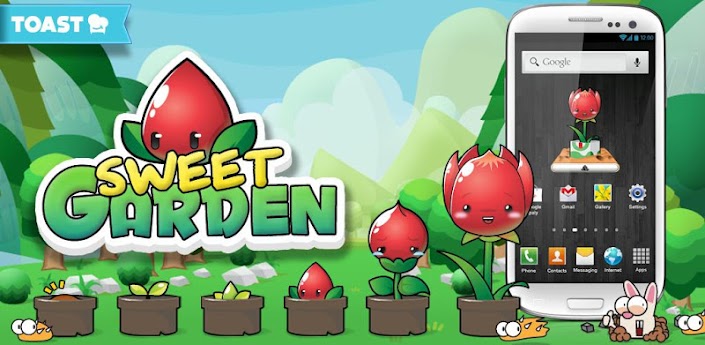
Great Pet App: Sweet Garden


Have you been looking for a pet simulation game for your android? I have, and with Sweet Garden I have found one, except its for plants instead of animals. From my point of view, that means less food to feed, and less used food to clean up. No leash or collars necessary. No dog license, or shots. You get the idea...well, sort of. You can still feed it (soil and water), music, pet it to make it more comfortable, and put a pot around its roots. There is so much more to the app than that. This app is a combination of multiple apps to support the main app. Hack and slash weeds around it (Fruit Ninja) and Whack a mole. By checking up on your plant, you can maintain it's health and watch it grow. It has a lot in similarity with those virtual pet games like Tamagotchi back in the days. However, the 2D Graphics are very up to date compared to those things. If you find that you might not have time for your pet, there's an option to slow down the app. Oh and your pet is referred to as a PPU in the app. Choose from a dozen types of PPU's to raise. The app is FREE and Fun.


With your Sweet Garden app you need to use a widget. The widget shows your plant in it's current phase of growth. The widget may even display your battery life. You may choose from a mini widget(size of an app icon) to put on a homescreen or a Full sized widget that will an area of 2 icons by 2 icons. It seems you can put two icons on a home screen, but only one of the widgets will have a plant. Still, it's something I've never seen before for an app. And it's appropriate and cool.

There are four kinds of tools to use in managing your plant. Each tool has a status bar/icon on the top right of the screen when selected. When that tool is used, this bar depletes. Tap on the icon and choose from a selection of in-game purchases with game currency replenish the bar.


 Watering your plant is the most frequent responsibility you have with your plant, just like in real life. Unlike in reality however you don't have to give it soil. Maybe someone does this for you already, but you may replace the soil to speed up your plants growth rate. Give it water by using the bucket tool, then taping or touching an area above your plant. You don't directly get points for watering your plant unless you give your pet just the right amount of water, which is tricky and only gives you a few SS. SS stands for Silver Seeds and are one of the two currencies in the game. Gold Seeds (GS) are rarer, like the gold currencies commonly found in apps.


If there are bugs around, get a can and spray non poisonous insecticides by tapping on the insects. Sometimes it will take more than just instant contact to kill a critter. They will drop points upon their destruction. Make sure to tap the points to collect them.


Surrounding weeds will steal water and nutrients from your plant. Take care of these by using the trimmer/scissor tool. Once the tool is selected, hack and slash the unwanted leachers. It will take more than one cut to get rid of each plant. When you clear away a weed, it will drop some SS points too.


Keep your pet's area clean. Do this by using the rag tool and wiping the screen. The tutorial isn't very fluid. It let me waste my cleaning rag trying to clean the screen. At that time I didn't know using the rag would use up the rags energy bar. There is an inapp game manual for the app that can be accessed from the apps main menu. It's located in the top left of the screen. During the game, when you can see your plant without entering any sub-menu's, a button in that same location can be pressed and it will show you an overview explanation of the in game display screen telling the player what the onsceen icons means. Here is what it looks like as it is very helpful.


There are three items that you can buy in store to help your PPU grow. These are activated on your current pet once you purchase them.

- Soil - Makes the plant grow faster (Green bar indicates growth towards being fully grown)

- Medicine - restores the plants health towards full health. (health bar indicated with cross)

- Music - Pet your pet after buying to increase your pets happiness. (there is a happiness bar with a heart)

Every 2 Hours it will be time for you to collect seeds. There is a seed bar indicated with a sun. When that bar is full, a sun will be in the sky on the left. Click it and seeds will appear. The healthier and happier your plant, the more seeds it will produce and the better your chances are at getting Gold seeds. Make sure to increase your chances before clicking the sun.


Sweet Garden has some sweet Settings. The settings are explained to you upon toggle. This way you know what you just did and can quickly undoing without harm.
-Turn off background music.
-Turn off other sounds.
-Change the whether or not the game vibrates.
-There is a very convenient sleep mode to slow down the dangers and growth of your plant while you are away for sleeping. I am not sure what notifications are toggled on and off by the notification option from the settings. Your PPU will notify you if there are groups of bugs or weeds, if it's thirsty, or if it's ready to give you seeds via the Sun icon.
-Battery status in the widget,
-Animation,  (Not sure what animations are turned off)
-Pet Dialogue,
-and whether Sweet Garden app is on or not. (That's what it says, but I don't fully understand what this means.)

 Mini Games
I only have one minigame (out of 2, more is suppose to be coming soon) available because it's unlocked from the start. A second minigame will become available upon unlocking the second background, the desert. Wack-A-Mole is much like the classic game except with some welcomed updates. Moles come out of more than 10 locations.  Missing a whack with a hammer, or letting a mole submerge will deplete your progress bar. The progress bar is on the top center of the page. The mini game ends when the progress bar is gone. There are more than two types of moles.
-Regular Brown moles which require one hit to get rid of
-Yellow construction hat moles which take two hits to disappear.
-Black construction hat moles take 3 hits to demolish.
- Dirty Muddy Moles -  Will get mud on your screen if you smack them.


There's another creature that is in this game. They are cute little white bunny rabbits. Do not hit these Rabits as they will deplete your progress bar by more than 60% of the whole bar. For some reason their eyes look exactly like a moles eyes when peeping out of a burrow. Once you get to about 100 whacks, the game gets difficult. Whacks don't directly transfer into amount of SS received. You get less SS than successful whacks done. Not every set of eyes that pop out, will have the animal pop up. It may just go away. Although there is no pause button, pressing "return" on your android device will pause it. Exiting mid game will not get you any SS.

Minor suggestions for further updates. First, the game should do better job of explaining some of the terms like SS and GS. I don't know what punishing the plant accomplishes. And the instructions say rub/pet when the player hears the music buff, however I can pet it as long as the music purchased is playing and that will make the plant happier. The app could be made so the player cannot make errors or use up tools more than necessary for the tutorial. Explain what the Shovel Menu is(I made the name up, because I don't know what it's called). From the main menu there is a Shovel icon on the upper right hand corner of the screen. It takes you to a Shovel Menu. In here you may change the plant you want to work on by clicking on the red icon, located on the bottom of the screen 2nd most to the left, then clicking the Shovel. After selecting your seed you can click the shovel on the bottom to have it selected as the plant to grow during the app. Only this plant will grow/need help, so I don't see why the app lets you have more than one widget(and without a warning). If you already have a seed, don't plant another one. Each time you plant a seed it costs 1000 SS. Upon entering the Shovel menu, a selection of new seeds will pop up. Ignore this until you are ready to plant another plant. Just go click on other icons on the bottom of the screen or "return" to the main menu. Also EVERY TIME you exit the manual from the main menu, the app tells/reminds you that you need  a widget to play/run the app (kinda annoying after a few times). Maybe have the plant giggle when petted(although that may sound a little creepy).Maybe add a high score to the Mole minigame. All in all a lot of the user interface is friendly and/or self explanatory like the settings button. And there are some language barriers so it's understandable to have some explanation problems. For a app that's not originally in English, the app gets almost all of it's English correct.


Some Final Words As a Digimon fan I highly welcome and recommend this app.  It's FREE and brought to you by Korean developers at Toast. So far I've only gotten my first plant to about 80% of full grown after 24 hours. I'm not sure what the "check if there are any gifts on the server" does, or if it ever has gifts. I'm still on the first background (with one star). Time restraints on my Fiverr Gig forces me to publish this article review before completion.  I may update this article upon further testing. Sweet Garden takes classic games and combines them in a playable smartphone application with modern graphics and great playability.


Have Fun!

Monday, 15 October 2012

When is JellyBean coming to the UK Samsung Galaxy S3?

Touchwiz UX improvements in Android Jellybean
Android Jellybean on UK Galaxy S3's yet?
If you're like the average British Samsung Galaxy S3 power user your daily ritual consists of constantly checking to see if Android Jellybean has finally been ported to UK versions of the S3. Rumours are still being drip fed through the net with only two significant recent "newsworthy" items about the update. Android Jellybean is already on Galaxy S3 phone's in some European regions with the rollout starting in Poland roughly ten days ago. The Samsung Galaxy Note which has also been recently released is already using JB too!
A new Android 4.1.1 build I9300XXDLIH has just today been released in Sweden.
Why is Samsung taking so long to bring Jellybean to UK Handsets?
With the United Kingdom having so many mobile networks we can expect the update to take slightly longer. Samsung insists on thoroughly testing the software on all network infrastructures as it refuses to release an inferior product-especially with the Galaxy S3 being the South Korean mobile giants current flagship device. Of course Sammy also adds their own "skin" onto all versions of Android and the Touchwiz UX interface will also get an update with Jellybean, this update will include the ability to expand the floating video mode and a blocking mode for unwanted calls and messages.
Samsung has promised an October rollout for Jellybean and we're hoping that they stick to that for Great Britain!

Sunday, 14 October 2012

How do you use Google Voice Typing on the Samsung Galaxy S3?

Different keyboard inputs on samsung galaxy s3
Google Voice typing on the Samsung Galaxy S3
The Samsung Galaxy S3 has a multitude of features amongst them are many different types of input methods for the keyboard. Unfortunately the phone is not always intuitive to use so we've done a bit of research to help out with the common problem of how to use Google Voice typing and handwriting on the Samsung Galaxy S3
Activating Google Voice Typing on the Galaxy S3

From the phone's home page use the capacitative button to go to the phone's settings.
Now choose LANGUAGE AND INPUT
Check the  GOOGLE VOICE TYPING box
Click the "settings" icon, which is to the right of the SAMSUNG KEYBOARD Option
This will allow you to change the  SAMSUNG KEYBOARD SETTINGS.
Check the box to the right of VOICE INPUT ; the Show Voice Entry Button on Keyboard. 

Notice the Google Voice pop up above
the settings button?
If you still can't find voice input or handwriting to text!
For unknown reasons the above option doesn't always work so it might be necessary to use on of these extra steps:
If you pull the notification screen down and tap the Select Input Method (keyboard icon) you can then select Google Voice Typing which should launch voice input with a mic symbol and the word listening above it.
If the settings icon is still displayed on the keyboard (the button that looks like a cog); then 
hold down the  settings icon (for 2 seconds) and you will see a choice of 3 different Icons pop up. (these icons will enable normal keyboard input, handwriting to text and the elusive Google Voice to text option) . Now simply Drag your finger to the microphone and it will be there until you change the settings again.

Thursday, 11 October 2012

The world's most powerful Mobile phone?

Even though smartphones like the Galaxy S3 and IPhone 5 have virtually just been released there are already ominous stirrings from Japan about a new killer device with specs that will eclipse the current Smartphone kings. Industrial design and   industrial vices are continually improving to such an extent that new technology is continually being implemented to improve our devices . Here is what we know about the world's most powerful Smartphone: DoCoMo's new phone will feature Sharp’s new IGZO screen. This new phone, is called the AQUOS PHONE SH-02E ZETA. With massive improvements to power saving and supposedly the best mobile screen for outdoor viewing the Igzo screen is the Zeta's main draw point. Spec wise though it is also very powerful.
 What makes this new screen so special? It uses indium gallium zinc oxide instead of amorphous silicon in the LCD. This is about 40x more efficient for electron mobility. This allows pixels to be smaller, which in turn means that they do not need as much backlighting. In fact, they require about a third less than most other screens. This means the phone is capable of using less energy or having an overall brighter display, depending on the situation. Aside from this new screen technology the Aquos Zeta has-some very impressive specs: a 16.3-megapixel camera on the back and 1.2-megapixel camera on the front. It also has a 1.5GHz quadcore APQ8064 processor. For connectivity, the device has Wi-Fi, NFC, and LTE. It has a 2,320 mAh battery which when combined with the low power screen should make the phone last much longer than the Samsung Galaxy S3 with its 2200 mAh battery. It looks like this device is going to hit the market in Japan in November or December of this year. We're hoping but can't confirm that the phone will run Android Jellybean.

Wednesday, 10 October 2012

Speed Motor Racing Review


Apps can appeal on a variety of levels and despite it's apparent simplicity Speed motor racing is sure to find an audience amongst score mongerers or just those looking for a simple racing game. The premise is very sound and with more polish the game would open itself up to being a great game to challenge your friends with. Controls and gameplay are simplicity itself. Leaving you to get on with the straight line endless racing concept. Get as far as you can in 30 seconds; avoiding traffic; jumping the occasional ramp and running over time increasing pickups. We''re certainly not in AAA budget app territory here; but for a free download you'll at least have a but of fun and even introduce the younger generation to the world of videogame racing. And of course there's always your own score and others to challenge.

Microsoft's new Music Service

Well musicians there will soon be yet another way to get your songs out to the public.
Microsoft could soon be saying goodbye to its Zune music service; but Windows 8 might bring a replacement surprise:
This music download related tidbit was recently trending on the WORld website.
That surprise card is a new music service tied to Microsoft's gaming platform, Xbox. While Microsoft has confirmed that it has a music service in the works called Xbox Music to replace its old Zune Music Pass, the company has been less than forthcoming with details about the new service.
Following reports last week that Xbox Music will debut with other new products on October 26, Microsoft pushed out to the press a statement long on enthusiasm and short in detail. It said:
“We’re not commenting on speculation around Xbox Music. What we can say is we’re excited for Xbox Music as our definitive music service. It’ll bring great new ways to enjoy, share and discover new music on all your Windows 8 devices, Xbox 360 console, and Windows Phone 8. We’ll let you know when we have more information to share." If you're a vocopro seeking new outlets this might be right up your street
Despite Microsoft's attempts to keep a lid on information about the new music service, unconfirmed tidbits keep surfacing. For example, The Verge, citing sources familiar with Microsoft's plans for the service, said Xbox Music would have both a paid and free component.
The service will run on all Microsoft devices, the report says, and eventually, on Android and iOS hardware, although that won't be the case at its initial release.

Nights into Dream Guide

Some games just stand out with some stellar concepts. Nights into Dream is one of those brilliantly complex games that has captured imaginations since its first outing on Sega Saturn in 1996 it could benefit from one of our games guides; so we've borrowed from a recent Gamesbeat article to bring you our version of a walkthrough.

Nights into Dreams HD is set to make even more fans on Xbox Live Arcade and PlayStation Network. If you're nother familiar with the original Sonic Team title we're going to take you back to the basics of Nights into Dreams

The game is broken up into two characters: Elliot and Claris, who both have three unique stages. Every stage has four Mares (areas) where your objective is to grab 20 blue orbs and then free an Ideya, which is housed inside a giant blue floating globe. After all four Mares, you’ll face off against that stage’s boss. One of the games drawpoints is the sub 10 minute pkaytime fir each level and the need to achieve an A ranking. The online leaderboards are something that Sega didn't envisage in '96 and work well with the game.

How to get top scores in Nights into Dreams’ on Xbox Live

1. Don’t worry about completing each Mare quickly. You have 120 seconds and should only progress to the next area with around 10 seconds on the clock. 2. Use the rest of that time to do multiple laps of the Mare and collect as many orbs, stars, links, etc. as you can. 3. You want to free the Ideya as fast as possible. That will activate Bonus Time and increase your score considerably. 4. Your approach may differ, but I suggest worrying less about trying to do or collect everything in one lap and instead find the path of least resistance. That way you can rack up more links and possibly complete additional laps. 5. Even if you don’t get an A on a specific Mare or at the score round-up screen before the boss, you can still complete the stage with an A by defeating the boss as fast as possible.

What is a Mepian?

A Mepian is the horrid biological offspring of a Nightopian (the cute little flying things) and a Nightmaren (the mean little flying things). Whenever Nights comes into contact with a Nightmaren, he will grab on to it. Pressing A will cause the Nightmaren to shoot off in any direction in a rolled-up ball. If the ball hits a Nightopian, a Mepian egg is created.

How to get the Nights into Dreams Hd achievements

Where can you get the Mepian Achievement
Spring Valley seems like a good place to make some mutant babies.

Stage-specific Achievements

The following Achievements are simply for completing each stage with any ranking.

the IDEAL (10) - Spring Valley cleared. the POSSIBILITY (20) - Mystic Forest cleared. the CONFUSION (30) - Soft Museum cleared. the AFFECTION (10) - Splash Garden cleared. the CONSCIOUSNESS (20) -Frozen Bell cleared. the REVIVAL (30) - Stick Canyon cleared.

the GROWTH (40) Twin Seeds cleared.

Twin Seeds unlocks once you get at least a C rating on all three of one character’s stages. Note that each character has his own version of Twin Seeds, but you only need to complete one of them for this Achievement.

Twin Seeds is different than all the other stages in that laps do not reset anything, so the number of collectibles is finite. Your time also does not refill after each Mare, so you need to rush through them as quickly as possible or else it’s game over.

into dreams… (50) Cleared all stages with All A Rank.
You  just need to get an A as your final rank for all eight stages.

DREAMY !!! (30) Got best rating “DREAMY” in Acrobat Time.

Acrobat Time is triggered whenever you fly through a blue and yellow ring. A yellow ribbon will follow Nights while he’s flying, and pressing the L or R trigger will perform a stunt. The more stunts you perform before Acrobat Time runs out, the more points you’ll get. If you get 11 or more stunts, you’ll receive a Dreamy rating and the Achievement.
The easy way to for stunts

While getting 11+ stunts is normally somewhat challenging, there is an easy exploit that makes this very easy. While in Acrobat Time, if you scrape either a floor or ceiling and spam the trigger buttons, you will rapidly perform stunts. This is also a great way to improve your stage score and earn better ranks.

Note: Pressing both triggers at the same time will immediately end Acrobat Time.

Paraloop Master (100) Successfully Paralooped all of Gillwing’s tail in one hit.

Based on your luck , this will  be the easiest Achievement in the game or the hardest. Gillwing is the boss of Claris’ first stage, Spring Valley. To get this Achievement, you must create a Paraloop attack that takes out Gullwing’s tail in one go (21 links). See the video below for an example:

Once you complete a stage, you can replay just the boss battle from the stage selection screen, so that’s the best way to practice this. Gullwing bends just perfectly for you to do this within the first seconds of the battle, so if you miss it, you might be better off restarting the battle altogether. Some players prefer doing this on the Sega Saturn classic version.

Mystic Garage (10) Guided the lost car to the garage.

In the final Mare of Mystic Forest, you’ll enter a top-down flying sequence. Below you is a red card that will drive on the ground and follow you as best it can based on your movements. In the same area is also a green garage. Get the car close to the garage and then circle overhead until the car enters it and the Achievement unlocks.

Merry Christmas! (10) Spring Valley (Christmas) cleared.

Once every stage has a rating of C or above, Christmas Nights will unlock. Complete the holiday-themed version of Spring Valley with either character and the Achievement is yours. You’ll be facing Gillwing as the boss.

Monday, 8 October 2012

Zuma + Cuteness equals Birds on a Wire

Bird on a Wire Review
Ever since the Myst inspired beauty of The Tiny Bang Story we've been waiting to see what Herocraft can come up with next. They've borrowed the mechanics of the traditional match three puzzler most typically embodied  in Zuma and thrown a lot of cuteness and a whole heap of levels into their newest iOS Match Three puzzler: Birds on a Wire
Zuma inspired " Birds on a Wire" Review
Firstly if you want to keep up with the latest match 3 puzzler on the Appstore and can't but help download every one of these that come your way then you'll be wanting to get Birds on a Wire. 
The title says it all really , you're going to get some great Zuma inspired puzzling with Herocraft's game. You're also going to get a lot of cuteness delivered in a typical Herocraft style. To borrow one of their derivative catch -phrases " These birds aren't angry!" No instead they're cute well drawn and need to be rescued from their mesmerised daze by slamming them into like coloured avians.
Things that set this game apart are the sheer variety of levels, with Birds on a Wire bringing you 50 levels, including many various styles of play that translate really well to the touchscreen: Adventure; Arcade ;Action and endless. These are unlockable and make playing through the main adventure mode well worthwhile, all the while trying to get the 29 achievements along the way.

If you're all Zuma'ed out you'll be looking elsewhere for the next big thing in the app puzzle world. if however some cuteness and a very playably slick game are your cup of tea then go to thne Appstore to download
Birds on a Wire

What iPhone 5 means for Music Apps

Learn Guitar with iphone 5
Music creativity and the iPhone revolution seem to be going hand in hand with ever more creative ways to make music being dreamed up and created by the app studios. As a creative video game writer I've of course dabbled with the idea of learning an instrument over the years as yet another outlet for creativity. 
Naturally being the easiest instrument to learn the guitar was the first I attempted and enough said about that!
Still not all hope is lost as there are many alternative ways for a prospective music artist to dabble. And now of course with the iPhone 5's larger display being so much more finger friendly these musical apps should be a great gateway for those prospective talents and imagined musical talents.

Guitar Apps for Wannabee musicians

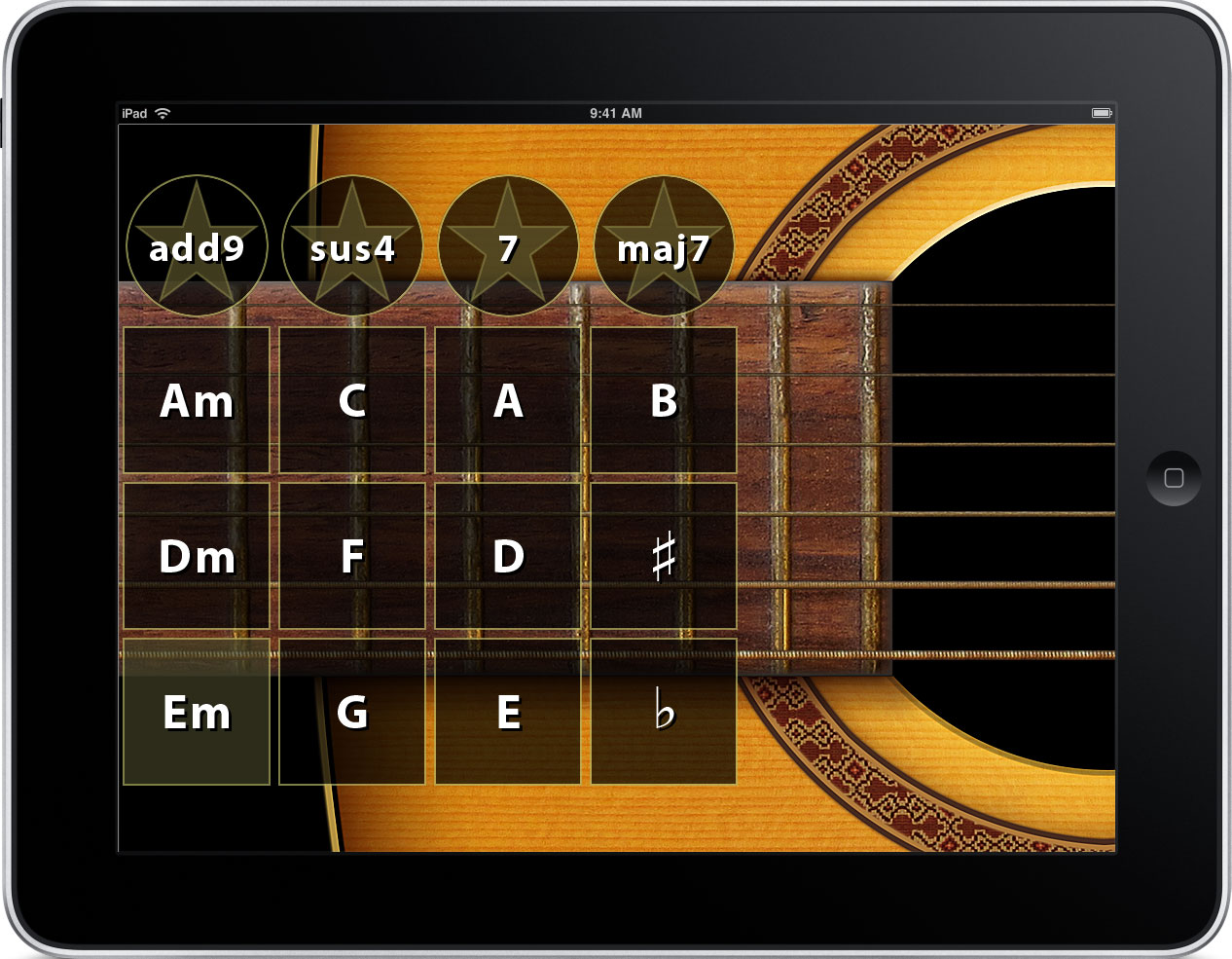
  • Guitar World's renowned app obviously has a great pedigree: Lick of the Day presents challenges to all levels.
  • With as many as half a million chords; Guitartoolkit even caters to basses, banjos, mandolins and even Southpaw guitarists.
  • Anybody who knows anything about guitars knows about Les Pauls and Gibsons, their addition to the guitarists app stable is the Gibson Learn and Master Guitar Application with advanced  jazz and blues techniques as a strong drawpoint.
  • Now if you're going to move into proper instrument playing territory you're going to want a good guitar reference app. For the iPhone 5 this guitar reference app comes in the form of Guitarist's Reference.
If you're going to want to move into proper instrument playing territory then look towards more traditional avenues such as buying your own guitar.

Sunday, 7 October 2012

Connecting your Android to the TV

Connecting Galaxy S3 to TV
Phone to TV solutions
How to Connect an Android Phone to a TV?
Android phones with their traditionally larger screens are perfect for those wanting to view their photos, play their games and watch movies on the go. But let's face it, all of these activities are so much better on a big screen.
Naturally if you had access to a television you'd watch your movies on there in crisp HD rather than squinting at your ,albeit big-but not quite big enough, Galaxy S3. In fact moving beyond the realms of entertainment and considering your mobile device as the powerful business tool it is,if you're a power user chances are that many of your files, presentations and notes are stored somewhere on your Android or in the cloud. But again if you're going to share that content it's unlikely that your gaggle of Tokyo businessman is going to crowd around a phones screen!
There's a solution for your Android to TV (and other screens) that we've been lucky enough to try in recent weeks. MHL has a phone friendly solution that not only makes it very simple to connect your Android device to an HD enabled screen, but also enjoys massive support from many large manufacturers such as .
The MHL phone to TV link connection has sold millions of units already, and if their blurb is to be believed by the end of 2012 200 million MHL enabled products will have shipped, because of its ability to connect your phone to your TV. This is our experience of using the HD Link to connect our Samsung Galaxy S3 to an HD enabled television.
Android Game being played on a television
Firstly it must be noted that this is a wired solution, but the cables needed are quite long enough to pair your Android with a television and have room for mobility. We connected to a 1080i LG 42 inch television and a Beko 20 inch 720p TV and in both cases it was remarkably easy and any limitations on picture quality purely on the part of the TV. The package came with an adaptor to make the S3's slightly differently sized mini USB cable fit , but many generic devices with a mini USB connection won't need this extra adaptor, the Meetmhl website lists all the currently compatible devices. From the phone the USB cable runs straight to the television HDMI port. However the adaptor must still be connected via the enclosed power pack to an electric socket. The clear disadvantage of this is that it is yet another cable to use, but on the plus side your phone will be charging at the same time.
What can actually be viewed on the TV Screen?
The primary question a reader of Gametrender will be asking is "Can I play Android games on my TV?" The unmitigated answer is "Yes!" Naturally this was one of the first things we tried and we were vastly impressed by how Angry Birds Space looked on a 42 inch screen. Real Racing 2 was equally lush and one of the easier games to play because the tilt controls meant that there was no need to look where our fingers were fumbling on the S3. On the other hand even though Dead Trigger also looked amazing on a larger display the experience was slightly marred by the need to keep on looking at where the virtual controls where. With DHLink becoming very popular there should be a definite call by game studios to make virtual buttons easier to use when not looking at the actual mobile phones screen. The only game which disappointed was Waveblazer, being a less budgeted Android title the graphics weren't as polished as the others so they  showed up quite pixelated on the television. Of course this is an actual lack of quality on the part of the games graphics and not the hardware.
Of course it's not just games though as anything on your mobile screen and the sound is sent via HDMI to the television. YouTube videos played fantastically, the net was a joy to surf and my private photo and video gallery really came to life on a larger screen. Business applications like Slideshows and presentations would also work fantastically and really make Android devices using MHL enabled sharing a massive asset to the professional user on the move.
The gear itself is robust and well made and the experience really transcends the limits of a small screen. Plug and play is certainly the name of the game here with no intermediate software or setup . So in a nutshell any HD ready television or screen can be plugged into and used to view your Android phones display. A must for business and entertainment purposes when a small screen is simply not good enough.
Follow the link to the MHL site to find out where to purchase the easiest Phone/TV linking solution:
http://meetmhl.com/

Kickstarter projects with unique rewards

In the last year one the most backed Kickstarter category was gaming. We've come across some very exciting gaming based kickstarters recently, amongst them an upcoming adaptation of the legendary Great Giana Sisters. Apart from the satisfaction of being a gaming backer there are some unique rewards awaiting charitable players. Here's one of those Gaming based Kickstarter projects that you might even consider donating to for the sake of having a unique Christmas present, if your'e more adventurous than just wanting the best rope light as a pressie!:
Kickstarter as Christmas Gift?

Kickstarter project to port 3D puzzler Cubistry to Mac and iOS started. Kickstarter backers only Holiday 2012 version and personalized versions of the game featuring family and friends promised to backers.

Los Angeles, USA - October 1, 2012 - The Hohng Company, a maker of casual video games based out of Los Angeles, has announced the start of a Kickstarter project to port their 3D cube matching puzzle game Cubistry to Mac and iOS. The pledge levels and rewards are as follows:
  • $1 pledge: Receive a copy of Cubistry on iOS and a special Kickstarter backers only Holiday 2012 version of Cubistry on Mac or PC.
  • $5 pledge: Receive copy of Cubistry on iOS, the special Kickstarter backers only Holiday 2012 version of Cubistry, and get your name added to Cubistry's web based special thanks page.
  • $15 pledge: Everything for a $5 pledge plus have your name included in Cubistry's in-game Kickstarter backers screen.
  • $40 pledge: Everything that comes with a $15 pledge plus your very own customized version of Cubistry featuring images of yourself, your family, and/or your friends on Mac or PC. Your images must adhere to very specific rules in order for them to be acceptable to appear in a copy of the game.
  • $50 pledge: Everything you receive for a $40 pledge plus a sneak preview of our next 3D puzzle game on Mac or PC.
For more details about the rules for submitting images for a customized version of Cubistry, please visit the game's Kickstarter project's page.

Friday, 5 October 2012

Can you play Console Quality games on iPhone 5?

If you're a gamer or game developer you'll want to know if the IPhone 5 is powerful enough to play console quality games.
We've used the opinions of Firemonkey the devs behind Real Racing 3 to write this article. The original article was featured in Pocketgamer.
As for the third Real Racing itself; it has already gained fame due to its featuring in Apple's Keynote IPhone 5 debut speech.
Here is what Firemonkey has to say about bridging the console gap and making the IPhone 5 a video game graphics big hitter.

In what ways are you using the latest iPhone and iPad hardware to improve Real Racing 3 v graphically?
We use the latest iPhone to implement visual effects that we may not be able to achieve on other systems.As you upgrade to the latest devices you will see better dynamic reflections, a lot more per pixel lighting, more normal maps, higher level of detail on the cars, higher texture resolution and a higher quality implementation of features like the rear view mirror. A lot of subtle things add up to make the game look more real.However a large number of our visual improvements apply across all the platforms that we support, because one of the most significant improvements arises from changes in our art direction

If you put Real Racing 3 on an iPhone 4, it looks better than Real Racing 2 on an iPhone 4 because we have improved our quality across the board.
Are there any rule of thumb numbers you can give out in terms of polygon or shader complexity of Real Racing 3 over Real Racing 2?
I would love to give you some really clear numbers, but that stuff gets kind of complex when you dig into it.We have a lot more polygons, a lot more textures, a lot more unique shaders, more complex shaders, more per-pixel shaders, more special effects, more texture layers, an advanced new lighting system, an expanded architecture and a whole new art pipeline…Pretty much everything has improved dramatically!It looks like the iPhone 5 might be about 10 times the power of the iPhone 4, and we are pushing that to the limit, just as we were pushing the iPhone 4 to the limit when we released Real Racing 2.The one very noticeable thing that I would say now about Real Racing 3 over Real Racing 2 is that I think we have managed to step over our own sort of 'uncanny valley', so the sum of all these improvements in our engine and art pipeline has delivered a real stepwise jump in visual quality.It has that real look that we were only dreaming of when we first started this project. We think we have jumped a whole generation here in terms of quality.

It would be easy for people to dismiss these claims of a massive mobile generational jump as sheer hype. But the undisputed credentials of Firemonkey; formed from a partnership between Firemint; responsible for the previous games editions and Spymouse; and Ironmonkey who brought us the graphically superb DeadSpace is a mobile gaming pedigree that shouldn't be ignored. In our opinion any new mobile game is a good thing and if it can compete with its console counterparts than its definitely a game we want to play.

Wednesday, 3 October 2012

Which Android devices can use PlayStation Mobile

PlayStation Mobile has finally arrived for Android devices and PS Vita. If you love your Android mobile and want access to the PS Store then find out if your device is listed. The app can be downloaded for Playstation certified phones or you can get it from the PlayStation Store.
What games can you get from the Playstation Store?
You'll be able to download games like Super Crate Box, Aqua Kitty, and Loot the Land. At the moment Premium content is also supported with Everybody's Arcade.
What price can you expect to pay?
Starting at a Google Play competing 40p, and go up to £5.89 .
Which Android Devices can access the Playstation Store?
Compatible PlayStation Mobile games only run on PlayStation Certified devices. More PlayStation Certified devices will be available soon (Fujitsu and Sharp pledged support for the certification at Tokyo Game Show, for example), but right now the following 12 devices are compatible with PlayStation Mobile:
PS Vita
Xperia acro
Xperia acro HD
Xperia ion
Xperia S
Xperia arc
Xperia Play
Sony Tablet S
Sony Tablet P
HTC One S
HTC One X
HTC One V
PlayStation Mobile games can take advantage of the physical buttons on devices like the Xperia Play or PS Vita, but they also have touchscreen controls for the Android phones and tablets without joysticks and buttons.
Launch line-up For Playstation Store.
They are a mixture of fresh games, iOS ports, PlayStation minis, and apps that are also available on Google Play.
Wipe! - £1.19 / $1.49Nyoqix - £4.49 / $5.49Rebel - £1.59 / $1.99Hungry Giraffe - £2.39 / $2.99Super Crate Box - £2.79 / $3.49Aqua Kitty - Milk Mine Defender - £2.79 / $3.49Fuel Tiracas - 40p / 49cEverybody's Arcade - FreeTwist Pilot - £2.79 / $3.49Frederic - Resurrection of Music - £3.19 / $3.99Samurai Beatdown - 79p / 99cLoot The Land - £3.19 / $3.99Magic Arrows - £3.99 / $4.99Underline - £2.19 / $2.79Numblast - £2.39 / $2.99Word Blocked - £1.59 / $1.99Tractor Trails - £2.59 / $3.29Beats Slider - 65p / 79cincurvio - £5.59 / $7.49Flick Hockey - £1.79 / $2.99

Play the Draw Something Boardgame

Hasbro and Zynga are teaming up to make Zynga social games as real life board games. That's right you can soon play the Farmville ; Words with Friends boardgames and more.
Which Zynga games are now real Boardgames?
Arriving soon the Hasbro manufactured Zynga games  include Words With Friends, FarmVille, CityVille and Draw Something. The massively popular social games should sell well just on the strength of their immense online presence. Of course Hasbro has been in the business of making popular family games for decades and a lot of their ideas have already made it into popular IPad apps(virtual Monopoly anyone?) So this app to board experiment should go down well for the Christmas gift market.

The Hungry Hungry Herd  boardgame draws inspiration from the characters of FarmVille. In that game, players try to gobble up the most apples. we cant but help notice a resemblance to Hungry Hippos though. In a great virtual cash udea owning the boardgame will also give you credit for ingane currency to be used online. Hungry Hungry Herd and the CityVille board game; and others will have  50 Farm Cash digital currency to keep their farms going online. The Zynga/Hasbro Hungry Hungry Herd game will sell for $22.99 and is for players ages four and up.
In CityVille Monopoly ; the "Real World" version of Cityville players race to build their dream cities. again there is a virtual currency bonus for buying the bosrd game and Players can get 85 City Cash to use in the online version of CityVille. You can buy locations such as the train station, the toy shop and the bakery. You can use stackable houses to build businesses, apartments and homes. And you can give and receive Mystery Gifts to improve the value of your neighborhood. Save up $24.99 if Cityville Monopoly is your Christmas Boardgame of choice.
In Words With Friends, the cynical amongst us will just see Hasbro and Zynga cashing in on a Scrabble clone; still its good to see them playing nicely instead of Hasbro suing Zynga over quite blatant copying! Again good news for the physucal and virtual Players who get access ways to improve their online Words with Friends game including Word-O-Meter, The Count and Tile Pile to boost their scores in the mobile or online versions. You get letter tiles and arrange them in a rack.
If a more contemporary online inspired scrabble game us your Judea if a good time then The game is available at most major retailers this month for $19.99. It is targeted at ages 13 and up and can accommodate two to four players.
In the Draw Something boardgame we see the app that has become globally popular and destroys its inspiration , Pictionary, in player base you will be able to show off your artistic capabilities. You choose a card and pick one of three items to draw, ranging in difficulty from easy to hard. The more difficult the item you’ve chosen to draw, the more coins received if another player guesses correctly. The game will sell for $19.99 and is for kids eight and up.
“We are thrilled to be working with Zynga to give their millions of fans an exciting experience with the Zynga games they love,” said Eric Nyman, senior vice president and global brand leader of Hasbro Gaming in Pawtucket, R.I. “We love how gaming brings people together, especially during the holidays, and we can’t wait to offer friends and families even more great options to play.
The key word being Holiday he're ad we're sure that they have their eye on being the next big App inspired seasonal gift; we can't debate that it is Turning traditional game branding on its head, Hasbro and Zynga are teaming up to launch popular Zynga social games as Hasbro-produced board games for U.S. retailers.

The four games will hit store shelves this month and include Words With Friends, FarmVille, CityVille and Draw Something. Together, these games have been played by hundreds of millions of users on Facebook and mobile platforms. (Zynga currently has 306 million monthly active users for its mobile and social network games).
Because these social online games have reached deep in the zeitgeist of mass culture, the companies have decided to take the digital game brands and introduce them to the real world of family board games. Usually, board games are adapted to become online games.
The Hungry Hungry Herd (pictured right) game draws inspiration from the characters of FarmVille. In that game, players try to gobble up the most apples. This game and the CityVille and Words With Friends titles include special digital values that help enhance a player’s online or mobile game play. Parents can redeem 50 Farm Cash digital currency to keep their farms going online. You can choose from among a Gobbling Horse, Munching Pig, Snacking Sheep, or Chomping Cow. You let loose marbles into the middle and try to eat at many as you can. The game will sell for $22.99 and is for players ages four and up.
In CityVille Monopoly (pictured left), players race to build their dream cities. Players can get 85 City Cash to use in the online version of CityVille. You can buy locations such as the train station, the toy shop and the bakery. You can use stackable houses to build businesses, apartments and homes. And you can give and receive Mystery Gifts to improve the value of your neighborhood. It sells for $24.99 and is targeted at kids eight and up.
In Words With Friends, which closely resembles the Scrabble board game, players can play word combinations in the hope of scoring the most points. Zynga can’t call this game Scrabble, a brand that has been around for generations. But there are probably more people playing Words With Friends on the planet than there are playing Scrabble. Players get access to a bundle of digital features, including Word-O-Meter, The Count and Tile Pile to boost their scores in the mobile or online versions. You get letter tiles and arrange them in a rack.
As with the online version, the game gets more interesting if you can land a word in the Double Word or Triple Letter squares. The game has four tile racks and 104 tiles. The game is available at most major retailers this month for $19.99. It is targeted at ages 13 and up and can accommodate two to four players. It is also available at HasbroToyShop.com.
In Draw Something (pictured below right), a title that takes on Pictionary, players will be able to show off their artistic capabilities. You choose a card and pick one of three items to draw, ranging in difficulty from easy to hard. The more difficult the item you’ve chosen to draw, the more coins received if another player guesses correctly. The game will sell for $19.99 and is for kids eight and up.
“We are thrilled to be working with Zynga to give their millions of fans an exciting experience with the Zynga games they love,” said Eric Nyman, senior vice president and global brand leader of Hasbro Gaming in Pawtucket, R.I. “We love how gaming brings people together, especially during the holidays, and we can’t wait to offer friends and families even more great options to play.”
Yes, cynicist hasbor and Zynga do want your seasonal gift money, but you must admit it is kind of cool to see apps now appearing on boardgames instead of the other way around. Now where was that copy of Hungry Hippos. Oops! I meant Hungry Hungry Herd!