Thursday, 11 April 2013
GPS Speedometer and Flashlight App
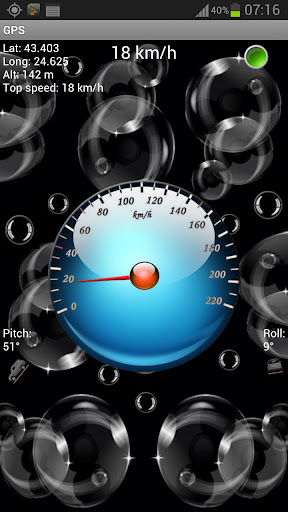
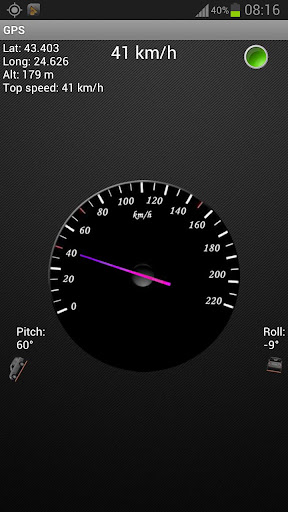
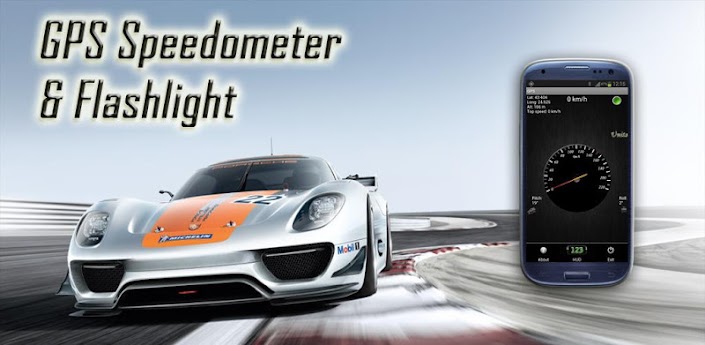
That's one nice and clean car. It even has a number, racing stripes, and sponsors on it. How does this relate to the next app? Well it's from the apps page on Google Play. It's a FREE smartphone app for your android called GPS Speedometer & Flashlight. This isn't some low quality gauge gimmick. With it's new updated version it even increases performance over it's previous stock performance. With plenty of standard features and options this application gets the job done.
As I was reviewing this app it got a big update. In the what's new section it contained the options to change the needle color, background type, and gauge style. Other new features include permanently setting units to MPH or KM/H, moving to SD card, a Google Map view and choosing whether or not the screen turns off. Wow, those are some major additions to an app and will greatly increase it's user friendliness. Great job you developer(s) at -UsefulApps-. They were beyond my expectations.
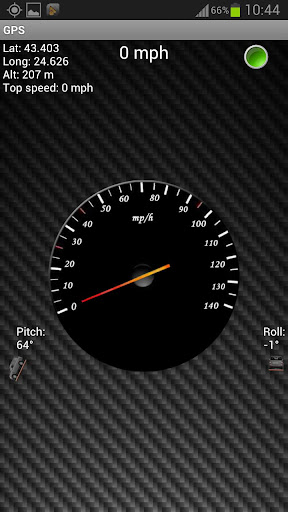
Great graphics and screenshots on Google Play make my job a little easier(or a lot). As you can see the graphic updates aren't just a few plain colors so they can list as new features. Nope these are high quality clean images. Sportiness is maintained with the add-ons, or even increased. With the new updates there aren't any obvious room for improvements or suggestions that I could write a section about like I have been for my reviews lately. I will still try to write on anyways.
A minor suggestion I have is to create a setting with the gauge a little lower on the screen and have the digital speed on top of that gauge. That digital gauge would be larger than it currently is on the default settings with color or font style choices. Another thing would be to make the Pitch and Roll readouts more legible. Increase their sizes for visibility and maybe lower them a little for more room if needed. Maybe a landscape mode (although not necessary) where the gauge is on one side and the speed on the other(customizable by owner). I'll just let my imagination run wild and say even include a trip meter and a feature where a marker is placed on the map for when your highest speed was recorded. This could be limited depending on how reliable your phone is with it's build in GPS.
Did I forget to mention you can also use the app the activate your smartphones flash? Unlike interior car lights, with this you can look at more difficult angles. I have yet to test the app in a vehicle or during running exercises. Those will probably be posted later on. In the meantime take a few seconds to download the Android app here.
Unlike most apps that use google map, this one displays the map in it's app and not just load up the whole google map interface.
Tuesday, 9 April 2013
Strategy and Tactics: World War II App Review
The problem with being an app reviewer is that you've got to have some love of games to want to review apps. That actually becomes a problem when you've got a queue of games to review and one really catches your attention! Strategy and Tactics World War II is one of those.
After setting aside an hour or so to do the review four hours later I was wondering where the time had gone! As this was an IPad app that I was reviewing I was pleasantly surprised to see that the balance of tactics,ui and most importantly fun was all set in place.
At a glance this would appear to be a Risk-a like clone that has been done so many times before on touchscreens. Of the click on one territory, choose troop numbers and invade other territory type of variety. S and T brings a lot more depth to the game though, different unit types, supporting troops, upgrades, mechanised and airborne forces all come into play,through a variety of Axis and Allies scenarios. I enjoyed the free geography lesson along the way with countries micro divided into their own provinces, I had a feeling that the tactics were a lot more refined with not just the countries of Europe that we know featuring, but a more I depth look makes you truly appreciate the scale and grandeur of the war that was.
I've yet to dip into the premium version of the game but I believe that many more scenarios and some sort of multi player all seem to be on offer,as well as more downloadable content planned for the future. The app developers, Herocraft's Majesty series is well supported and loved by app gamers and this new foray into World War 2 RTS gaming is well received.
After setting aside an hour or so to do the review four hours later I was wondering where the time had gone! As this was an IPad app that I was reviewing I was pleasantly surprised to see that the balance of tactics,ui and most importantly fun was all set in place.
At a glance this would appear to be a Risk-a like clone that has been done so many times before on touchscreens. Of the click on one territory, choose troop numbers and invade other territory type of variety. S and T brings a lot more depth to the game though, different unit types, supporting troops, upgrades, mechanised and airborne forces all come into play,through a variety of Axis and Allies scenarios. I enjoyed the free geography lesson along the way with countries micro divided into their own provinces, I had a feeling that the tactics were a lot more refined with not just the countries of Europe that we know featuring, but a more I depth look makes you truly appreciate the scale and grandeur of the war that was.
I've yet to dip into the premium version of the game but I believe that many more scenarios and some sort of multi player all seem to be on offer,as well as more downloadable content planned for the future. The app developers, Herocraft's Majesty series is well supported and loved by app gamers and this new foray into World War 2 RTS gaming is well received.
Monday, 8 April 2013
Relativity Wars now on iPad/Android
Touchscreen devices have a long way to go when it comes to RTS type games. "FunGameCo's" Relativity Wars hopes to change that.
The recently released god-type strategy game has its own particular take on Space fleet command and Einsteinian Physics. The game has migrated across from Xbox and promises to be one of the most "beautiful and polished" games of its type. If you're an iPad or Android strategist then prepare for a full review of Relativity Wars soon.
Mira Me Fashion Dress Up Game
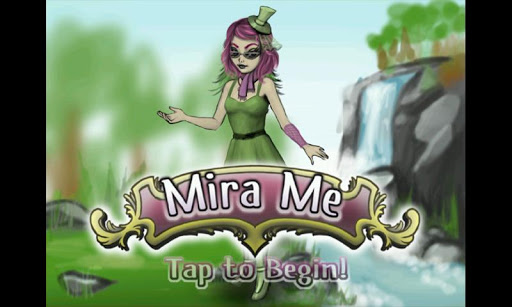
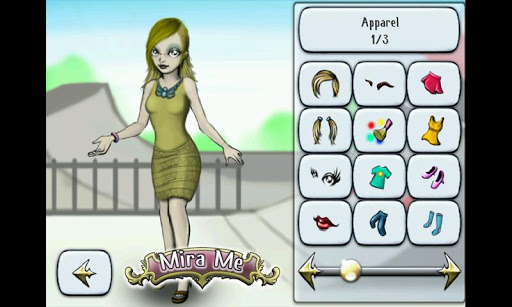
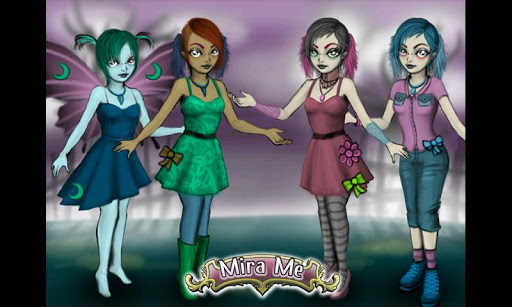
I've seen my sister play dress up games on the internet for a long time now. It's fun and many girls enjoy those types of games. Well if you haven't played it on a smartphone app we have some good news for you. Introducing Mira Me Fashion by Blank Mirror. It's a brand new app and requires only Android 1.5. Don't be disheartened just because it doesn't require the newest versions of Android OS to run. That save's you battery while still looking just as good as flash game versions. Dress up your little characters with plenty of selections from height, skin tone color, hair styles, eyebrows, skirts background hair such as ponytails or hair around the shoulder, make up(mostly likely on the cheeks), dresses, tops such as shirts and sleeves (I think), shoes(boots and heels too of course), lips, leg ware (pants), socks. Scroll to the right a little and you will see that you can also add more personal touches with hats, glasses, neck wear, scarves, bracelets, wings (angel butterfly and devilish evil wings), horns, and stickers.
You're little girl (or Princess/Precious) could easily enjoy herself with the clear(not see through) user friendly interface. It's easy to get started. Scroll the type of item you would like to add or change. Once an item has been equipped, you may tap the item on the avatar to quickly go to its menu. Make sure to press the green check button to apply changes for that current item before pressing return to go change other objects. You can even add more than one of certain items such as the . However it's a bit tricky to make these signs fit on the body correctly due to not being able to decrease their sizes. A good thing about the app is that shorts, socks and probably other items will be worn under dresses where they should be. The Main menu doesn't always have the same girl there and includes the options of loading previously saved style setups, taking pictures, flipping the image horizontally 180 degrees, change current setup, and settings which include changing the music volume and the sound volume.
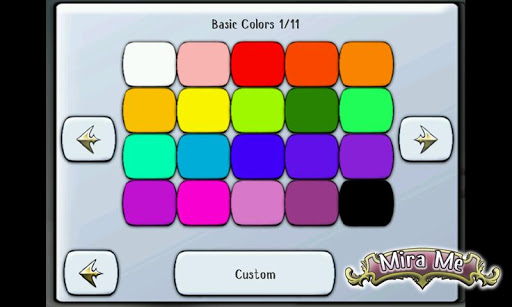
| The plentiful customization options also include more than just a few selections of each type with a full vibrant color palette for basically every item. |
Some suggestions for further updates include:
- Instead of having the height changed in percentages of the highest height(up to 200%), have a feet and inches or whatever the native country uses.
- Increasing the quality of the main photo on the Google Play. It will attract more users by putting a better first impression. Also make sure every girl or lady shown in the App screenshots show a different style combinations without any repeats in item.
- Have special effect sound for when a change it applied via the green check sign button. Probably a magical twinkle sparkle sound. Sparkles can also be included on the item when changes are made.
- Pressing "return" on my Xperia Play it just closes the app. I think it's more appropriate if the button exits the current menu (or asks if I want to close the app if I am at the top menu).
-Make it so when taking photo's the buttons don't completely disappear. This confused me for a while and had to guess where the buttons were. There's only three buttons but still.
- A long way down the road maybe make a 3D version where the avatars may be rotated for a 360 degrees view. The size of that app would be greatly increased and would use a lot more battery life though. A similar feature would be add a little movement to the still character.
- Maybe have the app talk like a doll with a few phrases like "Hi let's play dress up!". Or when an item is added she can do "Oh I like that"..."Great idea"..."Just what I was looking for"
- More backgrounds.
- Fingernails (girls like doing their nails).
Mira Me means "Look at me" in Spanish. The FREE demo is for you to try it out and see how it works and to see if it works with your phone. You can download it here from Google Play for Android devices. If it's compatible with your phone and you or someone you know then you can download the full version here for $2.89. The demo has some limited access to items of course. Once you get the paid version get to choose from over 250 items. Both version do not have in app purchases or advertisements.
Come to think of it, I have played manlier male versions of this type of games before such has "Create your own character" sections of World Wresting Entertainment (it was WWF when I played it), Madden games, NBA 2K's, Fight Night (boxing), and DC Universe Online. :D
Saturday, 6 April 2013
Talking Goggles Free (Scan and Identify)
QR Codes have been fun for a while. But not everything has AR codes(although sometimes it seems like everything does). How about an app that can recognize a product box without needing an QR code? That's what Talking Goggles is capable of. It uses your smartphone's camera (goggles) to take a picture and notify you what the product it. Then there's the "talking" aspect of it. It has one of the most fluid English voices when it talks to you. I am only reviewing the FREE version of the Android app. It's specialties are book covers and posters. After taking a picture the smartphone application reads the products name and gives you an icon/link to more information. I don't know what information the links can reveal or be used to exactly because that's only available in the full version.
There's not that many products boxes or posters lying around the house, but it did recognize a few of them. Here are some things it got correct:
-A Chuck Norris poster (trivia: according to the poster you are not suppose to talk about Chuck Norris)
-An Iron Man 2 Handblaster. Just by taking a pic of "Iron Man 2" with part of the product being displayed on the box it recognized that the item was a 3-in-1 thingy majiger.
-Perfect Pushup. By capturing only the boxart with the guy working out. And from the back of the box with some exercise examples and product description while the title was probably illegible.
-A Glass Chess set box cover art.
Tips for Usage: Make sure you are looking directly at the target with the least angle as possible. It's tough for recognition algorithms to work when you are not being straight with them. Make sure there is enough light. My Xperia Play's camera wouldn't cooperate with the app's flash toggle.
Even if the app doesn't know what you're looking at, the app has great text recognition. It will read words that it sees. Logo's and text are easy. It even read exceptionally well in low light. This smartphone app's speech is amazingly smooth. (Correct me if I'm wrong and it's voice is from Google or something because I'm not sure or the most high tech).
Other noted features on it's Google Play description include: (these are probably on the full version which can be activated or purchased for $1.03).
-product availability
-price comparison
-looking up the company behind a logo
-product description
-A Video Mode where it constantly scans the video for objects and says the item to you when it does find something.
-Translation (I tried using my 3 years of high school Spanish to write "Hola como estas" on a piece of paper and Talking Goggles did read it without the "H". For those of you who don't know, H's are silent in Spanish. The phrase means "Hello how are you". The app didn't tell me this but it did provide a link via bubble/button. The link however only functions in the full app.) This can be a useful feature for traveling.
I first misread the apps name as Talking Googles. The app in review works similar to the app "Google Goggles". I haven't tested Googles so I can't compare their accuracies. One difference is that Talking Goggles reads what it finds right after you take a picture. Talking Goggles is brought to you by the developers at Sparkling Apps or "sparklingapps" on Google Play. Here is the apps official website sparklingapps.com/goggles. You can download the app here. Let us know what other interesting and probably random things the app recognized for you.
There's not that many products boxes or posters lying around the house, but it did recognize a few of them. Here are some things it got correct:
-A Chuck Norris poster (trivia: according to the poster you are not suppose to talk about Chuck Norris)
-An Iron Man 2 Handblaster. Just by taking a pic of "Iron Man 2" with part of the product being displayed on the box it recognized that the item was a 3-in-1 thingy majiger.
-Perfect Pushup. By capturing only the boxart with the guy working out. And from the back of the box with some exercise examples and product description while the title was probably illegible.
-A Glass Chess set box cover art.
Tips for Usage: Make sure you are looking directly at the target with the least angle as possible. It's tough for recognition algorithms to work when you are not being straight with them. Make sure there is enough light. My Xperia Play's camera wouldn't cooperate with the app's flash toggle.
Even if the app doesn't know what you're looking at, the app has great text recognition. It will read words that it sees. Logo's and text are easy. It even read exceptionally well in low light. This smartphone app's speech is amazingly smooth. (Correct me if I'm wrong and it's voice is from Google or something because I'm not sure or the most high tech).
Other noted features on it's Google Play description include: (these are probably on the full version which can be activated or purchased for $1.03).
-product availability
-price comparison
-looking up the company behind a logo
-product description
-A Video Mode where it constantly scans the video for objects and says the item to you when it does find something.
-Translation (I tried using my 3 years of high school Spanish to write "Hola como estas" on a piece of paper and Talking Goggles did read it without the "H". For those of you who don't know, H's are silent in Spanish. The phrase means "Hello how are you". The app didn't tell me this but it did provide a link via bubble/button. The link however only functions in the full app.) This can be a useful feature for traveling.
I first misread the apps name as Talking Googles. The app in review works similar to the app "Google Goggles". I haven't tested Googles so I can't compare their accuracies. One difference is that Talking Goggles reads what it finds right after you take a picture. Talking Goggles is brought to you by the developers at Sparkling Apps or "sparklingapps" on Google Play. Here is the apps official website sparklingapps.com/goggles. You can download the app here. Let us know what other interesting and probably random things the app recognized for you.
Jungle Birds (Smartphone App Review)
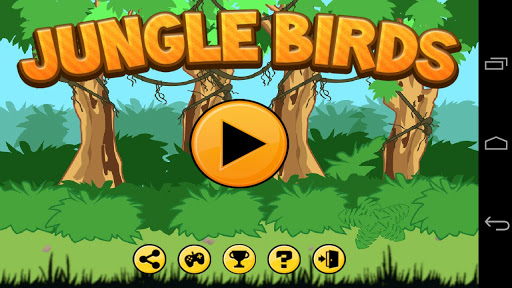
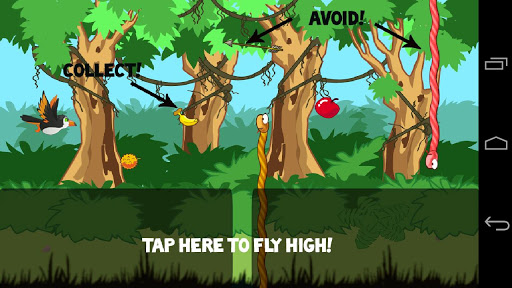
There is a long line of line runner games. This is one of them and it's called Jungle Birds. It a brand new smartphone FREE application on Google Play for Android devices. You guide or help a toucan fly through the jungle and collect fruits along the way. The game keeps track of how far you get. Collect power ups to spice up the journey. Once a power up is collected it automatically activates. Avoid contact with snakes vines and the top and bottom edge of the touchscreen.
The menu's / user interface are clear and user friendly. You only use the bottom two fifths of the screen as input. The input or touching the screen makes your toucan fly. Not touching the screen makes the bird stop flapping and fall or glide downwards. Catch three of the same items consecutively (in a row) to get that fruits power up. This is extremely challenging to do. Not all obstacles are stationary. The occasional arrow tries to bring an end to you. Hint: No one fruit is worth dying for. If catching a fruit means you have to take risks or alter your path of flight then don't do it. Although the game is simple to understand and play, I don't think the game starts off that easy.
| Who is shooting those arrows? |
There is little room for error or adjustments in your flight pattern. Perhaps for more casual players the game can make the bird smaller and/or increase the breathing room between dangerous vines and snakes. If I was a bird or flying like an angel I would like some freedom to spread my wings a little and feel like I'm agile. These would increase it's playability even further. Maybe add a little story page and give the main character a reason to fly and get objects. Another possibility is to explain who is shooting the arrows and/or why there are so many evil snakes.
Jungle Birds is brought to you by the developer(s) at Neqoo. (They also have a couple Pokemon coloring apps). You can download this bird game here for FREE. Thanks for stopping by.
Wednesday, 3 April 2013
CatBot FREE Voice Command Buddy
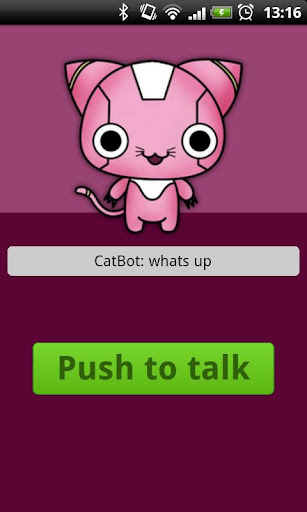
By now there are plenty of apps that listen and talk back to you. How about one that combines/dresses up as a cute kitty cat? Introducing CatBot, a FREE Smartphone app similar to Siri. Although it's not up to Siri in capability it can be more enjoyable for children with the animal appearance. It's easy to use. Press the button to talk, then speak to it. It will then respond back in a robotic voice.
There is room for improvement however. The voice sound effects and listening window sound and look exactly like the default Android voice command features.
Although this Android app does more than apps that just repeat what you just said back to you, it could maybe copy a little of what they do. Often times those apps change the voice (ranging from a little to a lot and sometimes funny). CatBot has taken some steps to differentiate itself, but a few more steps wouldn't hurt.
CatBot is FREE on Google Play. Download it here. Perhaps your little ones will enjoy it. Just watch out as they may become co-owners of your phone...if they haven't already.
Golf Sokoban Stategy App
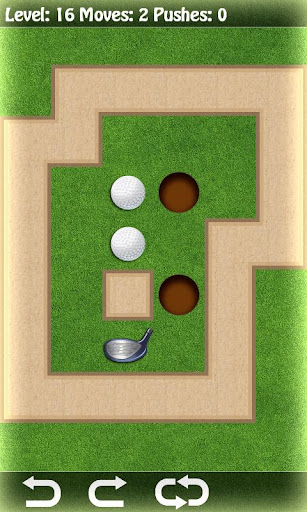
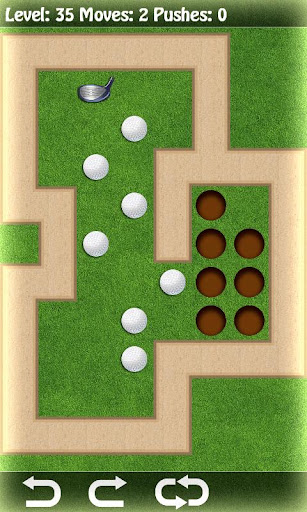
Puzzle games and strategy games help exercise your brain. For those of you like me who could use a little help keeping your neurons in shape, there's a new FREE app on the streets of Google Play called Golf Sokoban. There are more than 9 holes on this golf course. No golf equipment nor walking is required (that can be a good or bad thing depending on your case). With plenty of levels of increasing difficulty, you won't be finishing this app anytime soon. Nobody wants to finish an app or completely beat a game in just a few minutes. Although the weather is improving in my area, rain is still popping up here and there. This is like a simpler indoors version of putt putt golf.
- Tap a location next to your golf ball in the direction you will be putting from.
- Next tap the ball and it will be moved one space forward (away from your golf club) if the space is available. The club will follow.
- You may undo moves or restart the level with the corresponding buttons on the bottom of the screen.
- Press your android return button and you may quit the level and select another level. You must beat a level before having access to the next level.
Hint:You may push a ball out of a hole if you can get your club in position to do so.
Clue: The number of moves made will decrease accordingly when you use the undo feature.
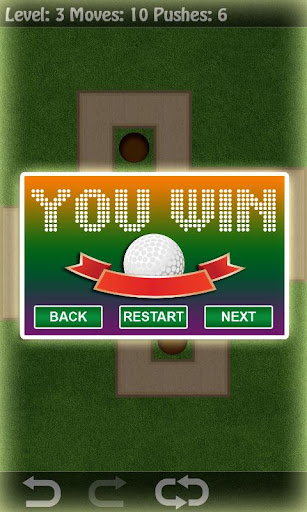
Although the smartphone game doesn't have a scoring aspect to it, it does however record the number of moves and pushes you made during each level.
The free smartphone app is brought to you by the developers of DRV games, the makers of the Timon's Birthday app (Yes Timon from Disney's The Lion King). Download the app(s) and give it a try. Here are some words of information from the developer
Sokoban is also known as: "push box", "warehouse keeper", "mouse and cheese".
You're already a winner just by reading this far into the article! The graphics and gameplay are simple and smooth.The end.
Sunday, 31 March 2013
Edit Images on Your Smartphone
Don't you sometimes wish you could alter your images or pictures on your smartphone just a bit? With Photo Painter Free you can do just that. Start by selecting which part of the picture you want to apply an effect to. While you are making your selection with either a blue or pink/red-ish brush, a window on the top left hand corner of the screen will show up with a zoomed in image of where you are currently selecting. Parts of the image not selected count as a selection themselves so you may also apply special effects to them.You have a green selector and a red one. Even if two green selections are not touching each other, if an effect is applied on one of the green spots, the effect will be applied on all green selections. You also get to change frames (by sliding horizontally on the photo) and styles (by sliding vertically on the image).
A color coded brush feature lets you see better and looks preferable to a bunch of ants crawling on your picture. When choosing your brush you may slide on the adjustment bar to change the size of your brush.
The zoom in window lets you make more precise movements. If you start selecting a part of the picture that under the zoom window, the zoom window will moved to the bottom left of the screen.
If you find that you have made a mistake you can undo what you just did(by pressing the Android return button). Or you can use the blue brush to erase/deselect selections that you have made. Another method is to select the area with error and apply the effect of restoring it to the original image.
Suggestions for future updates:
Make the app capable of undoing more than one action. Have more than 4 frames and 4 styles. Allow drawing for messages or hand drawn items. Have a feature to put text onto pictures. Have some clip arts to stamp onto images and allow for them to be moved around. Allow for the 6 painting styles(Art stand icon) to be applied in varying magnitudes. For now only the first painting style leaves items that resemble their original look(I am partially biased because it looks like oil painting...something I've fond myself to admire). I know this would change it from truly being that painting style, however it would let more objects to stay recognizable as they aren't always compatible with the style or it's program.(Note: The 15 filter styles ((Magic Wand icon))do let you choose how much of the effect you are applying with sliding bar.) The main menu and text pop ups during use do not go to landscape mode. Many pictures are in landscape mode and currently only the icons rotate for landscape view. Athough this isn't important, I believe it would make the app feel more user friendly.
It's quite interesting to see it go to work while it's rendering the image. It even tells you the app is "thinking" while applying effects. The smartphone app will let you know when it's done rendering. You may save images and share them on Facebook. You may download the FREE Android app here on Google Play. It's published by Aspiration Studio.
A color coded brush feature lets you see better and looks preferable to a bunch of ants crawling on your picture. When choosing your brush you may slide on the adjustment bar to change the size of your brush.
The zoom in window lets you make more precise movements. If you start selecting a part of the picture that under the zoom window, the zoom window will moved to the bottom left of the screen.
If you find that you have made a mistake you can undo what you just did(by pressing the Android return button). Or you can use the blue brush to erase/deselect selections that you have made. Another method is to select the area with error and apply the effect of restoring it to the original image.
Suggestions for future updates:
Make the app capable of undoing more than one action. Have more than 4 frames and 4 styles. Allow drawing for messages or hand drawn items. Have a feature to put text onto pictures. Have some clip arts to stamp onto images and allow for them to be moved around. Allow for the 6 painting styles(Art stand icon) to be applied in varying magnitudes. For now only the first painting style leaves items that resemble their original look(I am partially biased because it looks like oil painting...something I've fond myself to admire). I know this would change it from truly being that painting style, however it would let more objects to stay recognizable as they aren't always compatible with the style or it's program.(Note: The 15 filter styles ((Magic Wand icon))do let you choose how much of the effect you are applying with sliding bar.) The main menu and text pop ups during use do not go to landscape mode. Many pictures are in landscape mode and currently only the icons rotate for landscape view. Athough this isn't important, I believe it would make the app feel more user friendly.
It's quite interesting to see it go to work while it's rendering the image. It even tells you the app is "thinking" while applying effects. The smartphone app will let you know when it's done rendering. You may save images and share them on Facebook. You may download the FREE Android app here on Google Play. It's published by Aspiration Studio.
Saturday, 30 March 2013
Finding the right music app accessory combination
Experimenting with different ways to DJ and create music with my iPad it just really strikes me as how little ancillary products there are available to make the budding touch musician's life any easier. Now don't get me wrong all the music apps that are available are increasingly clever in the way that they are fundamentally changing the way that we interact with music. Take "Magic Piano" by Smule for example, here we have a completely new way to create piano based sounds that defy age old proven acoustic paradigms.
Unfortunately despite any amount of unique ways to interact and create tunes we are still left with the liabilities of a small touchscreen-especially if your smartphone is the device of choice. So it stands to reason that the powerful portable processing power of our touch devices would benefit from being utilized in other ways. Instead of creating on an iPad for example we could use it as a remixing desk and sonic amplifier. |The market needs to realize these limitations and reflect this with specifically designed products that will allow us to have the best setup. Say for example I was using a keyboard/iPad combination to bust out the drop beats: it's almost impossible to find a keyboard stand that caters to these unique requirements.
Friday, 29 March 2013
Wallpapers for Some of Your Favorite Messengers
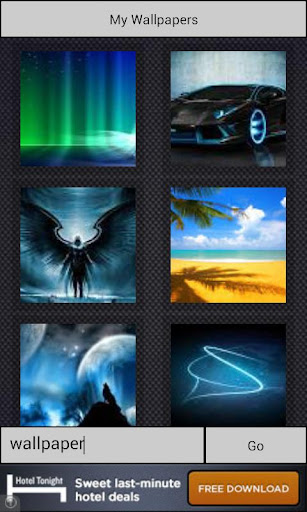
It's always fun to add a little customization and differentiate yourself or just change the flavor of your smartphone if you can. With the FREE Wallpapers for Messengers you can free your Android smartphone's appearance and add some flare to those your favorite messenger. Although screenshots and overviews may be a bit blurry, once you select a photo it will upload the high quality picture/image and you may choose to download it for use. It works for three popular messengers below with their directions (from the Google Play description). I do not use a messenger service on my phone so I do not personally know how useful they are. However, millions of people use Whatsapp, Viber, and Line, or Skype(not compatible with this app).
1. Open a chat in Whatsapp and press menu
2. Choose wallpaper and then android system
3. Tap on wallpapers for messengers and you are ready to go!
for Viber
1. Open a chat in Viber and press the configuration button next to call.
2. Click backgrounds and select 'Select photo from gallery'
3. Tap on wallpapers for messengers and you are ready to go!
for Line
1. Open a chat in Line and press menu
2. Click chat settings -> chat wallpaper -> choose from gallery
3. Tap on wallpapers for messengers and you are ready to go!
Other Tips on how to use :
*After you press "Next" or "Done" on your onscreen keyboard, make sure you press "Go" on the app to search.
*Although it looks like only 8 photo's show up per search, by pressing "Go" again the app will look for 8 more. Only eight will be displayed at a time.
*Access saved images by tapping where it says "My Wallpapers"
Here are some nice examples that didn't take me long to find.

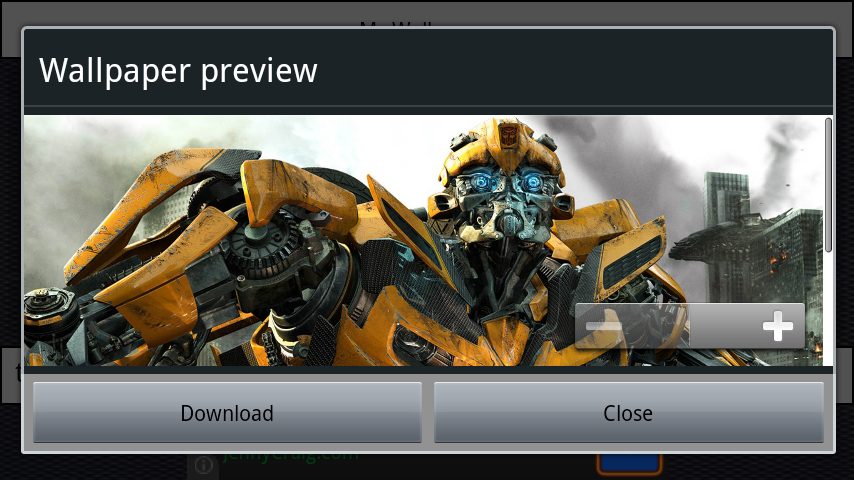
Detailed Autobot from Transformer movies, Bumblebee.

![]() |
| Nature |
![]() |
| You can zoom in too. |

Cute adorable wildlife.


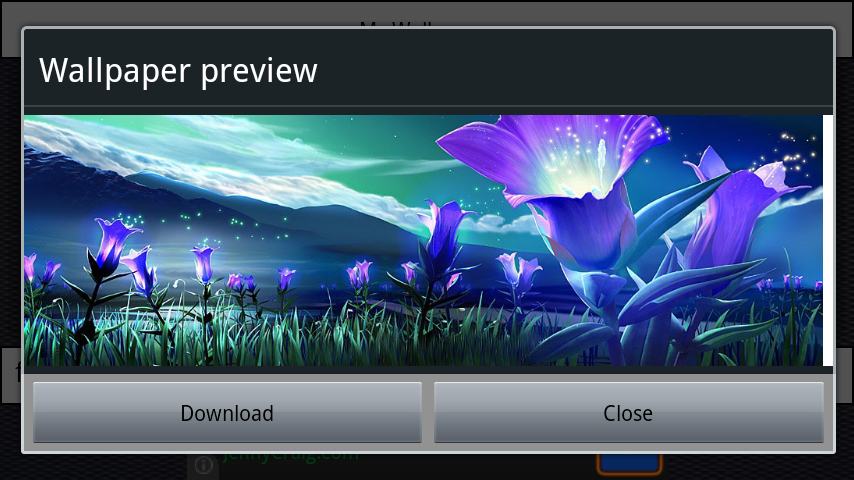
Fantasy


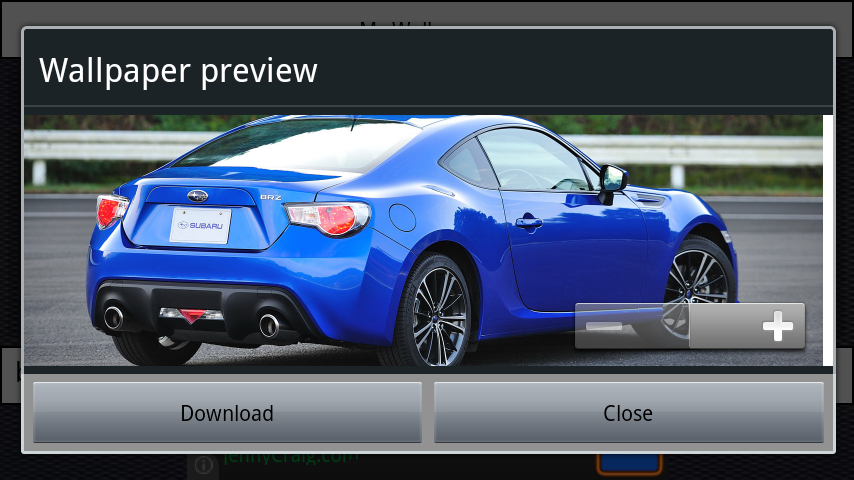
Sweet Ride


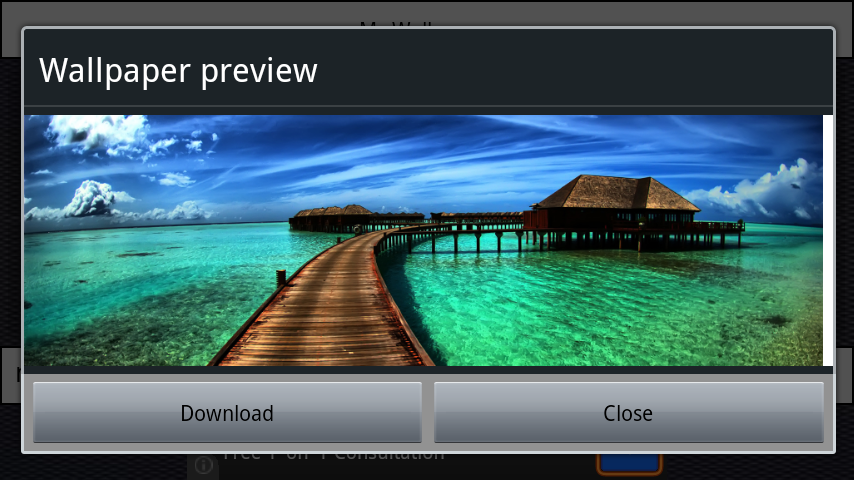
Tropic paradise feel

You can Download the smartphone app HERE from Google Play. Check out the video on the app listing to see an example of it being used. Thanks to the people at Wallpaper for Messengers and Network Apps for allowing more style and freedom in our sometimes limited technology.
Enjoy your new wallpapers.
Wednesday, 27 March 2013
ScareTimer - Scare Your Yriends with Your Smartphone
Cracked screen tricks were nice when they came out...but that has been a while and maybe you've already tried it. Or maybe you just want another trick up your sleeve. Here's where a brand new app called ScareTimer comes to play. It's simple and easy to use. The FREE app is brought to you by the developers at ScarePunch Apps.
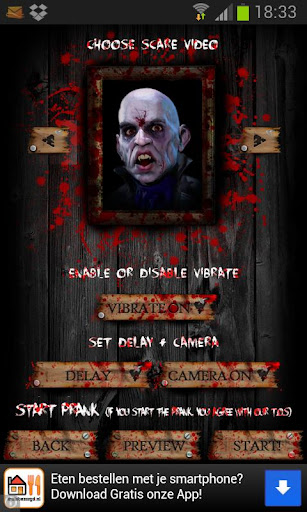
Here are the steps:
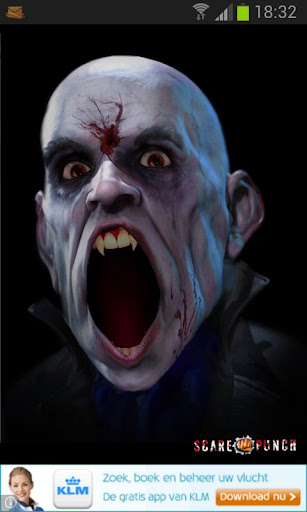
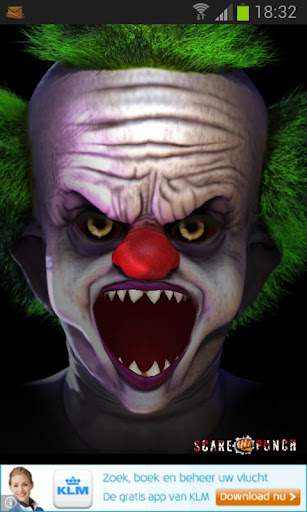
1.Choose the monster you want to pop up(it will be full screen during the prank...and animated but not cartoon)
2.Turn Vibrate ON or OFF
3.Choose the TIME DELAY before it pops up,
4.Toggle whether or not you want your front facing CAMERA to record during the trick,
5.Preview or Start!
These aren't just pictures that pop up. The terrorist moves and makes appropriate noises/grunts/roars/snarls/screams.
The graphics during set up and the prank are way above what I expected. Even the Preview startled me. The creatures are very life-like or at least very alive during the prank and previews(Very impressive detailed 3D). The menu's and buttons are quite user friendly for such a scary app. Some neat features include having different delay settings for you while having the default on 30 secs. This does seem like the average bait time. Not too short that they haven't yet paid full attention to your phone and calmed down. And not too long that you risk them having lose interest in your phone. Another built in feature is that when you turn the camera setting on, the app automatically checks if it's compatible with your phone. Does the app have to be opened for the prank to be pulled? Nope. Once you start the delay you may exit the app. It will run in the background until it is time to launch the attack.
Although my camera worked with the app, my phone probably wasn't beefy enough to handle an app and launch the camera smoothly. When the prank happened, the audio and vibration started and my front facing camera popped up instead of the scary creature. The Xperia Play wasn't close to being a flagship phone when it was launched. Running Android 2.3.3.
Trivia: ScarePunch App's animated logo reminds me of the logo from Riot Games, publisher of League of Legends.
When you press "Start!" a window will pop up saying that by using the prank you agree with the Terms Of Service (T.O.S.). The terms are nothing bad, just that by using the prank you hold responsibility for your terror causing frightening scaring jokes. They are not liable for whatever may happen. And if you post the video with the app onto ScarePunch.com (developers of the app) then you surrender your rights to the video and they may use it.
Yes I was a fan of the CW show Supernatural for the first 5 seasons. If you were/are as well then here's a pop quiz. "Who is scared of clowns?"
The Jokester television episode was one of my favorite episodes. He is not the answer to the question.
This might be perfect for Halloween. Although by then a lot of people will already be familiar with the app and you won't be as cool because you weren't the first one.You can download the Android app FREE on Google Play here. All the faces are available for the PREVIEW, however only the two faces above are available for pranking in the free version. One suggestion I would have for future updates would be to include a scary girl with eyes wide opened. I've been scared before with an image from the movie the exorcist. The trailer for the Evil Dead also disturbed me with the girl. Although those probably can't be used, my point is that scary girls from movies can be scary. And for some reason the lady in the start up screen isn't one of the options to choose. Thanks for Reading. Perhaps you can post up your scare videos in the comments section?
Enjoy being mean,
Joshua Yang
Here are the steps:
1.Choose the monster you want to pop up(it will be full screen during the prank...and animated but not cartoon)
2.Turn Vibrate ON or OFF
3.Choose the TIME DELAY before it pops up,
4.Toggle whether or not you want your front facing CAMERA to record during the trick,
5.Preview or Start!
These aren't just pictures that pop up. The terrorist moves and makes appropriate noises/grunts/roars/snarls/screams.
The graphics during set up and the prank are way above what I expected. Even the Preview startled me. The creatures are very life-like or at least very alive during the prank and previews(Very impressive detailed 3D). The menu's and buttons are quite user friendly for such a scary app. Some neat features include having different delay settings for you while having the default on 30 secs. This does seem like the average bait time. Not too short that they haven't yet paid full attention to your phone and calmed down. And not too long that you risk them having lose interest in your phone. Another built in feature is that when you turn the camera setting on, the app automatically checks if it's compatible with your phone. Does the app have to be opened for the prank to be pulled? Nope. Once you start the delay you may exit the app. It will run in the background until it is time to launch the attack.
Although my camera worked with the app, my phone probably wasn't beefy enough to handle an app and launch the camera smoothly. When the prank happened, the audio and vibration started and my front facing camera popped up instead of the scary creature. The Xperia Play wasn't close to being a flagship phone when it was launched. Running Android 2.3.3.
Trivia: ScarePunch App's animated logo reminds me of the logo from Riot Games, publisher of League of Legends.
When you press "Start!" a window will pop up saying that by using the prank you agree with the Terms Of Service (T.O.S.). The terms are nothing bad, just that by using the prank you hold responsibility for your terror causing frightening scaring jokes. They are not liable for whatever may happen. And if you post the video with the app onto ScarePunch.com (developers of the app) then you surrender your rights to the video and they may use it.
Yes I was a fan of the CW show Supernatural for the first 5 seasons. If you were/are as well then here's a pop quiz. "Who is scared of clowns?"
The Jokester television episode was one of my favorite episodes. He is not the answer to the question.
This might be perfect for Halloween. Although by then a lot of people will already be familiar with the app and you won't be as cool because you weren't the first one.You can download the Android app FREE on Google Play here. All the faces are available for the PREVIEW, however only the two faces above are available for pranking in the free version. One suggestion I would have for future updates would be to include a scary girl with eyes wide opened. I've been scared before with an image from the movie the exorcist. The trailer for the Evil Dead also disturbed me with the girl. Although those probably can't be used, my point is that scary girls from movies can be scary. And for some reason the lady in the start up screen isn't one of the options to choose. Thanks for Reading. Perhaps you can post up your scare videos in the comments section?
Enjoy being mean,
Joshua Yang
Demolition Master - Can you do it?
Lots of new apps are just copies of old apps and barely add anything new to them besides different artwork. Once in a while though a smartphone app comes along with nice and unique touches to it. For example, Demolition Master by App Mania .
A quick glance at the gameplay looks a lot like Angry Bird towers. This however is a different game. The towers and its physics are similar. No slingshots are used here. You get to use good old fashioned explosives to demolish buildings. The horizontal red line is the tallest point that the building currently touches. It will fall down with the building when the building falls. You're objective is to bring the Red Line below (not sure if it can be at) the horizontal Blue Line using bombs.
That's right. Pinch and zoom is a feature. Not only that, but you may hold onto the gameplay area to zoom in like a magnifying glass. Set your bombs in place by touching where you want them to be planted. The number of bombs available are on the bottom of the screen. Red ones are regular bombs and Yellow ones are special bombs. Save the yellow bombs. If you feel like you've misplaced a bomb, you may touch it to dismount it. If you want to restart the level you my tap on the rotating red arrows icon on the top right hand corner of the screen. All your planted bombs would be refreshed.
When you are ready for the action...Press the bottom right of the button on the screen and Kaboom! I usually don't yell at readers but it seemed appropriate. Upon explosion you have several seconds for the chain reaction to bring down the red line. A timer pop up on the left of the screen after a few seconds. Upon completion or failure you get 3 options that pop up. The options are go to main menu, retry, or go to the next level. Some levels have a section that says "Do not cross". That means for whatever reasons no parts of the building you are blowing up may enter that area. Doing so will result in an automatic failure of the level.
The only real tip/hint/clue I have is to use the least amount of bombs you can because it will increase your score by a lot(about 500 points per bomb unused).
The Android version of the app is available on Google Play for FREE. You get 15 free levels for the USA location and Peru for a total of 30 levels. After that you may choose to purchase the full version for a total of 16 locations and 240 levels. Download it here.
The app came from itunes although a quick web search only showed a Hong Kong iTunes page.
With nice and appropriate music, artwork, sound effects, friendly menu's for a good user interface experience, Demolition Master is a well completed app. Even the Android app has a nice app icon. The developers at App Mania also did a good job on their logo. It looks cool.(left)
However I do have a few small suggestions.
1) Spice up the gameplay with more vibrant colors. Especially the world map.
2) Fix the barely noticeable small pixels from the texts. (this may be due to a different aspect ratio from previous iPhones of which the app was originally created for)
3) Add a "Play" or "Start" level button to the screen after a level is selected. It wasn't obvious that I was suppose to tap the puzzle to play.
They weren't done yet though as they've released a sequel called Demolition Master 3D. An article covering that app is coming soon. Both games have over 100,000 downloads on Google Play.
Enjoy
A quick glance at the gameplay looks a lot like Angry Bird towers. This however is a different game. The towers and its physics are similar. No slingshots are used here. You get to use good old fashioned explosives to demolish buildings. The horizontal red line is the tallest point that the building currently touches. It will fall down with the building when the building falls. You're objective is to bring the Red Line below (not sure if it can be at) the horizontal Blue Line using bombs.
That's right. Pinch and zoom is a feature. Not only that, but you may hold onto the gameplay area to zoom in like a magnifying glass. Set your bombs in place by touching where you want them to be planted. The number of bombs available are on the bottom of the screen. Red ones are regular bombs and Yellow ones are special bombs. Save the yellow bombs. If you feel like you've misplaced a bomb, you may touch it to dismount it. If you want to restart the level you my tap on the rotating red arrows icon on the top right hand corner of the screen. All your planted bombs would be refreshed.
When you are ready for the action...Press the bottom right of the button on the screen and Kaboom! I usually don't yell at readers but it seemed appropriate. Upon explosion you have several seconds for the chain reaction to bring down the red line. A timer pop up on the left of the screen after a few seconds. Upon completion or failure you get 3 options that pop up. The options are go to main menu, retry, or go to the next level. Some levels have a section that says "Do not cross". That means for whatever reasons no parts of the building you are blowing up may enter that area. Doing so will result in an automatic failure of the level. The only real tip/hint/clue I have is to use the least amount of bombs you can because it will increase your score by a lot(about 500 points per bomb unused).
![]() |
| No you don't blow up countries. This is a cool world map for levels. Reminds me of Street Fighter. |
The app came from itunes although a quick web search only showed a Hong Kong iTunes page.
With nice and appropriate music, artwork, sound effects, friendly menu's for a good user interface experience, Demolition Master is a well completed app. Even the Android app has a nice app icon. The developers at App Mania also did a good job on their logo. It looks cool.(left)However I do have a few small suggestions.
1) Spice up the gameplay with more vibrant colors. Especially the world map.
2) Fix the barely noticeable small pixels from the texts. (this may be due to a different aspect ratio from previous iPhones of which the app was originally created for)
3) Add a "Play" or "Start" level button to the screen after a level is selected. It wasn't obvious that I was suppose to tap the puzzle to play.
They weren't done yet though as they've released a sequel called Demolition Master 3D. An article covering that app is coming soon. Both games have over 100,000 downloads on Google Play.
Enjoy
Subscribe to:
Posts (Atom)