Friday, 13 July 2012

Create your own Amazing Alex Levels

How to make your own Amazing Alex Levels
Amazing Alex Level Editor
Amazing Alex user  created levels are already popping up thick and fast. If you want to get access to Rovio's Level Creator and make your own Amazing Alex Levels we're here to give you a bit of a hand.


How do you create your own levels in Amazing Alex?
Here's how to find the level editor: Go to the Chapter Selection screen and find the "My Levels" tab-This is unlocked after you complete the first sixteen levels of the Casey's Contraption like game.


So once access to the My Levels section is gained you're ready to create; share and upload your own levels of Amazing Alex. Some net sources say that there are 100's of user created levels already up; we've even encountered other sources that claim Amazing Alex has 35,000 user created levels already! (update we've explored ourselves and at the time of writing have been only able to find 5007 shared levels). So now's the time to stake your claim:


How to use the Level Creation Tool

  • A level must contain at least 1 object and a total of three stars.
  • The further into Rovio's new game you get the more tools you will get for your levels; up to a total of 35. Tools will include tables; scissors; balloons and more as you progress
  • Use the landscape button to change the backdrop
  • Press Play to validate the level. If all three stars are collected then simply "tick to save"
  • You've now got a complete level, or at least what it should look like when a tinkering fan has solved it! So take away as many objects and change their positions as much as you want to make your level gain the title of Most Difficult User Created Amazing Alex Level !
  • Now name the stage and upload it to the web. Watch out for Basket Master which is one of the trickiest levels we've seen.
How to Share your Amazing Alex Levels
level using all Amazing Alex objects
"Gun" most difficult user created Angry Alex Level?
The game doesn't yet have the wow factor of Angry Birds, but the social factor to the Rovio puzzle game is really streets ahead. You can even take your own creations and email ; Twitter; Facebook or share it in any way you please. Just tap the name of the level and you'll be taken to the part of the web that hosts it. Copy the level URL and share to your heart's content.


What to name your levels
If you're creative enough to come up with a super difficult level then add some pizzaz to your efforts; we've already counted at least 5 "My first Level" names in just a quick glance. Levels that have caught our eye are Mon Niveau by Elsabioza and Sling by SammyZio. So off you go then find your best level; create your own and welcome to the world of Amazing Alex.
Amazing Alex vs Angry Birds Easter Eggs
Injecting some much needed humour into a game that doesn't have the same characterful personality of Angry Birds; these are the tie-ins with Angry Birds and Amazing Alex that we've found so far:
angry birds and amazing alex similarities
Amazing Alex Easter Eggs : Bad Piggy Bank look familiar?

  • The Classroom: Look under the board for the first Easter Egg. An alphabet poster saying: “Aa: Angry” and “Bb: Bird”.
  • Alex’s Bedroom 3-11: Here's where you'll first encounter the bad piggy bank. The irony is that you could probably buy an Angry Bird piggy bank for real. Well not to get into the evil economics of Rovio's fun monopoly, here's tie in number 2 : Bad piggy-bank's  eye becomes bruised after shattering, remind you of any other famous video game pigs?
  • Alex’s Bedroom 3-12:  A not very subtle Angry Alex Easter egg this one; just look at the level name: “Angry Doll” and features the doll in the slingshot aimed at the Bad Piggy Bank. 
Perhaps Angry Alex is the next app on the cards for Rovio? 

iPhone Apps to Run your Life

iPhone time management
Life Ticker Pro
Do you actually realise how very time dependant we Westerners are? Right now I'm counting down the deadline until this article is published. I'm counting the hours before bedtime. The hours until the weekend (that's always a popular one). The days until payday. The numerous dates; birthdays;anniversaries; holidays; celberations and more that we have every year. Need I go on? The point being we're living in a time constrained society, where every second counts and events from large to small can and do happen almost daily. That my iPhone owning buddies is the reality. Luckily for us  we don't need to wait for a fictional future where all of this is organised for us. Because if you own an iPhone, the future of time management is now. 


You need two things to be an efficient time lord and never forget a date or appointment again: the first is an iPhone (or other iOS device) the second is the now free time management app: LifeTicker Pro.


PDA functions for iPhone
Track innumerable events with LifeTicker Pro
Time management app is a very lazy label to attach to this private and business life tracking app. It's not just a fancy alarm/stopwatch but a full solution to all the times of your life and presented in a very easy to use package. In the opening paragraph I went on about looking at all the future dates that might be relevant to us; but what about looking at Ticking down time from events. If you buy a car for example, wouldn't it be nice to know for exactly how long you've owned it. And what about mobile phone contracts: How long have you had your iPhone-is the 18 month contract up yet?


The point being that by using LifeTicker Pro you now have a simple  two step solution to keeping track of time; just type in what needs to be tracked and count up or down. That's a very powerful resource to have and since time is money an extremely invaluable tool to have on your iPhone. The presentation is also very slick and you can track infinite events.


And while we're on the premise of time ticking away we suggest you hurry on down to the app store and get LifeTicker Pro right away because it's just gone free today! What are you waiting for time is wasting, Tick, Tick........

Thursday, 12 July 2012

Sage in Your Pocket

Best Motivational Quotes
Another beautiful partnership between Android phones and old school values, we've been lucky enough to stumble across the Best Motivational Quotes App for Android. After a weeks gloomy weather and work pressures the motivational app has really added a little bit of  sparkle to some dull days.


The Motivational Quotes app has some really good features, most notably the ability to act as a widget, this means you simply activate the widget and then it happily rotates through some very inspirational words from histories famous people. 
The app has 150 quotes from the likes of Einstein; Helen Keller and even Oprah Winfrey: Actors; Writers; Saints. Whatever type of person you find most inspirational can be found in the app.


Activate the full app and the quotes are shown across a variety of well chosen and apt backgrounds, again a very mood uplifting touch. A variety of ways to share your favourite quotes are also present including email and text.


So if you're wanting some mood enhancement or wisdom of the ancients (or moderns) and are a proud Android owner then download the free Best Motivational Quotes App from Google Play.

Wednesday, 11 July 2012

Animal Sounds App on iPhone and iPad

Fun, animal Sounds app on iOS
As Im busy writing this article my 4 year old is busy entertaining himself with the Ipad downstairs and the one year old is hanging over my shoulder saying "dog, dog" every time I look at another picture on the Animal sounds app(every animal is a dog to her; even the local restaurants aquarium has "dog" in it according to her!)


Now the point of telling you this, is that;as you will probably have noticed if youre an Iphone owning parent, is that even young kids are technologically savvy. And of course attracted to the bright colours and sounds of devices like Ipads and Iphones. Some would say that our children have lost touch with nature because of all this technology surrounding us. Whilst true in so many ways, instead of complaining about this we need to harness our tech to come up with a happy medium. 
So my one ipad loving and my one animal loving child have been inspirational for reviewing Animal Sounds Free. The bright and attractive pictures teach them about the animals of the world and provide fun interaction in the form of animal sounds and names.
A fun and easy to use animal sounds app that marries young kids love of touchscreen interaction and shows them a little of the natural world. 
Perhaps the fun app might even teach my infant that not every animal is a dog!

Call of Thrones Gem Guide

Call of Thrones Guide
Call of Thrones is reliant on the use of gems but there is a lot of confusion as to how to use gems in Yeepgames most popular onlinegame. So if you're a fan of Call of Thrones then your're going to want to read our 
    Call of Thrones Gemstone Guide 

What do Gemstones Do in Call of Thrones?
Gemstone are crucial because they  make  battles, whether PvE or PvP ,easier. Like many other games of this type as you level up mobs increase in strength and HP, without using gems you're fighting a losing battle.


Where to get Gemstone Shards
 Gemstone Shards can be collected in the  Crystal Mine. The Tradeskill is not needed for shard farming, and you can also get the Flower Pebble in the Crystal Mine. The  Flower Pebble is mostly useless though, so you're best off just selling it. 
 Gemstone Shards can also be bought at the Gemstone Merchant (next to the Gemstone Crafting Table) at a cost of 200 coins per shard. It's an exorbitant price so shard farming is much more profitable.


Gems in Call of Thrones
Where is it best to Mine Gems in Call of Thrones?

 Don’t mine gems in the  low level city.  A Common mine will yield more flower Pebbles than shards . Instead Go to high level city, search for Uncommon Crystal Mine, there you'll find more shards than flower pebbles.

It's also very important to socket your items, this can be done at a Gemstone Crafting Table in every city.

How to Socket Shards

Click Add Gemstone Socket. Putting in your items, then you can randomly socket it. If you're fortunate enough you'll get 4 sockets every few goes. Or you can lock your socket and go on socket more. But to Lock socket is expensive: Costs to Lock: First lock-600 gold, the second lock needs 300 gold, the third lock need 100 gold. 

Chart For Gem Use in Call of Thrones
Luckily a locked socket can be changed, you can unlock it for free. 
There’s 5 different color of socket: blue, green, red, yellow and rainbow. Each type goes with the same color gems (ex: blue socket go with blue gems only). However Rainbow sockets can go with any gem.

How to Make Gems
Make the gems with the same color as your sockets. 

Gems Found in Call of Thrones (What each gem does)

Blue gems: Strength, Stamina, Agility.
Green Gems: Defense, Hp drain, Ep drain.
Red gems: Damage, Critical, Accuracy, Speed.
Yellow gems: Burn damage, Bleed damage, Poison damage, Healing.
Rainbow gems: Diamond (available only on shop), Alexandrite, Opal, Amethyst, Amber.

Gem Levels (A total of 7 levels)
 Low, Mid, High (for rainbow only), Super, Mega, Ultra, Cosmic. To make Higher level gems you will need  5 of their lower gems (ex: 5 low diamond = 1 mid diamond) To increase a gems strength from Mega all the way up to Cosmic you will need the sublimation stoneMega to Cosmic gems. Another way to make gems is by  using the  Common Gemstone Voucher. But you can only use this way with Mega gems and lower.

Working on gems will make you stronger, this is a good  way for none gold buyers to get to level up without fear of dying.

Tuesday, 10 July 2012

Make that Word for iOS

Word unscrambling app
Make That Word App
Yes; its an Ios Word game; Im sure the apps title: " Make That Word" gave it away! But thats one of the reasons that Make that Word has taken up so much of our casual gaming time on iPad.
Like the title the word game is easy to grasp and understand.


Frantic, fast paced fun in the Blitz Mode.
The title's clear;  unpretentious, "say what it is" factor is just like the app. Theres no unnecessary rules and complicated ideas to stand in your way of just having some old fashioned word cracking fun on your ipad or Iphone.
 Just jump straight into the app and have a blast either riddling out as many words as you can in two minutes in Blitz mode; or pitting yourself against the word game's endless mode to unscramble each word in the 20 second time limit.
A lovely clear interface with well designed graphics and Game Center compatability paired with social network integration is just the cherry on top.
Fancy some casual, but fun, word unscrambling?
You'll love Make That Word

Goodbye Xperia Play: Or how to Prolong your Smartphone's Life

We all love our Android Phones and wish they would work for ever. Fact is that our wonderful Smartphones are actually delicate pieces of technology, more delicate than you would think. And horror of horrors, Smartphone warranties don't cover all eventualities. So, if like me, you have an Xperia Play, or any other Android Phone that no longer works and want to prolong the life of your new phone, then you'll want to read this article and learn some facts and advice that Mobile phone carriers don't want you to know.


Firstly thanks are in order to Josh Y Gametrender's chief Android writer whose brilliant "Letter to Sony" article inspired me to put finger to keyboard and tell the sad story of my Xperia Play's death, and also what all Android users can learn from it.


Ways to Invalidate Your Smartphone Warranty
The Xperia Play was a much loved gaming phone when I owned it, despite many issues with the Xperia Play. The first time the phone stopped working I eventually traced the problem to the infant in our house.
Lesson One: Why Infants and Smartphones don't mix
Of course I was never silly enough to let the toddler play with the Xperia Play. But what I hadn't realised is that one day she had got hold of the charger. And doing what infants do, had sucked the end. Oblivious to this I plugged in the phone for it's daily charge (when will they improve Android Phone's batteries?) , the charger appearing dry, wasn't and the residual moisture caused the phone to malfunction.


Faultfinding for Android
Luckily there's a lot of advice on the net about resetting operating systems and hardkey solution when the touchscreen fails to work. However none of this advice did anything. What did was leaving the back off of the phone, the battery and simcard out and trying it again after a period of 2 to 3 days. The Xperia Play started working again, until it finally met it's maker a month ago.


Claiming on Your Smartphone Warranty
Learning from previous mistakes i was ever so careful to look after the Playstation Certified phone after that. Until one day, about 6 months after it's initial incident the phone's nine lives ran out and the touchscreen stopped working. The initial fault finding and net searches for solutions to Android Smartphone problems followed, all with no result. So with a heavy heart I took the phone back to the carrier's shop (Vodafone).


Lesson Two: Always back up your Android phone numbers, notes and other data. Google Play will save your apps and purchases under your account details, but other data is up to you to save.


What a Carrier will do with a Broken Phone
The initial period was ten days from the carrier getting the phone until it was returned. I wasn't worried as I thought under the terms of the contract that if a phone stopped working through no fault of the owner then a replacement would be given if it was unfixable. Why was the warranty invalid: After a ten day wait I got the phone back, in exactly the condition I had sent it off in. The manufacturer had claimed "the phone was water damaged" , points to note- being a soldier I had just returned from an Operational Tour in the desert, where the phone had spent 6 months in a waterproof bag! Naturally I was livid, and ven more angry when I found the manufacturers proof of water damage to be a blurred photograph of an unlabelled inner phone component! 
The shop assistant went on to explain that a Smartphone can be water damaged by not only immersion, but also high humidity and changes in the weather! Had I ever taken the phone into the bathroom? (of course it's always with me, or should I always carry it in a waterproof bag) He even went on to state that a persons sweat could be enough to cause a phone to have water damage.
Those are all fair statements but the point being that having a phone in a pocket is normal and high humidity conditions are expected in most places in the world, therefore it is a travesty to claim these as being liable for water damage!


Practices to avoid with Smartphones
Here's the lessons I learned:

  1. Keep all components of a phone away from children, even the charger.
  2. If it's raining , maybe you dhould consider using a waterproof bag for your phone.
  3. Avoid going into the bathroom with your phone.
  4. Never charge a phone in a high humidity environment , like a kitchen, this can cause water damage over time.
  5. And I guess that's just some of the steps you need to do to prolong the life of your Android Phone (and don't forget to get phone insurance and back up your data!)
A Happy Ending
So what happened to the expired Xperia Play?
If you're a UK Smartphone owner,  than you'll want to know this : Phones4U currently provide a service called JUMP. They actually took my bricked phone off of my hands, paid me 120 pounds for a non working Smartphone and gave me a new contract for a Samsung Galaxy S3. Now that's a happy ending!


Thanks to the Xperia Play for the Happy 14 months of dpad and emulated gaming we had together.
And to Josh for his superb article
And here's to the bright and shiny Quad Core future of my S3
Look after your phone's guys-that couple of weeks with a non working Android was very painful
GAME ON!

Letter to Sony (Ericsson)


Dear Sony (Ericsson),
Although Ericsson is no longer with Sony, I would like to address some of my thoughts and xperiences on the Sony Ericsson Xperia Play. I've had the phone for almost half a year now. About a month ago my friend the Chief Editor of Gametrender.net (might not be the exact title) had issues with his Xperia Play. He sent it in to Sony and they said they couldn’t cover the phone because the phone had water damage. My friend was unaware of and doubts that that type of damage exists. He now has a non Sony Smartphone. There's quite a lot to cover so my thoughts may be random and unorganized. As I think of more things that I may had left out on accident, I may update them into the article.

1)The worst spec I could think about the phone is the Internal Memory
. Internal memory is even used by apps installed on the SD card. Even if the SD card isn’t full, the Internal Memory may be full, not allowing you to install more apps onto neither the SD Card or the Phones memory. Did anyone really test this out and thought that the internal memory was enough? (especially after default software was installed)

2)2nd Worst spec for my preference, is the lagging camera. Takes time to start up, to load between pictures(might be average), to look at the gallery quickly while taking pictures(to delete or view). Camera has a lot of issues. Recording sometimes skips audio. During recording it sometimes turn the screen all black(camera turns off during this process without me telling it to). Sometimes that last problem turns to Force Close. What the heck? I’m recording...or trying to record...i pressed record already. Oh and the phone has inconsistent speed on when it starts recording once you press the record button(might depend on available RAM at the moment). The problem isn’t just the lag anymore. Right after recording, I realized that the new recorded video was corrupted. This event also corrupted some of my older recordings. Corrupt files becomes pink lines as a video. I might had been trying to look at the file as it was saving, or pressed "return" or "home" or tried to record another, but I don't think that justifies the messed up files. The smartphone shouldn't let me take actions that could corrupt it(I did "not turn off the power" while saving was in progress). I no longer get pink files after I got a new memory card. And I almost never get corrupted files any longer.

My Former Phone (this whole section is on it, brags and compares)


I came from a Sony Cybershot C905a so I may be biased with higher standards of camera capabilities, but it’s also an older phone, (at least 2 years which is a lot in phone years if I’m not mistaken.) I don’t expect the Play to take pictures as great as the C905a(although the Play does take extremely better videos when not skipping and has less blur in its pics). But we are not suppose to be in the “Beta” testing stages any longer. Make phones with good camera loading times. Or make a Camera with phone capabilities. Smartphones are suppose to be awesome. Is a little camera power that problematic and lagging? I admit that Over the Years, Phones haven’t gotten that far in the camera department vs other features. I know it’s a phone and not a camera, but if it has a camera feature, that camera feature shouldn’t be so glitchy or glitchier than nonsmartphones.  My C905 started deteriorating a little after about 1 year of ownership. Just in time for my 1 1/2 year waiting period to be up for an upgrade. A screw came out under the cover. And the clear piece that covered the speaker(s) between the two buttons on top of the screen came off. A strip of grey plastic that might be a sealant or glue in between two parts under the battery cover is coming out.
    The plastic piece to cover the external memory card broke after about half a year (I liked flipping it a lot but still.)  Also about this same time my silver navigation button’s coat on the edges started to peel to reveal the true color of the button, slightly tanned pink. The AT&T sign that is about one inch and below the screen is sliding off the glue that holds it. The number pad is flat and cannot really be used for text by feel.
    Overall the Cybershot Phone's camera qualities were ahead of it's time. It's slide out cover mechanism was sturdier than people expected and really fun to slide and activate the camera on the way out of my pocket to be ready to use quicker(unlocking not required). The lens surroundings had a point and shoot-like look. Even the navigation buttons were camera-like. The shortcut buttons on top were a little small and flat, but still useful in the camera. Exposure, Flash, Focus, and Timer could be accessed with just one button without having to go into a menu first. Just one press and then left or right on the directional buttons to adjust the values and enter. One button can be pressed to switch between video capture and photo capture mode. The scratch resistant mineral glass did it's job.
   One big problem with this phone was that the photos and videos couldn't be recorded onto the memory card directly. Videos could be lost if set to automatically save onto a memory card. Photo's would take forever to save onto the card before you can take another picture. So the best way to handle this was to have media saved onto the phones small memory, but this was require you to occassionally transfer them onto the memory card. Another issue with the camera phone was that although it's bright sensitivity was great, it's low light sensitivity was poor. Capturing media indoors was difficult and had lots of wrong colors. The Worst Thing about this phone was that the phone charger died after the first night of charging. I left it in the wall, and on the second day to charge my phone it didn't work. I took it to At&t but because I got the phone online from Amazon with an At&t Contract, At&t couldn't help me (plus I got the phone right as it was getting discontinued). I didn't want to deal with the mailing because we had older Sony Ericsson chargers at home from a (w810i) walkman phone, which also had a better than average camera, flash, and volume. In fact, two people I know still used this phone until last year. One upgraded even though the phone still worked (rare for phones to last that long anymore). The other still loves his. Overall the C905 was one of the smartest dumbphones/non smartphone/feature phone available. It accepted a some common media formats and let me use customized mp3's (smaller than 300Kb) as my ringtones and texttones.


Back to the Xperia Play
Xperia Play Thoughts. When connecting the SD memory card in the phone to the computer with the USB cable and then disconnecting, some of my installed app icons don’t come back to my 1st and 2nd homescreens. Might be due to me not waiting long enough on “connect to memory card” before i start navigating. I no longer have this problem after trying to be more patient and waiting longer before disconnecting the usb cord.


Software
   Google Play doesn’t let you search in your past apps on the web browser. It let’s you scroll alphabetically and view only 12 apps per page, but i have like 8 pages of previously installed apps so far and that is only going to grow. The thing about Google Play that bothers me the most frequently is that while I'm searching for apps in the Play Store and I click on an app. When I press "return" to go look at the search results again, I am automatically taken to the top of the list and must scroll down to find my spot. This gets irritating during searches especially if it's a long list. Call me impatient but I call that inconvenient, especially considering we aren't even close to Android 1.0 anymore. However, Google Play does do a few things that Apple Store leaves out like containing the amount of downloads, show more than 3 reviews of an app (lots of the reviews are helpful) and the Android store looks more colorful.
   Sometimes the phone’s home screen changes to landscape mode when the screen is slid up. This only happens in a flash and it quickly remembers to switch to portrait mode. Looks glitchy, although stable. Sometimes the unlock bar goes hotdog style like it's have landscape mode. However when this happens, the orientation of the lock and mute buttons are still in portrait mode. It looks very odd when it does so. Other times, about half the screen looks like it switches between the normal wallpaper and an extra wallpaper(of the same type but the lines are in different spots). It's hard to explain the glitchy look. Not a biggy, but maybe the Clock Widget could display the Day of the week too while not in screen-lock mode.
     Another cool addition would be cooler sound effects. There is only one sound choice for an "Audible selection" (play sound when making screen selection) besides off. There are a few default sounds for different types of selections. I may have not explored them all. With years of cool digital clicks and computers from movies, some movie like sounds would be appreciated. A few beeps as options would be better, possibly even some Playstation (PSP, PSV, PS2, PS3, PS4) sounds. Although the current clicking sound is okay, it feels limited. The selection or check boxes don't show their checks really well. The checks are so faded gray that you have look carefully to tell if it's checked vs the dark gray check when it's not checked (not a smart design). The plus and minus zoom toggle during web browser viewing isn't really helpful. There's already pinch and zoom(at least until Apple really takes that away from all nonApple products). In fact, the pinch and zoom sometimes gets in my way of what I want to select on a webpage. Another thing, I have no idea what the use of the Overview feature is. I would probably appreciate not having it or being able to turn it off. It isn't hard to get to the desired homescreen to use a widget. Accidentally getting to overview makes my screen looks crowded and ugly, and stops you from accessing your homescreen when you want to. Maybe the flowing icons could be detailed fishes instead.

The Screenshot doesn't capture the flash, just that instant.
When this flashes a lot, I get embarrassed and hopes that nobody sees


 Problematic Facebook. (Might be more Android’s fault than Sony’s)
Facebook through the browser doesn’t work sometimes when i click on a new“notification.” This just takes me back to my facebook page...over and over until a later time when it decides it’s no longer mad at me. While viewing a picture on the app, you have to click “comments” then you have to wait for another page to load before typing in your comment. On the browser, you can scroll down a photo and start leaving a comment (like on the computer web browser). Seems to load a lot slower. The Facebook application  also has a longer start up than the browser. I don't notice it anymore, but I believed Youtube's maximum volume on my phone was very low vs using the same speakers for other applications. (My replacement phone doesn't do this glitchy half homescreen thing).

Hardware

Side effect of having a slide screen is that when closed, the screen doesn’t feel as firm as a nonflip or nonslide screens. If holding the opened phone, the phone feels firmer, especially the hand touching and holding the screen. Also the touchpads are not as useful as one may think. Not sure if these are fixable besides exceptional breakthrough designs so no suggestions here. Maybe a firmer lock so that touch feels more secure when the device is closed. And I wished the touch pads were more like joysticks that gave feedback(maybe mimic those from the 3DS in the future). However I’m not sure if this is necessary because touch screen controls can be very precise sometimes. Battery could be bigger - I wouldn’t mind the size increase if it meant longer power.

The round bottom sides of the phone (while opened) do not fit my hands really well. I don’t feel as much control of it as it it were a rectangular or edgy phone. The bottom half of the phone actually feels slim when the phone is slide open(bigger giant battery could help this). I do appreciate the physical hardware game control buttons and understand the size of the phone couldn’t really be helped. However, if the round side edges could be more edgy and give more space inside for better hardware, than I would like that too. The price of the phone was ok, but because it wasn’t a $200 phone with a contract, it’s specs were guaranteed to not be the best. (My guess it that testing for stability may had kept it from being released earlier where it’s specs would be close to top of the line.)

Scratches that I have on the back of the phone and a little on the screen may be normal. However, the coat for the silver shortcut buttons are starting to get scratched off slowly. I use the phone a lot. After almost a year I noticed some things. The shininess of the blue paint starts to fade. Maybe the Play could use some cover material, paints, clearcoats from the PSP's 1000 and up. Buttons like the R, L ,Volume keys, power button and Android buttons get squeaky after a lot of usage. The Sliding of the phone becomes a little less smooth. The Back Cover cracks upon being opened a few times. This is my first smartphone so I may be opening it incorrectly. There are three fingernail slots. Taking off the back cover almost always takes some uncomfortable amount of force.

Possible Future Features
    Quad-Core. Even if just for the cool sounding term. Faster loading times for bigger 3D games would be appreciated. A great Dual-Core processor will probably suffice(possibly a tri-core). If this phone ever gets a new version, I hope the loading gets upgraded with new phones so it can keep up with the new apps and phones of its time. In other words that it doesn’t fall behind in future releases of the normal loading speeds compared to phones around the same time of release. Not a lot of graphic and processing power is necessary for a good looking fun game, but probably more than the current generation Play for more demanding games.
    Include a decent Graphic Processing Unit(GPU). If my research is correct, the iPhones have always had smooth sliding animations. This may also hold true for top of the line Android phones like he Galaxy S2 and S3. (I don't have much experience with other top Android devices, but cheaper phones clearly show jumpy drags). Some have stated that the reason the graphics are much smoother on the said Apple devices is because they have a GPU. In my opinion this makes the movements less laggy and professional and cool and capable and powerful feeling. Without that sliding smoothness, the device feels like it can't even handle a simple drag and is pushing it's limits.

  
   Optical Zoom would be awesome, even just a little. Even digital zoom would be appreciated but would really still be below my expectations. Xenon flash, where it’s not a small light that stays on, but a strong flash like a Camera. However this tends to cause overbrightness or washing out of objects with white blur, especially if the objects are close.  The stock camera app didn't allow the phone to use the shoulder buttons as camera buttons. Luckily a camera app “Camera Mod” allowed for the use of those buttons. NO ZOOM is available on the Android 2.3 phone. This would mean I would have to find a video editing program and manually zoom it at a later (time consuming). Also, the current flash flickers during use. I'm not sure if this is suppose to happen, but it seems, again, less polished. Also, if your are using the camera app and change the camera settings and then look at the photos, when you come back to the camera app you must change the camera settings from default again(maybe not focus mode, but definitely the exposure). Funky and irritable. Flash cannot be toggled on and off while you are recording. 
   Add scrolling up and down the apps as an option simulatneously to the original homescreens. Scrolling down and up the apps and will not scroll not pages. Then if left and right is used, the phone will still scroll homescreens to the next 16 apps the way it does now. Apps aren’t locked onto specific screens. It allows  different pictures for different homescreens. This will add variety and fun and users wouldn’t be stuck with one screen and one wallpaper. Navigating will be a lot more versatile. Maybe a different desktop background for each homescreen would be cool too. Another more desktop computer like feature that was in my old phone was the ability to view the size of the photo's I've captured. This may not be helpful, but makes the phone feel smarter and similar to a computer's method of viewing the "properties" on a file. I like to take pictures and videos, so getting a better idea of how big a file was helped me determined whether or not to keep some files to make room for more pictures. Yes, buying a larger SD card (or using Google Drive, similar to iCloud) would probably remedy this.
-A verticle Scrollbar sometimes would be nice too. That would enable faster scrolling through big pages.
     An easy SCREENSHOT CAPTURE ABILITY. Maybe even make the "Search" button turn into a Screen Capture Button because the search button isn't really useful, at least not for me. I'm jealous because on the iPhone 4S this function is easily carried out by pressing two buttons simultaneously (the power button and the home button). Quick and easy.
      Although the screen was bright enough for indoor use, a Brighter Screen for outdoor use would be a nice touch. I shouldn't be playing games outdoors but it would still feel better if my other hand wasn't required to shade the phone's screen while looking at pics or. It's normal for phones to have this issue, but seems a little more apparent with the this one. The auto brightness is funny. It is capable of turning the phone darker than I can manually. And at the brightest setting, the auto brightness cannot be at maximum brightness. In my opinion auto and manual should had the same range, with the auto determining where my setting should be within that range.
-Possibly using the plays physical controls like the C905's shortcut camera buttons while in camera mode. A "Playstation Certified" Cybershot phone would be a dream come true, again. This could be an impractical as the phone is already struggling and trying to be a phone and a game.


It’s sad and true that the Xperia Play will no longer get Android 4.0, Ice Cream Sandwich, as it was previously stated that it would. Testing proved unstable so the Play was taken off the update list from Sony. I don’t blame Sony for doing so as the phone does seem to be pushing itself a lot already, but I am disappointed in Sony for confirming that it would get ISC for so long. (it was actually one of the reasons why I felt it was okay to get the phone). Even if ICS for the Playstation Certified phone was approved by Sony, there’s no guarantee that your phone phone carrier will approve of it on their wireless network. To be honest I haven’t done much research into ICS so maybe some of the listed features here are already in it.

Speaking of providers, I’ve heard that my provider AT&T sometimes slows peoples mobile Internet speed down to almost having no Internet. I thought it couldn’t happen to me but it eventually did once. I had received my common notice of having used over 60% of my maximum download limit of my data plan (3 gigs max). I don’t think I used much more right after that notification but my wireless Internet was slowed down to almost nothing(or 1 mini-bit/hour) for 2-3 days. Only with constant check up was I allowed to use the mobile web 5 times for short periods a day during those days.(To AT&T- I love the usage notifications, but let me go over my limit if I choose to and you can charge me for it.)

Now the Play may not be popular on the sales charts because of the limited target population. I see the earliest a seed of this phone may be released (if at all) would be about 2 years from now so that it would give the PS Vita time to grow. If my current phone lasts long enough, hopefully the New Play will come out in America around the beginining of 2014 so that I may choose whichever cellular company chooses to sell it when my 2-year contract is up. Maybe the next one could actually be called the Playstation Phone, although lots of articles have already written on a so called Playstation Phone, the Xperia Play.

Some things Sony Ericsson did do right with the Play
-Slick and Sexy control buttons that work really well, especially for being that slim.
-Xperia look is nice
-Optional blue color helps it deviate from the typical black colored smartphone.
-Play Store looks nice
-Good variety of games on Launch, (although some Sony Exclusive games would be nicer).
-First Playstation Certified phone. 

-Acceptable processing power at the time of Launch, but not much longer afterwards.
-Screen is at least 4 inches. Anything smaller is small.
-Letting SD cards be used instead of more expensive proprietary cards. 
-Use of the very common Micro-USB instead of proprietary connections. Allows for the common USB cables to be used for data transfers and battery charging.
-3.5mm headphone jacks makes a lot of sense to use. Makes it easier to find compatible headphones.
-you don't have to unlock the phone to use the volume rocker while listening to music.
-AT&T versions comes with a study Dock (with charging port and audio port), headphones with a microphone that has 1 button, and audio cable with 3.5mm on both sides to plug into sound systems. 
   As far as Gaming Phones goes, the Sony Xperia Play is a success. Having Nintendo 64 games and Gameboy Advance Pokemon games (FireRed and LeafGreen) in your pocket in your phone with physical controls is something I admire. I still consider the Play a part of Gaming History, which is why I had to have it. My phone is Xperia Play Optimized. That's a personal gamefreak type of preference though. As a phone it isn't as polished as the Samung Galaxy S II. As a gaming device it can't even run ps1 games from PSN.
I would suggest that if it were to get a successor, an Xperia Play 2, that it could access the PSN network and play PS One and PSP games flawlessly.


 Joshua Yang

 P.S. Maybe I should be a tester/designer for Sony. I can't engineer.

Sunday, 8 July 2012

Full Google Play Services from any Country

I live in Britain and can't buy music from Google Play. Other countries like India might have access to the latest Android phones but a Google Play store with even less features. So if you're an Android user anywhere in the World we are going to teach you how to access apps; books; music and movies for any country using the Google Play Store. A Play Store with full functions and all download services enabled? Yes, Please! Now just like our rich American cousins sitting around in the pool house listening to all their favourite Android Tunes and reading Forbes magazine downloaded from Google Play, the rest of the World can enjoy the same features.


  Again this Android workaround comes from an XDA member: KishankPadivar . His full tutorial to enable full access to Google Play in any country can be found on the XDA forums.

How to Enable Full Google Play Access


A rooted Android device is needed device is Rooted. 
- Download and install Play store v 3.7.11
- Download the Market Enabler
- Download and install DROIDvpn and also register to  make an account.
- In  Apps manager  delete all data and cache for your  Google Play store.
- Launch Market Enabler and select any US service provider, tap “Fake this provider now”.
- Run DROIDvpn and tap start.
For all Download links and more in depth ways to get full Google Play features in any country find KishankPadivar's thread on the XDA forums. Enjoy.

Talking Apps: Transformers Editions

There's quite a few talking kid apps out there but these Talking Transformers Apps are special. Not only are they related to the movies, shows, games, and now a ride (Great America). The Transformers talking apps have quality 3D (sprites) that aren't cheap looking knock offs to get quick money. Here's a list of Transformers that have their own FREE talking apps. Instead of ruining the experience with spoilers of what they do, I'll list the features in the tags so you can look at them if you want. Each of these include a voice changer that records sounds and replays the sound with additional effects after recording them. These apps combine the traditional "talking app" with a Transformers theme that should surely interest Transformers Fans.
-Optimus Prime
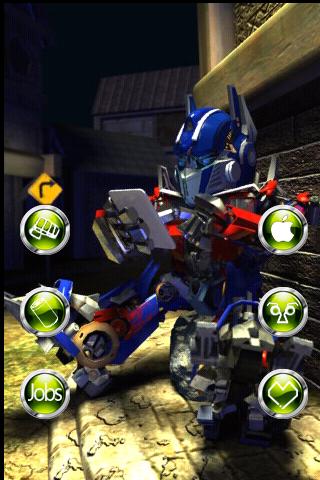
(Leader of the Autobots remember?) He doesn't transform in the app but he has the best voice changer and the saddest joke of these apps. Moving Ninja-looking Mouth-plates included. Developed by TimesLily Inc. Yes, he's holding and enjoying an ipad (not sure which version though). Download Here from Google Play.


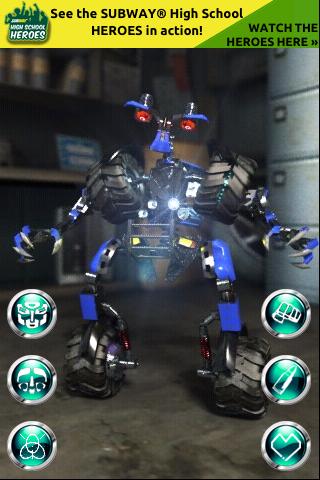
-Wheelie (Blue talking toy truck that eventually helps out the Autobots with some convincing from Megan Fox) He retains his attitude and voice here. He transforms into the blue truck, flashing lights included. The voice changer makes the voice higher pitch and play at a faster speed. Also Developed by TimeLily Inc. To Download from Google Play Click HERE.


-Sideways (Deceptacon bad guy) He has a rude sense of humor. Transforms with the camera view zooming in to show the cars angles. It has a form of a real car, the beautiful sports car Audi A8. Hear the engine roar before it transforms. This app has the best car detail. Voice changer effect replays the recorded sounds in a deeper tone.The app description fails to mention the bot's name by the developer Jasonnorbut. Click Here to Download from Google Play.


 These apps are guaranteed to entertain someone you know. Children love these apps and the voice changers are for childish fun. You don't have to be a kid or spend money to enjoy these apps and have fun.

Saturday, 7 July 2012

New type of Tetris Inspired Puzzler


Tetrizzle

Tetrizzle is bringing some Tetris inspired puzzling to our Android review machine these last few days. We're not talking a Tetris clone though, as the similarity to the gameplay begins and ends with Tetrominoes being the playing piece of choice in this Android puzzle game. Of course more spurious connections between addictiveness and unputdownability can also be made.


Tetris inspired but a whole lot more
The first thing that strikes us about Tetrizzle is the bright and bold screen that loads at first , a gorgeous introduction to the puzzle game which is very attractive on a Samsung Galaxy S3 near HD screen. The apps blurb describes the graphics as high resolution, an attribute that really adds to the game. Two game modes, Puzzle Mode and Arcade Game await. In a neat twist Puzzle mode has various difficulties that can be unlocked as you get better at the tile matching. Tile matching is a phrase that is a bit misleading though as you use the matched colours to get closer and eventually connect to the Tetrizzle Core-this of course clears the row and gains points. Clear and forward thinking is needed in Puzzle mode as it can be all too easy to block the core and effectively end the moves you have. Handy powerups such as the color changer can also be earned by good puzzling and employed to help clear the board. As a puzzle game idea Tetrizzle works very well and when combined with the high res graphics makes for a fun gaming session.
Android puzzle app with
Puzzle and arcade mode. Great
High res graphics.


Switch across to the Arcade mode though and the tempo is upped as snap decisions need to be made as the tetrominoes come at you thick and fast. Another nice way that the game progresses is by the gradual unlocking of more puzzle pieces up to a maximum of 18.


Combine this new generation type of puzzling with Playphone Networking and high scores and a variety of well thought out achievements to gain and the stamp of " Best Puzzle game 2012" that is emblazoned on the Google Play download doesn't seem unfeasible.
Tetrizzle on Google Play

Voice Answer Free: Another Jab at Siri


Ever since the Apple iphone 4S has introduced Siri to the world, plenty of apps have come out trying to replicate it's abilities. I have tested a couple and have now come across Voice Answer Free. It's presentation and annunciation seems to be more advanced than your average voice controlled phone application. The robot lady, Eve, reminds me of the "i, Robot" Movie staring Will Smith.

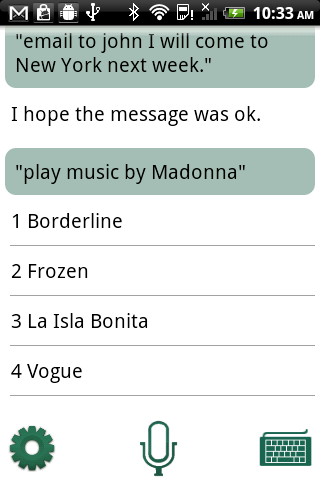
Her voice is clearer that others I have heard. Conversations with Eve are easy to see and read. Directions are simple. Push the button and talk. Play music, set up meetings and appointments, send text messages and more.


There is a video demo on the Google Play listing for the app that demonstrates some of the things that Eve can do and say. Lots of details were put into making Eve look nice and technological. Voice Answer is brought to you by the developers at Sparking Apps, listed as "sparklingapps" on Google Play.

Although the app is still young, it has a very strong start. It already has one of the best looks and sounds. I've only tried the FREE version of the App which is stated to be less powerful than the paid version. The Trial version catches almost all of the words I say, just that it doesn't understand the meaning of what I am saying. Unless I have gotten better with my English, Voice Answer has one of the best word recognition systems out there for Android. With an increased knowledge base the Free Version may be even more appealing. We look forward to the growth and development of the Free version to give users a better taste of the full version.

Download it here. Test it out, and see how you like it compared to others. Have Fun. Let us know what you think.


"I Will Wake Up!" Alarm Clock App : Review


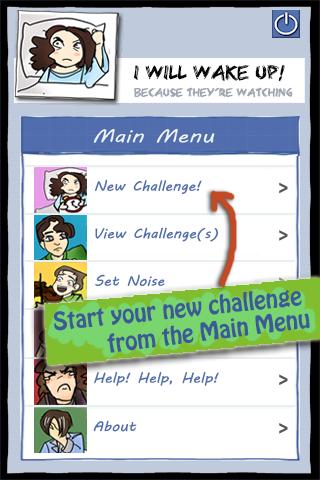
Is your Phone Alarm not working for you? Have you ever woken up to your alarm and turned it off and went back to sleep when you were suppose to get up? If so, then there is an app that may be able to help you get up on time. Introducing the "I Will Wake Up!" Alarm Clock app. This new app brings in new ways to get your attention, new motivation for you to get off your bed, and (optional) punishments if you should fail to achieve your goal to get on your feet.


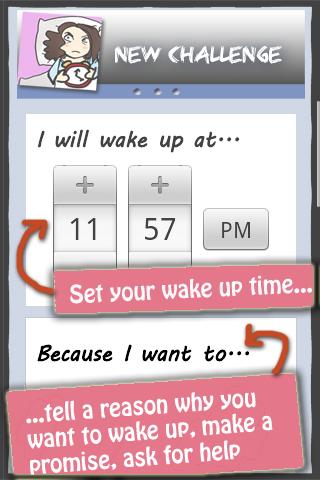
The app is simple to understand. The directions and explanations are thorough. Each Alarm time is referred to as a CHALLENGE. Inputting the information is easy and won't take much longer than setting up a regular alarm. The Volume cannot be turned down from MAXIMUM. The reason, so the alarm will be at it's loudest. When the alarm rings, you have to answer 3 questions to turn it off. This makes you pay attention for more than a second, gets your brain going, and forces you to open your eyes longer than a usual alarm. By the time you are finished turning off the alarm, you should definitely be more awake than before. And yes, you may choose your own alarm sound.

It shares your important alarm time with your Facebook social network and updates it on whether or not you completed the task. By integrating Facebook into the use of this app, it creates a social pressure for the user to prevent the shame from being posted on Facebook. Wake up on time and you can be proud as your accomplishment will be shared with the rest of the world (as long as they're your Facebook friends).

The only few suggestions I would have would be updated pictures to look a little more polish, although they are colorful and friendly already. Maybe have it optional to use Facebook with the app because every alarm may not be worthy of posting on Facebook. And a tip for using the app would be to be careful to turn it off if not using the app because if it rings in a class or meeting, turning it off won't be as easy as pushing a button. 

Overall the app is a creative take and mix of the busy alarm life and facebook lives that many people live. Download it Here. The smartphone application is FREE and is brought to you from the developers at Midnight Troop. What an Appropriate name.

Friday, 6 July 2012

Want a more Professional iPhone Photo App?

FX Photo Studio is not
only currently on sale,
but has just had a massive update.
iOS photo apps aren't hard to come by. For every Instamatic-like app out there a dozen and one rivals can be found. But what about if you're not wanting just a sparse handful of mediocre filters for your iPhone photos. What about if you're wanting a virtual Photo Studio on your iPad and perhaps fancy that your pictures deserve the best app that you can throw at them? Well in that case potenial iPhone owning Paparazzi let's look at FX Photo Studio for iOS.


The first things to consider with this high performance photo effects app is that it comes from a very reputable developer in the form of MacPhun. Indeed their app has a correlation for Macbook too, and when you consider that Macphun's Photo app retails for just shy of 40 Dollars for the Macbook version, we actually wonder how they can be so crazy to sell their app for less than a dollar (There's an ongoing sale while I'm writing this FX Photo Studio review that has cut the app to half price)
iPhone photo app for professional photographers
Dark Engraving is one of the many filters
found in this Photo App
We don't call this app a "professional Photo Studio app" lightly as the amount of filters; effects; overlays and more is astonishing. And to quote one of the numerous positive reviews on the appstore: "
Simple, easy, yet not dumbed up!

And that's the crucial part of this app and I'm positive that it greatly contributed to the decision to have it featured as the Official app of the International iPhoneography Show of 2011. 
Head on over to the appstore now to have a play with the 194 effects that are completely customisable and then create some beautiful iPhone photos which are easy to share via Instagram; Flickr and other social networks.

If you're wanting to be taken seriously as an iPhone photographer then FX Photo Studio needs to be your phone app of choice.

How to get Google Now for Android Phones

Google i/o presented the new Jellybean OS recently-amongst the improvements is Google Now which is set to revolutionise the way we search for things and puts Siri to shame.


Reasons to get Google Now
Google has long been the search engine kings and now in a bold move that fully integrates a new way of searching into Android jellybean phones Google Now has been announced and demonstrated. So what is Google Now? The Android search assistant basically learns from the phone user and is able to predict what the Android user wants from the phone. An example of Google Now in action: If a Samsung Galaxy S3 running Android Jellybean has Google Now activated and GPS turned on and goes on the same commute every day at the same time, Google Now will theoretically learn the phone users habits and Pop upa Google Now Card with route details in the future. Always searching for games that go on sale on Google Play? Theoretically Google Now will learn this and pop up one of the soon to be famous Google Now cards and give you details when they're available. Rather than you having to search for those details. Scary and futuristic ways that Google is becoming even more embedded into our Android phones and lives! But more than enough reason to get JellyBean and Google now. (Of course there's many other upgrades that JB OS brings but G Now is the most exciting)


When will all Android  Phones be able to use Google Now
At the moment only phones running Android Jelly Bean. The Android 4.1 update is expected to initially roll out for the flagship Google Android phone: the Samsung Galaxy Nexus and Motorola Xoom and the Nexus S in mid July. Other top phones like the Samsung Galaxy S3 and HTC One X can expect the JellyBean update later in the year. As of now there's now word on whether the skins of S voice or HTC Sense will interfere with Jellybean functions.


Ways to get Google Now on your Android Phone
This advice and hack has come through from the XDA developer forums and will require you to be able to modify some of your ICS files and have a rooted phone:

  1. Open Root Explorer & navigate to /system
  2. Now Open build.prop in Text Editor.
  3. Edit ro.build.version.sdk = 16 & save.
  4. Now go to /system/app & Rename GoogleQuickSearchBox.apk toGoogleQuickSearchBox.apk1
  5. Now reboot & install the app from the download link (mirror).
  6. Now edit build.prop & change ro.build.version.sdk = 15 & reboot.
febycv is the Android dev who has managed to work out how to get Jellybean on a rooted phone.
Further advice can be sought on the XDA forums