Tuesday, 15 January 2013

MintCoins (Make Money) Beta - like the apps name says

I'm sure almost all of us have seen promotions in apps that give you extra gold or kudos for watching an ad or signing up for certain things, or for just downloading another app. Next up for discussion we have the MintCoins app. According to the user reviews, each time you do one of the offers you get $0.50. The smartphone application also gives you $0.50 for making a referral, and $0.25 for using a referrers code when you get started/join. Some users have stated that it sometimes disconnects you and doesn't give you credit. The payout is quick and easy, 1-2 days and directly to your paypal account. Some user reviews from Google Play state the app as the best money making app for Android users.                                                                        
                                                                                                                                      That's my actual referral code. 

       Screen Shots                                                                                                                     

As stated it's currently in Beta stage, so improvements and updates and more deals are likely coming in the future. It has been released since early November 2012 and has gotten over 1000 downloads so far(in 2 months) with an average rating of 4.5 on Google Play

The minimum payout or withdraw amount is $3 (previously $5). You may get credit for the referral once a person joins, but you cannot withdraw that referral credit until that person has made their first withdraw. This is a smart requirement method by the designers/developers so that your referral counts only when a person really joins the app, not just install the app. Just make sure you know what you are trying out or signing up for. Some of the offers are cool and interesting.

Happy earnings.


Friday, 11 January 2013

Clash of Clans Heroes Update 2013

Fancy using a Barbarian King or Archer Queen Hero in Clash of Clans? The new 2013 Clash update is a massive New Year start to Supercells's popular game. Now there's even more reasons to upgrade your Town Hall!
Clash of Clans Dark Elixir
To get access to these new heroes you'll need to get Dark Elixir. Luckily even lower levels can just steal this from other players as you'll be able to build a dark elixir storage at just Town Halll level 7. To build the dark elixir drill you'll need to be a level 8.
More wall defences
If like me you've laboured hard and spent a lot of gold on building your wall defences to the max you'll be shocked/surprised that even more Clash of Clans wall defences are ow available. It's not just any decor stores cheap cosmetic upgrade as these walls mean business with a formidable Spikes of Pain and Flaming Magma upgrade available. The games upgrade also now gives you access to more upgrades and additional Xbows.
How to get Clash of Clans Heroes
The new game upgrade allows you to recruit and improve the Barbarian King and Archer Queen. You'll either need to steal Dark elixir for this-in which case a dark elixir storage will need to be built. Or drill for it-if your town hall is a level 8 you can build a drill.
Who's your best Clan Member?
Now Clan members who donate more troops will be given a score and an additional achievement has been opened up for benefactors.

The bad news...
Say goodbye to the Unpleasant present and Santa Spell! Winter is now over and Clash of Clans is no longer so festive so no Yuletide theme remains. Clash on!


Wednesday, 9 January 2013

App For New York

If you live in the New York Area or us the Metropolitan Transportation, this app may be able to help you manage your life a little better. Set reminders to let yourself know you have an appointment. Track your current location (some have reported this to be quite fun).


It's called NYC MTA - Bronx (live alerts) for short because if spelled out it would say "New York City Metropolitan Trasportation Authority - Bronx (live alerts)" . The smartphone app is brought to you by MGNAapps and is available on Google play for Android devices.


Give yourself a break from your hectic schedules by making it easier to get around. Save time and effort and yourself from being late. Manage your routes and compare times differences to calculate the fastest route.


The smartphone application uses your phones G.P.S. to locate where you are at. Just in case you forgot which buses connects to which, the Android app shows you which one you could and should take. If I were you and this app applied to me, I would definitely give this app a try and see how much time I can save.

Monday, 7 January 2013

Monster Galaxy and Monster Galaxy Exile (2 -in-1 Review)


 Monster Galaxy: The Zodiac Islands and it's sequel  Monster Galaxy: Exile bring you a FREE game that is largely based on the Pokemon type of gameplay and yet has a unique touch to it. A shared theme is that you gotta catch em' all. I am not sure how necessary catching all of them are, or how unnecessary, because I was tempted into catching them all anyways. One thing that differentiates the Monster Galaxy games from the Nintendo games is the humor. It's funniness and unique and interesting characters plays a large factor in the playability of the game. Another difference is that this smartphone app uses the Energy concept also found on some other apps. Energy(represented with a lightning icon) can be replenished or gained by 1 for every 4 or 5 minutes and has a maximum of 100. Coffee, which also looks like a teacup, are this worlds version of potion or revive. You may also use one coffee to fully restore your energy.  Starseeds are this worlds version of Pokeballs. There is only one type of Starseed (unlike post generation 1 Pokemon games if you don't count the 1 Masterball). It's graphics/artwork reminds me of computer internet flash games. I believe the MQ series was originally a browser based game, for example on Facebook, before becoming applications. Oh, and you can only carry up to 3 Moga's with you at a time. Don't worry, the same goes for your opponents too. There are more than 125 monsters to get.

You can name your pet monster too.
  Story: In Monster Galaxy 1 you discover that you have the power to tame(catch) creatures called mogas. The world is doing kinda bad under the ruler/tyrant, King Otho. You take it upon yourself to approach him by going through a series of islands that the king has control over. On the way you meet a bunch of characters, and I mean characters. Hints:Your Moga's heal upon leveling up, so try to use this to your advantage to save from having to use up coffee.

Story in Monster Galaxy Exile: So you were unsuccessful in part one. In the previous game you probably won the battle against the evil King Otho, but upon defeat he banished or sent you to another dimension and you ended up in a space-like more purple world. Again you try to find a way back home or defeat the king. Whatever the purpose, you must travel through islands and deal with humorous characters again. 


Also unlike Pokemon, it will delay your progress if you try to keep each moga for more than two islands(including your starter moga). In fact, most of the monsters aren't really meant to be used to battle anyways. At least 6 monsters from each island are common. The rarity of the moga reflects the mogas stats and usefulness. All attack and HP rely on a monsters level and rarity. For example, Two different types or species of monsters that are at the same level and rareness will do the exact same amount of damage if their attack bar was stopped at the exact same spot during an attack.There are no defense or speed stats in this game. DO NOT STRESS ON CHOOSING YOUR STARTING MOGA, YOU WILL GET RID OF IT LIKE BAD POKEMON TRAINERS DO WITH WEAK POKEMON.

Be sure to often check your QUESTS in your menu before leaving each island. Completing quests will earn you more coffee and starseeds so you will have to search for them less. In the beginning you will have plenty of those items, but late game you may need to battle monsters just to see if you found some. Battles that complete your quests will guarantee you a prize, while other battles do not. I had to go back and do battles with some weak monsters to complete missions because I ran out of said items. Those weak battles did not make my strong monsters any stronger. Each island has a level cap. If a moga has reached the maximum level for that island, it will no longer get experience for battles(sometimes this wasn't completely true in the first game. Although the experience bar showed no progression, it seems less experience was gained). This makes those quests more efficient use of your Energy while you are around that islands level cap, preferably right below of course.

Tip:Be Sure to collect or claim your daily prize.

How to Battle
While on an island, you may only go to the an area adjacent to where you have been. Once you select an area, it's name, description, and Energy requirement will be shown. Once you select that the battles commences. Battles are not in real-time so, but attacks and action selections have timers on them.
-Choose a Moga to send out and start the battle. 
-Attack or use a Zodiac Attack (Special Attack)  
ATTACKING Once you select to attack in MG1, a circular meter will pop out and you will have to tap the screen to stop the moving icon at a desirable location on the bar. If you don't stop it, the attack will miss or do 0 damage. (reminds me of field goals in Madden or 2K games). Increases in damage according to the bar are more exponential than in regular increments.
In MG2, a horizontal bar will pop out at the bottom of the screen and have the same function. This bar made it a lot harder for me to gauge my timing for specific amounts of damage for the purpose of catching a monster. I had done many battles in MG1 and completed it. For both games the Zodiac Special Attack is carried out by tapping the screen to fill up the sign before the time runs out. If the bar/sign isn't filled up when time runs out, the attack will do nothing and you would had lost that turn.

-You can Switch out your moga with one of the other moga's you have with you by tapping on the current moga's icon on the top left hand corner. A list with icons of the other Moga's will drop down and you can select one to come out. You can also give coffee/heal/recover a Moga with this drop down list. 

(ASIDE) The strength of a Special Attack at full strenth is based on the zodiac sign of your current moga and the enemy moga. Each zodiac have advantages over others, some neutral, and some disadvantages. Personally I was too lazy to remember the advantages of each sign so I just waited until the computer did a zodiac attack against me. If it was ineffective against me, then I would know that I should use my zodiac attack because mine would be effective against the enemy. I forgot but it was either 150% or 200% as damaging as a perfectly timed regular attack. There are no critical hits in these two games.


Catching a Moga
This part is similar to Pokemon. Your chances of a successful starseed/pokeball throw depends on the opponents remaining HP. This is where attacking from 1 - maximum strength with the attack bars in MQ games come in handy. Minimum attacks increase from 1 as you reach higher levels. I am not sure it is necessary to have the target moga's hp down to the lowest possible because the chances of catching them that is shown seems to not change very much when already low. Although rare, high level moga's may be captured with just one or two starseeds. This is less rare than in the pokemon games.  Once you throw, the moga picture starts slides back and forth. If it wiggles/almost like vibrating instead of sliding a second time, then you have captured it. Catches are more obvious than in Pokemon. Sorry for the many references or comparisons, I just can't help it.

Each island has a rare moga that will show up(be catchable) once you "master the island" by getting the maximum 3 stars at each location on that island(defeat the island). You may need to level up before attempting to catch the moga because it's level will be higher than average on that island. It is not necessary for you to defeat or capture this moga before accessing the next island. 

Monster Galaxy 2 is a lot more purple.

Differences in 1 and 2.
One has a more natural green world that I like than 2. However, the artwork in 2 is more vibrant and seems to have cleaner drawings and edges. Both have good looking backgrounds that look hand painted and are uncommon in apps. All monsters have the same regular attack animations and maybe zodiac attacks special effects. (In the trailers they have unique looking attacks, but this could be from the browser version). Monsters are nicely drawn and have different levels of originality and creativity. It's tough to come up with monsters now that there have been hundreds of pocket monsters created. The artist(s) still manage to create lots of unique and interesting looking monsters. It's a good trait that rarer stronger monsters do look better and stronger than nonimportant monsters. Oh and you can choose to be a female in part 2. Comparisons to the record breaking pikachu games are unavoidable. I still give props to Monster Galaxy designers for their creativity in monster design and humor to make itself similar and different enough.
 

I didn't get very far in Monster Galaxy Exile. Both smartphone applications require a decent amount of internal memory which my phone lacks. For testing of further apps, I had to uninstall them as I was just about done researching and testing them two. It was fun while it lasted though. The energy requirement may be annoying at times, but it keeps the game going longer and still be enjoyable. My biggest complaint is that at later stages of the game, it takes more than a few scrolls to reach the end of the list of collected monsters(starts from lowest level to highest). This gets irritating because switching out monsters in your three slots is often necessary in the game(almost after every high level battle). Both Monster Galaxy 1 and 2 has an average rating of over 4/5 stars on both Google Play and iTunes. The games are brought to you and developed by Gaia Interactive. I believe they are the same ones responsible for Gaia Online. Get your FREE copy and enjoy. And that's me taking a shot at getting 2 birds or apps with one stone or article.  Oh and this page/forum helped me keep track a lot easier after I started the game and lost track of who I caught and didn't catch. http://www.gaiaonline.com/forum/ios-android/a-full-list-of-mogas-and-where-to-find-them/t.74647353_1       Other pages probably had the browser editions and that had a different list of monsters.

Tuesday, 1 January 2013

Puzzling Cubes (App Review)

Happy New Years everyone!
 
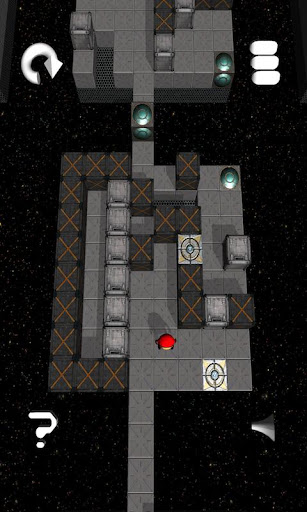
Next up and first for review this year on Gametrender.net is Puzzling Cubes for Android OS. It's a FREE app that takes place in space on a long connected world of platforms made of squares. No helmets or breathing tools necessary. The objective is to move your character around and solve the puzzles to open the door to the next level.When you've made it to the next level, the screen shifts to the next play area. The smartphone app doesn't stop and wait for your input to go to the next level as the game loads the close levels in real time. At first this confused me as to whether or not I had accomplished anything. The transition is smooth and reminds me of Jak and Daxter. Each stage is a puzzle. I have a feeling that perhaps some of my experience of using HM04 (Strength) in Pokemon caves came in handy. Completing some stages will give you a sense of accomplishment.


How to Play: 

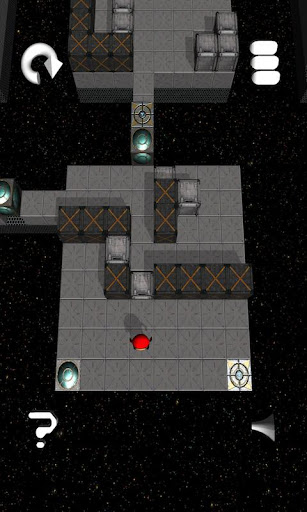
Swipe the screen up down left or right to move your character. One step or block is of movement is made per swipe(even if the character isn't done moving). Doors unlock when their respective square has something on them. Push and move the cubes around to do your bidding. Blocks with "X" cannot be moved. Once you go pass the door, you may not go back (unless you go to the the level select screen which may be accessed with the 3 white bar on the top right hand corner of the screen). Other buttons on the screen is a sound/mute icon, a hint(move made for you), and restart stage icon.


       Puzzling Cubes had me puzzled at stage 15 (the screenshot above from Google Play is actually a stage or two before the stage I got stuck on). Locks must be opened in order, so far I've gotten to 3 locks on a stage. First to be open has to be the Green one, then the white one, then the gray one. The gray lock is above ground level until it can be unlocked. The Android app is brought to you by developer Gordon Roberts. I am not sure if the other characters on the opening screen are or will be playable. The usable character has some resemblances to a ninja, while the others to a hunchback, a prison outfit, and a monster creature. If you see yourself as cunning or wise, try this app. 

Welcome back to work people,
Joshua Yang 

Sunday, 30 December 2012

Brain Squares : Give Your Brain a Work Out

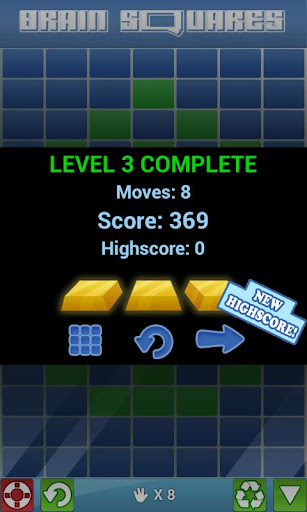
Does your brain ever get bored? Does it need some exercise? With the Brain Squares Free app available for both Android OS and iOS you can do something about it. Take one of three difficulties and challenge your brain. Tapping stationary squares can't be that hard right? You can even take all the time you want before you make a move (I think). I haven't really learned the scoring system yet but I believe the final score is based on your total amount of moves you took compared to the minimum moves required to beat that stage. Give this article a minute of your time to see if we can convince you that this Free app is worth downloading.


How to Play: (the in game tutorial does a good job at explaining too so reading this section may not be necessary)
Choose a level and a difficulty.
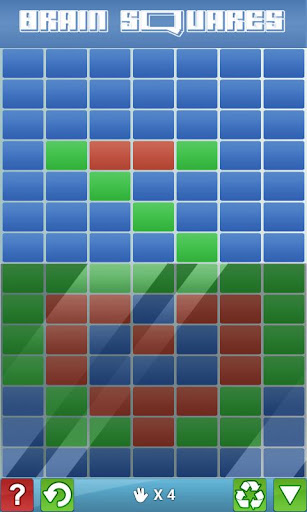
The purpose of the game is to alter the play area to match the bottom pattern on the screen.
Tap a square(rectangle) to change it's color.
Tap an adjacent square, or a square that is on the same row, or a square that is in a row diagonal to it. If the second valid square you tapped is not directly next to the first one, then all squares in between will change colors, regardless if they had already changed colors.
You may undo a move, or restart that stage with two buttons on the bottom of the screen.
Once you have made your second move, the game continues on from that second tile in play.


       I admit that I was stumped a few times even in early levels set on easy. Brain Squares gameplay and music reminds me of the Lavender Town Gym of the Pokemon series. Platforms also play a role in that gym. Back to the smartphone application.While playing this game I was also reminded of the Chinese board game "Go", which I learned not too long ago from some Chinese elders. Luckily the early levels of Brain Squares are not as experienced as elders and let you slide with some easier tasks.
Although the music isn't bad, having an updated sound might help the app a little. Also, it would be nice to be able to play the game in landscape mode(not necessary, but it would be nice). I haven't reached later levels so I cannot say how forgiving they will be.

       With between 10,000 and 50,000 downloads and over 100 reviews, the smartphone app has an average rating of 4.7 on Google Play. That is quite a good rating. The developers at BrainIcon did a good job on this one. It's creativity and simplicity sometimes surprises you, or at least me. Check out this brainteaser, just don't hurt yourself.

Saturday, 29 December 2012

Apps like a Swiss Watch

There was a time when good craftsmanship really meant a lot, a time before apps existed, before even gaming existed. Little Swiss watch makers would trn their hand to finely crafted timepieces and even children's toys. Now in these throw away times we've got the opportunity to relish well made things again, and the app industry should be leading this. Take Alarm clock apps for example. Thousands of the things exist on every AppStore, but are any really made with the love and care and devotion of a fine watch ? Yes, ultimately they're just to make money, but can you imagine how the app industry would be turned on its head if app developers started to look on their precious apps as something precious?
Instead of throwaway apps we could have beautifully graphicced Ico like apps on every mobile device. So why not start with alarm clock apps then?

Monday, 24 December 2012

Escape the car cheats

Escape the Car lends a lot of interesting ideas to the hidden object genre, it's difficult though so needs a guide for sure! It's proving quite the hit as a flash game, so we're sure it will make it as a mobile app sooner or later. We've got our guide together to finding and using all of those items that you will need.

Escape the Car items

  • The flashlight can be found  in the console in the middle of the two front seats. 
    Screwdriver-On the left of the back seat.
    Utility Knife-Underneath the driver's seat beneath the mat. Use this to find and remove the Escape the Car Wiring Guide on the car's ceiling in the rear.
    Key: In the back seat compartment you'll locate the cigarette lighter, take off the cap to find it.This key unlocks the glove box, where you'll find electrical tape and batteries that power the torch.

How to power the Car

  • The wiring guide shows you how to hotwire the car. The screws beneath the steering wheel must be removed with a screwdriver, then connect the red, blue, gray and green wires by clicking on them. The connections must be secured with electrical tape. The pink, white and yellow wires should not be connected.

    Finishing Your Escape
  • Examine the dashboard on the car. The "E" on the fuel gauge is circled, and the speedometer is frozen at 40 mph. These are the clues that you'll need to get into the boot of the car. Enter them into the hidden keypad: Cut the straps on the small center seat console using the utility knife, then remove the seat to reveal a keypad. Type in "E40" and press the "Enter" key to access the trunk. The torch will light it up, use it to light up , but also to break the cracked light on your left, earning a car key. Placed the key in the ignition, and the car powers on; operate the trunk release beneath the steering wheel. Climb out through the trunk and escape from the car.

Friday, 14 December 2012

GarageBand still riding high in the charts

Music games and accessories have come and gone, both in the realm of computers, but also the iPad other top tablet wannabees.
As a way to express yourself musically Guitar Hero and other games like it are arguably still just a fond memory for many , most serious musicians returning to their roots with traditional music equipment like Numark at Musician's Friend and yet the music app to rule them all still continues a very strong showing in the app charts. So why is GarageBand still so popular?

Admittedly the amount of proper musos hanging up their axes to make music ojn GarageBand is probably few and far between. But then again you've got to consider the sheer amount of audio post processing that goes into most modern music. A quick listen to Radio One's Live Lounge will show you how unrecognisable most songs are without the benefit of PC enhancement. But GarageBand doesn't even give you that enhancement, it is quite simply a curio piece that brings not only hobbyist musicians but every type of person to its download screen eventually.

Look at the popularity of Xfactor as a means for complete amateurs with Binge Drunk Karaoke voices still trying to make the big time. The fact is that even a totally tone deaf person is still moved by music, and GarageBand as a gateway to music of some sort resonates with most people's aesthetic principles for that reason-that's why it still rides high in the appcharts and will do for some time to come.

Simple Remote Choppers for great stunting

What is a QUADROCOPTER?
A remote controlled helicopter with 4 engines to enable it to move independently on a variety of axis.

Are Quadrocopters hard to fly?
The Quadcopter we tried from Paramount Zone was so simple. Fifteen minutes of low level flying on a lesser power setting soon had us getting a bit braver and experimenting with high level stuff. We're still not confident or competent enough to try out the more complicated stunts, but they're certainly possible with this little beauty.

But can I crash it?
With the spate of bad weather that we've been having we were reluctant to venture outside so our first trial flights were in a rather cramped bedroom! At first we were terrified that the outer cover or motors might smash, but even after a few inadvertant wall smashes the little Quadrocopter that could was still unscathed.

Show me the stunts!

You'll probably need someone with a little more flying hours under their belt to see the full range of flips, spins, 180's, barrel rolls and any other aerial acrobatics that you can imagine, as i'm still very much learning. The great thing about the quadrocopter from Paramount Zone is that it really has a lot of possibilities , while I'm not yet an Evil Knievel or a Red Baron of the remote flying world this remote controlled wonder really makes all the funky stuff quite possible.

Some Stats
Expect to fly up to about a hundred metres away with the four channel controller easily able to keep the beast under control. Even a little bit of night flying is possible with the led lights along the wing struts probably scaring the neighbours into thinking that the little green men were inbound.

Who wants one for Christmas then?
What really impressed us about the quadrocopter was it's sheer elegant simplicity. Admittedly letting my four year old son have a go (Be gentle with that "stick" apparently means ram it to full throttle straight away in his book!) was a bit ambitious. but realistically I would say about a 6 year old and upwards would be able to handle the flying . Of course intricacy of flight can only improve with practice and that's where the ability to govern the power output comes in. 20% for novice flying making way for 100% seat of your pants loop the loops and more.

Avoid Santa's Sleigh in high level flight and you should have years of progressive aerial craziness with the quadrocopter.

iPhone 5's low light level problems

Those who love to use their iPhone to take photos were initially enthused by the new low light level function that would allow IOS to use Isos above the old maximum of 800. However tinkerers and lovers of non stock apps express some disappointment with little realistic changes being seen in real life photos.

The reason for this is that even though the signal processor used by the magnificent A6 chip should bring improvement, it will mostly only do so for the iPhone 5's native camera app. Most third party camera apps remain unsupported. If you regularly use Camera+ v3.5.1, Pro Camera v3.81 or ScoutCamera you're in luck as they too benefit from the improved low light level function. Apple doesn't necessarily limit apps like Instagram from using the low light function but a substantial app rehaul is needed to take advantage. Whether you're taking photos from underneath your great personalized umbrellas or on a moonlit night,low light photos are a great feature of the new Apple phone, now it's about time that every app had access.

Thursday, 13 December 2012

Smart Volume Control : The way it should be


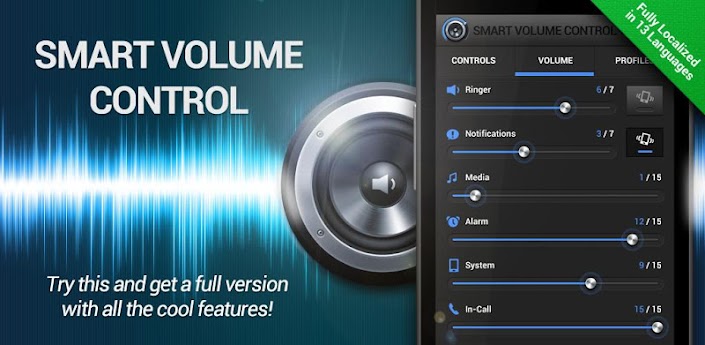
    I'm sure you've navigated through your phone looking for sound settings and wondering, how come the sound settings aren't all here, or why is it separated from the other sounds?  Up next for discussion is the Smart Volume Control app developed by Direct-Services s.r.o. It's amazingly large number of features and adjustments are all greatly organized to make your sound settings incredibly more convenient. The smartphone app is very appropriately named. With all it's functions it's clear that someone or a group of people put a lot of thought into the design of the app. The great detail put into the user interface such as menu's and buttons also reflect the amount of work that was put into SVC. While trying out or using this app you'll think to yourself, this is the way the volume settings should be. Easy, smooth, natural, practical. You can check out the video below instead of read the whole short review.

Choose from many widgets for the specific use(s) that you would want.

     It doesn't make sense for most apps to be running in my notification bar while I'm not using my phone. With Smart Volume Control, that's not the case. It's good to be able to quickly get to adjust the smart volume controls. With a pull down of the notification bar, a tap on the app, and a slide you get all these main controls. It is just loaded with features. Not only does it have options that you want,  there are probably some useful features that you haven't even thought of. The keyword here is "useful". This brief review will not cover all the features in details.  

Even the setting up the alarm is more convenient then my default alarm.
Functions include:
-Different Profiles 
-Automatic settings by Location (work, home,church)
 -Letting events change your settings for non recurring event(s)
-Have the volume change as your speed changes 
-Have the volume turn off if your headphones are taken out on accident (or on purpose by babies).


   I wouldn't be surprised if more features like this was copied into new versions of default phone operating systems. You hear that Samsung? The smartphone application is available on Google Play.The FREE VERSION may be downloaded here. The full version is called "Smart Volume Control +" or "SVC+" and has extra features and removed ads. Make your time and phone management easier with the help of genius volume controls.


Deep Space Lander : Outer Space Chronicles


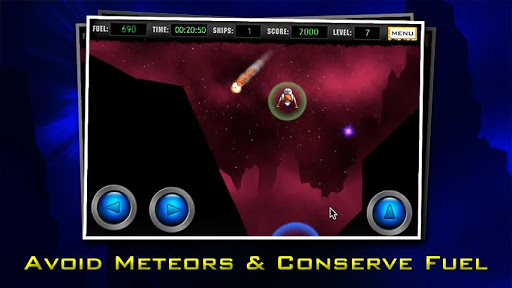
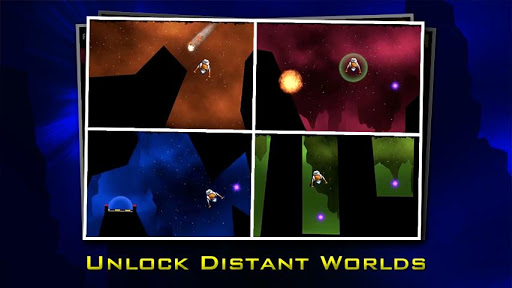
This here app we got for review today is Deep Space Lander . It's a new app on Google Play. Fly and navigate a spaceship to collect the purple orbs needed to unlock the landing pad. You have limited fuel and using your shield uses up some fuel. The shield is used to protect you from meteors/asteroids and is temporary. You will have to wait 20 seconds before using the shield again. A warning will come up when an asteroid is close (sometimes the warning comes too late or I'm just too slow to react and press the shield). Once in a while there is no hope as the commit hits your ship right after the warning signal. This occurs more often when you are towards the top of the screen and don't have a great view above you to see that a rock is coming. I guess that's how to play and an introduction up in one besides the thruster button. The graphics and user interface/menu are really well done. Details are pixel smooth, no pixels apparent.


Unlike older  retro styled games, the thruster mechanics here work a little differently. The thrusters are a little weaker and it's harder to change your momentum. This makes it very challenging (even on stage one). The ship is very delicate, but parts of your landing legs may touch the earth/ground. I doubt the shield my aid you in coming in contact with the land. I don't know who opens the landing areas, or why you need to collect the glowing purple things. Perhaps they can be explained in future updates. Although they aren't important for the suspense of dodging terrain.


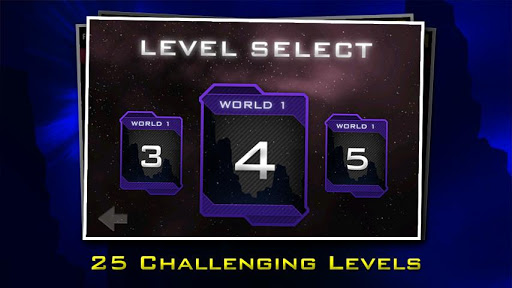
One suggestion I would have for the smartphone app would be to have a "Retry" or "Replay" button so that I don't have to go back to the menu, then scroll all the way to level 20 to play again. On one occasion, my first test, I was flying a little horizontally when I landed on the landing zone. It gave me a "good landing" sign and then I crashed. I forgot what happened exactly after that, but I know that it restarted that level (minus one spacecraft/life) wasn't continuing or wouldn't start. Nothing of the sort ever happened again. No errors, no glitchy effects.


 Deep Space Lander is brought to you by the developer(s) at Hot Mustard Studios. Too bad NASA isn't here anymore, but you may still sort of experience a space like simulation game. There are free versions of this smartphone application available on Google Play and iTunes. Then there are also paid versions here for Android OS and here for Apple OS. I am unsure what the differences are. Give those links a few clicks and be on your journey through space. Not sure what planet they're on but enjoy it while you get addicted.


Wednesday, 12 December 2012

Gambling on Facebook?

Zynga Slots Facebook
Zynga Elite Slots
We all know the formula of taking an age old past time and making an app out of it, that's why gambling apps in form or another exist on so many platforms. But when a big player like Zynga is involved and they're bringing gambling to Facebook it's sure to create a sensation!

In fact Zynga seems to be trying to redesign the way that ambling works and create a whole new app genre at the same time. Following on their roots with a lot of other collaborative multi-player stuff in the past they're now bringing us collaborative multi-player gambling.

This social gambling is no modern day bingo for Facebook. No , Zynga Elite Slots is a full blown all bells and whistles, manga,e ,boss fight containing multiplayer extravaganza. Different slot machines will include House of Fangs, Enchanted Forest and more. Adding a bit of polish to gaming is the choice of an avatar with different abilities.

The multiplayer side of things comes into play with all players contributing to a shared points pool that will eventually trigger a boss fight. Stats are weighted in your favour if you've added more points to the pool and you'll stand a greater chance of beating the boss. Minigames aplenty, in game chat and present giving make this a slot machine out of the ordinary. It's doubtful whether Zynga will contribute any of their millions to real world Zynga Elite Slots winnings, so don't expect to be splashing out on luxury at the Cohiba Cigars Sale!

Monday, 10 December 2012

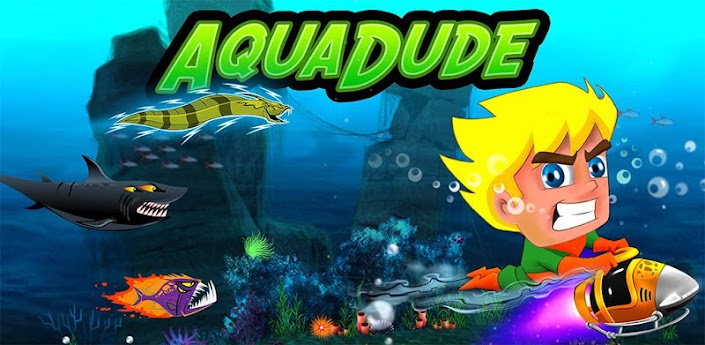
AquaDude: Submerges for iOS and Android OS


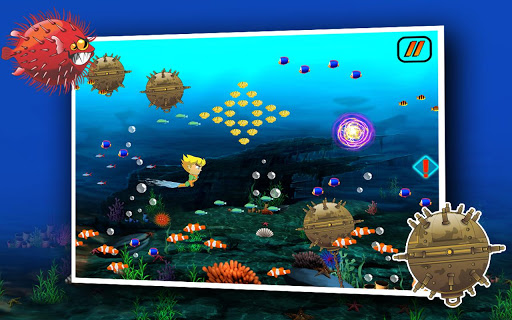
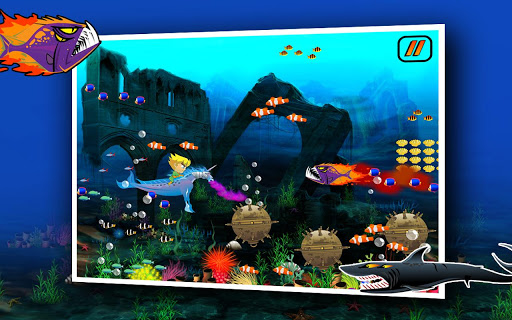
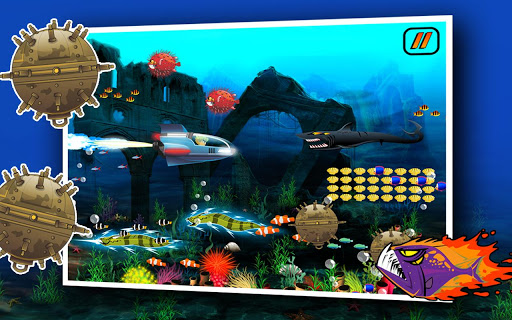
   Are you a fan of Aquaman or Aqualad? Ever played those older games where you fly an aircraft up and down while traveling to the right? Well, the smartphone app, AquaDude , is like a combination of the two. Your character can breath underwater(or hold his breath forever) and is constantly moving to the right of your screen. Your job is to tap or hold the screen to make him go up. Let go of the screen and he starts to come down. Maneuver around obstacles such as a "4-eyed megalodon sharks, supercharged electric eels, flaming torpedo piranhas, deadly blowfish and floating explosive mines". (I couldn't have said that better myself so I quoted it from the Google Play description.) It's also FREE.


    Actually the official description does a great job at explaining the game I'm not sure reading anything here will help you as much or be as enticing.  The screen is your button. That's simple, but not easy. AquaDude is really difficult for me to play. It's a one level game with many achievements depending on how far you get. Collect the purple power ups to get one of four boosts:an underwater scooter, a purple fire breathing seahorse, a little submarine, and a fast swimming dolphin. These four boosts give you an extra life/or shield to protect you so that you may hit and object going at that speed and survive. You may also purchase some items using shells you've gathered. Other power ups include a seashell magnet, a multiplier, and extra meters to start with.


 Vortex Gaming is the name of the developer. This is a fresh new smartphone application. AquaDude is FREE and available on Google Play for Androids and on iTunes for Apple products. It even has a 3D trailer that can act as the (non ingame) intro to the game.


Pop up fishes are usually bad for you in underwater games and here it is no different.

Roborunner : Retro Styled Gaming

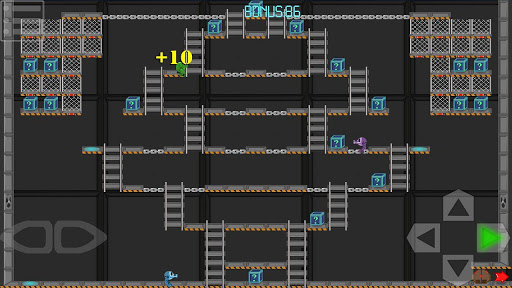
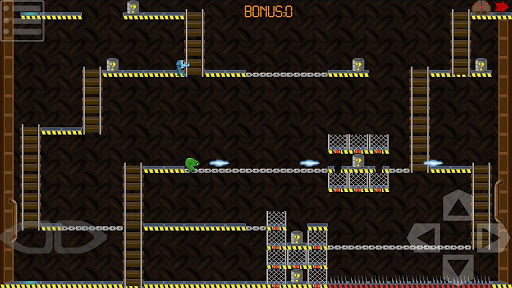
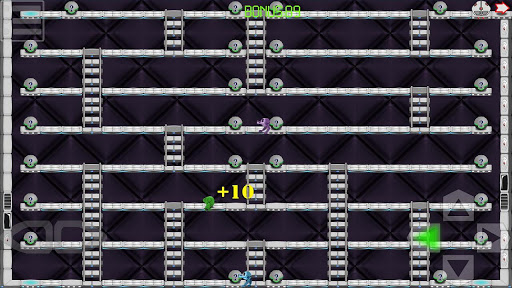
    Ever miss those old classic games like when Mario was going up against Donkey Kong? We have an app that would probably remind you of those days (if you remember them). Roborunner is a platform puzzle game where you take your Roborunner and make your way around the levels while avoiding enemies(defective robots) and collecting points. Your goal is to fix the other robots. Oh and there's a catch, you can't jump (don't mean to misinform you), but the smartphone app is FREE.


Maybe someday the Android logo or Android Mascot could take on an adventure like this someday. Until then, download this Android app from the developers at Linear Smile. The smiling probably won't come until you beat a stage. There are 30 stages to beat. Also, you can't shoot the enemy robots. Your weapon fires left and right to hit cages or the fence-like blocks. After a few hits the block will disappear. After a while, the block will come back.


 A few Tips on how to play.
-Chain platforms cannot be landed upon. You can walk across them, but not land on them from a fall or ladder. 
-The bottom part of ladders don't seem to have a platform for your character to walk across, but it does.
-Don't land on spikes, you'll die. 


It's a fairly new smartphone application so it still has it's bugs on the devices I've tried it out on. For the Xperia Play the app force closes by selecting the first available level(after it tells me I cannot access the level yet, but it's clearly available).  I continued testing on a Samsung Galaxy S II and got further than that but still ran into problems. Pressing the "settings" android button automatically causes the game to close. If I don't press that button (located really close to the lower right on-screen controls), then the game crashes when I die. 

  According to the Google Play listing, there is a Premium Version for $0.99 that "has no ads and allows you to adjust the difficulty level and the gameplay speed." The description also states that "Both versions contain HD resources for tablets." I'm sure they will appreciate your feedback for developmental purposes. So go and download your copy from Google Play and play. With 3 worlds to conquer, how far can you get?

Thursday, 6 December 2012

How the FT app migrated to multiple platforms

This article is based on the Financial Times App as conveyed by the work of lead designer Jim Cresswell. We chart the journey and reasons from moving from a single appstore presence to an online presence in the form of HTML 5 and other multi platform solutions. Questions that will be addressed for app developers are:

  1. Why migrate to other app platforms
  2. The difficulties of HTML 5
  3. Is Windows 8 valid for earning money rather than the traditional app route?
  4. The inherent difficulties of programming for many platforms
Financial Times App Case Study
FT app aims
• Single page experience and responsive
layout/interactions.
• Single code base across platforms.
• Download data only, render client-side.
• Offline functionality.
• Regular app releases straight to the user.


History
• iOS app - May 2010.
• Web app – May 2011.
app.ft.com
• Over 3 million downloads.

Platforms
• iOS first because of readership.
• Android next, performance necessitated
wrapper.
• Windows 8.
• Chrome for Android.


Benefits of web for the FT
• No need to be subject to rule changes in
an app store.
• Users see new features/fixes immediately,
update is automatic.
• One code base, multiple target platforms.


The Windows App Architecture
• HTML/CSS/JavaScript wrapper app.
• Written with Visual Studio (Windows Store
integration).
• Contains iframe pointing at the web app.
• Wrapper communicates with web app via
postmessage.
• OS integration via Windows Library for JS.

How we got there
• First targeted IE10 to test/adapt the web
app.
• Changes to the web app were front-end
only.
• Created an installable wrapper with OS
integration.


Changes to the web app
• Update Prefixed CSS.
• Implement IndexedDB support
(see Matt Andrews’ labs.ft.com tutorials).
• Abstract and improve touch handling
and scrolling (ftscroller library).
• Many small improvements to codebase.


Where Windows was hard
• Documentation of Windows App APIs and
processes was poor to start with but has
since improved massively.
• Support for multiple builds of a single app
targeting different equipment
manufacturers is tricky.


Lessons learned
• Simple test cases to pin down weird
behaviour in a simple environment save
time., especially when documentation is
scarce.
• The better abstracted your code is the less
time it will take to reach a new platform.
• It takes time to learn new IDEs.


Tuesday, 4 December 2012

Pudding Monsters- new game from Cut the Rope Studio

Zeptolab announces Pudding Monsters.
The studio behind Cut the Rope, that has been downloaded more than 250 million times - and is due a new version on Android soon- is about to release a new casual puzzle game.
When is Pudding Monsters Released?
It will hit the market on December 20.
Expected to be massively popular with associated plush toys and other gaming related merchandise PM should be as popular as Cut the Rope, at least according to Zeptolabs prediction.
What do you do in the new Zeptolabs game?
The goal of the game is to get pieces of pudding to stick together and if it follows the usual quirky, graphical brilliance of their previous games it should be great.  Players move the pieces of pudding around with the goal of having the pieces stick to another object or else they fall of the board and end the game.

Maximising the sound on your iPhone


Are you getting the most out of expensive headphones on an iPhone, iPad or iPod Touch?

You're probably never going to get a recording studio perfect sound from your iOS device, but there are little tricks and tweaks that you can perform to maximise your iPhone bass and more (also applying to iPad and iPod etc.)

If even expensive headphones are sounding"tinny" on your iPhone there are methods to correct this there are a couple of dozen easy-to-select choices for sound equalization. iOS devices have a choice of 24 available pre-selected settings. Follow our brief tutorial below to learn how to improve the sound on your iPhone and other iDevices.

How to Find the iPhone EQ Settings

  1. iPhone EQ Settings

    Tap "Settings"
    iPhone Equaliser
  2. Music

    Scroll down and tap "Music"
    how to improve monster beats on ipad
  3. EQ = Equalization

    Tap "EQ" to display your choices for equalization
    picture for idevice EQ
  4. EQ Window

    The default is "off"
    iPad sound options
  5. Less Bass!

    If you think the Beats headphones are too boomy and bassy for you, select "Bass Reducer."
    Best audio setting for MonsterBeats on iPhone
  6. Late Night? All Right

    For the opposite effect, try "Late Night."
    Of the 24 possibilities on this EQ page, see if you can find one you like.
    professional audio studio setup for ipad using cakewalk

Monday, 3 December 2012

Claymation comes to IPad

Katamari like games on iphone
ClayJam on iPad
Morph, Wallace and Gromit, will games based on these ever be a Claymation success on iPhone and IPad? Well it's a redundant question anyway as Zynga returns the cool to Claymation gaming with new game Clay Jam being a lush,pastel coloured stop motion clay moulded dream of a game.
We're sure that there have been quite a few stop motion games even on the iPad. But developer Fat Pebble has broken quite a few mobile gaming rules in creating this rather fun game.
Echoes of Katamari Damacy (on iOS?) are the first impressions with your clay ball having to roll downhill collecting smaller creatures until it is finally after many levels and upgrades ready to roll out as a massive marble of clay and take on the end of level large clay behemoth that is threatening the world of ClayJam. 
There's continual progression with unlock after unlock following the acquisition of more clay. The world get's bigger the more you roll and this in turn allows you to purchase new Clay Creatures to roll up. Later unlocks being worth a great deal more clay when they succumb to your clay ball's stickiness.
The clay creatures are beautifully animated and definitely have a sense of personality behind them. The fact that they have been rendered and animated in Clay over a year long process is certainly a rule breaker from Fat Pebble but it really pay's off with a universal appeal.
As you gouge away clay to guide your ball down, aside from the lack of tactility you would honestly feel a childhood twinge at the fun to be had with playdough. Hopefully in future updates we'll see a sandbox mode and a way to build your own clay creatures on iOS.

Winter Clothes for Gamers

Perfect Gamer's Clothing? Onesies from Funzee
Sitting writing this article it's another crazy British Winter; my only consolation is that my wife has got herself the perfect Winter clothes that also suit her mobile phone addiction.

Well when I say perfect I mean for indoor use only as I don't think that she'd want to be wandering around outside in her Onesie no matter how stylish it is!

The retro onesie from Funzee is a comfortable form fitting item of clothing that makes it really easy to mooch around the house. And as for fitting in with a mobile lover's lifestyle it's got all the pockets you could possibly want for any manner of mobile phones. The material it is made from is very comfortable and stretchy and having a bunch of kids clambering around trying to grab the family IPad or "borrow" her mobile phone for a bit of YouTube action; you'd expect those muddy hands and generally kiddy mess to really make the Onesie a state. It's testament to its robustness that no dirt has shown up at all.
Two weeks on and I'm finishing off the article on this Funzee Onesie- the fact that flu made the whole family bedridden actually turned out to be a perfect time to test the Onesie under field conditions, virtually living in it for two weeks really proved that it's a great item of clothing! Can we really afford to be lounging around the house in this day and age? Probably not, but if you do have that occasional luxury, or even just want to be cosy of a night time then Funzee has their retro range Funzee to take advantage of as well as other ranges like the Wizard Funzees and even Retired Funzees. Working as a videogame blogger I can certainly see the advantage to being warm and cosy and also having those ever so handy pockets to keep my gadgets in!
Have a great gaming winter and if you're fearing those icy blasts you certainly know where to get your lounge-around at-home clothing from.

Clash of Clans Christmas Tree

At last the legends of the Clash of Clans Christmas tree are true. Whilst fighting one,of the multiplayer matches today this Xmas tree was spotted in my enemies camp.
I've tried to remember the name of the player whose camp the tree was in but can't at the moment. If you're one of those players that are lucky enough to have this seasonal tree in your village then we'd all love to know what it does.
I've taken a still on the IPad to provide proof that the Clash of Clans Christmas tree actually exists, now to just find out what rewards can actually be obtained from it!

Clash of Clans Christmas Tree

Saturday, 1 December 2012

Paintrala - Drawing app


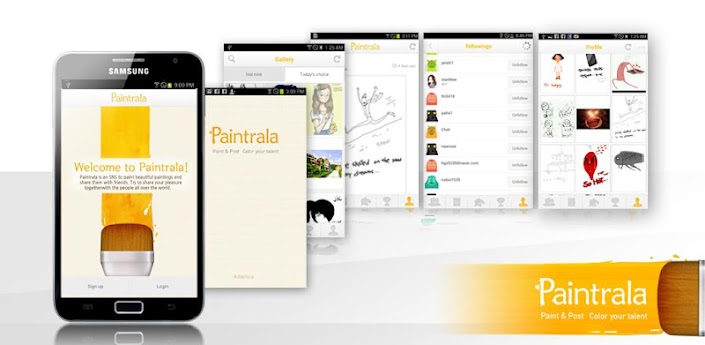
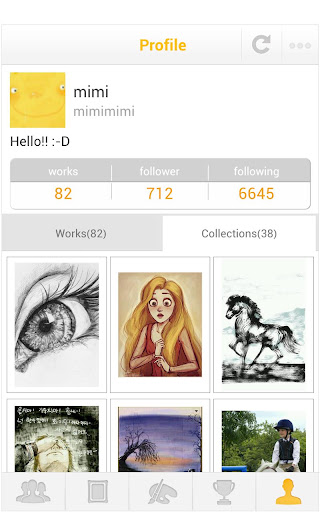
      Do you like drawing on your phone? Want to share it with others and maybe look at what other have done? With Paintrala - SNS for painting you can do just that. It's a bit similar to painting on your desktop computer. With the app you can see what drawings are currently trending, or the pic of the day, or browse through other popular drawings. You may even upload a photo from your gallery, or take a photo using your smartphone's camera, then edit it. Photo effects may be applied. There's different drawing tools such as a brush and pen and more. Pinch and zoom are important and works really smooth. Use layers to draw over your pictures. I believe the app is still fairly new, but it's population of users have been growing. Some of the work really amaze me.


     There's two ways to undo the last drawing motion. Either tap the undo button or draw on a second part of the screen while the first drawing is still in motion. I just used my fingers for testing, but I suggest you use a stylus. Not all stylus' will work on a Samsung device. I tried using my Nintendo DS stylus with no results. This is probably due to the screen using electric signals from your fingers so only special stylus's will work. The only small suggestion I have for the smartphone app is to have the default pictures be available for use (because I deleted one of mine because my work wasn't satisfying). In other words, make it so they cannot be permanently deleted.


     Paintrala is currently is only available for Samsung devices. Other devices can download the app, but there's a good chance it won't work perfectly. I've tried it on my Sony Xperia Play and was unable to draw. However, I was able to successfully run the application  on a borrowed Samsung Galaxy S 2. Share your work with others or let other share with you. Experience and see what other works of art are being created by artists around the world. There is even a contest that you can participate in. I am not an artist, but maybe you are. If so, then the developers at AltamiraSoft made this for individuals like you. Even if you are not an artist, you may be able to enjoy it or learn that you are not that bad at it. Give it a try and let your artistic skills run wild and free. Who knows how many likes you may get.